All-in-one digital toolkit. Premium WordPress themes, Shopify themes, plugins, templates & creative assets.




 Recently Updated

The WooCommerce My Account page is one of the most important pages within WooCommerce. It holds important information for your customers such as orders, their address, payment methods, account details, and other endpoints. Since the My Account page is such an important information hub, shop owners might want to add new custom my account endpoints to showcase other information and customize the look and feel of the My Account page.
Here comes the Customize My Account for WooCommerce that handles this by allowing you to add any number of custom my account endpoints( tabs ) and content. You can sort the tabs as per the priority and even customize the design via the build-in style customizer panel.
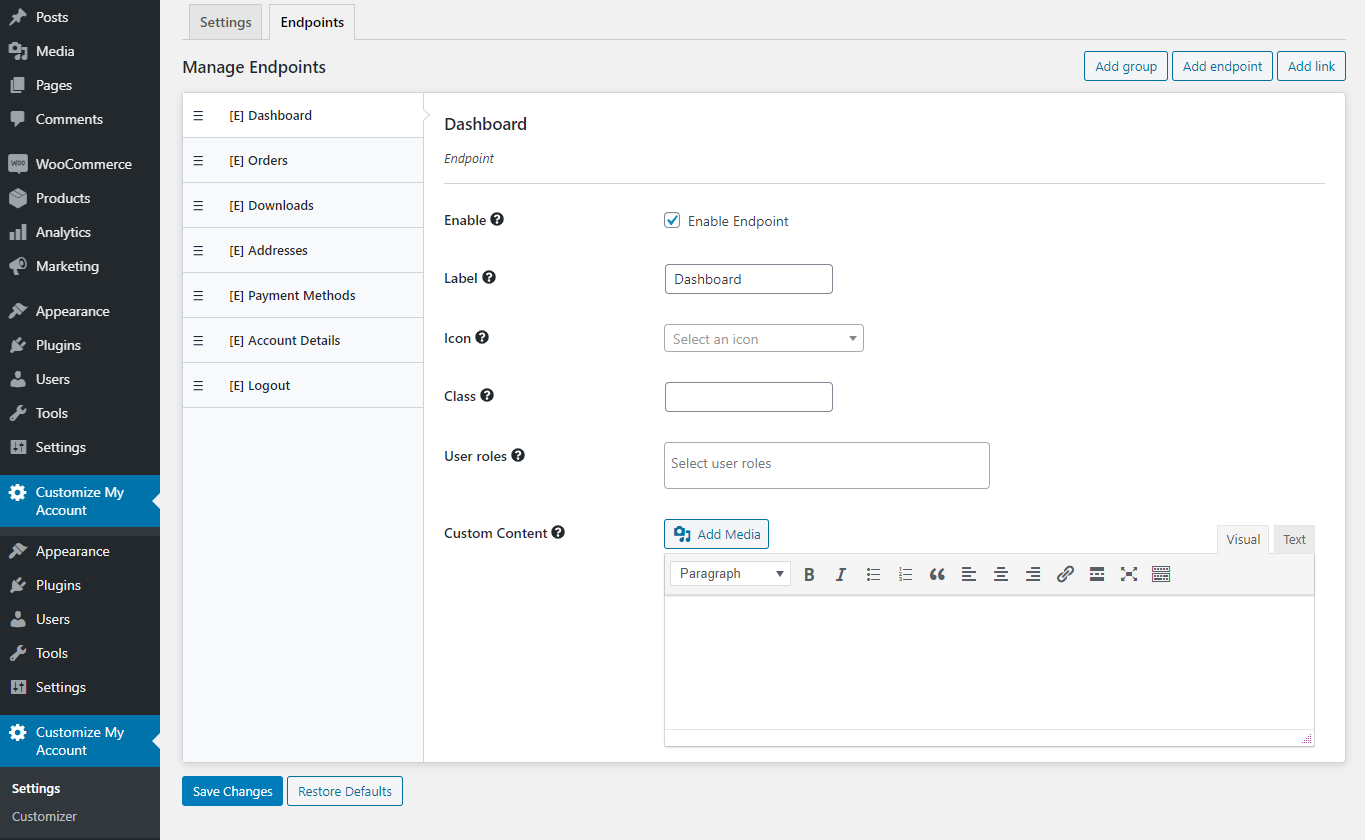
Customize My Account for WooCommerce gives you complete control over WooCommerce’s My Account page allowing you to create new account endpoints, links, and groups. It also allows you to customize the account dashboard tabs, buttons, links, fonts, avatar, etc., to match your site’s style. No more messing with code to create new tabs. You will be able to create, re-order, hide, disable, and remove tabs with ease. Also, No more CSS coding to customize tabs — you’ll be able to create your own custom design using the customization wizard similar to the WordPress customizer.
Key features
- Add, remove, and re-order endpoints(tabs), links, and groups for the My Account Dashboard.
- Change labels, add icons, and display custom contents (text, media, or a form) to endpoints.
- Allow endpoint access to specific user roles.
- One-click hide/disable tabs.
- Change the look and feel of the account page with a powerful customization panel with a live editing preview.
- Change font, font size, color, background color and image, border, padding, margin, and more.
- Easy-to-use, customizable design editor tool.
- Add your own custom CSS code.
Easily Add Custom My Account EndPoints(Tabs)
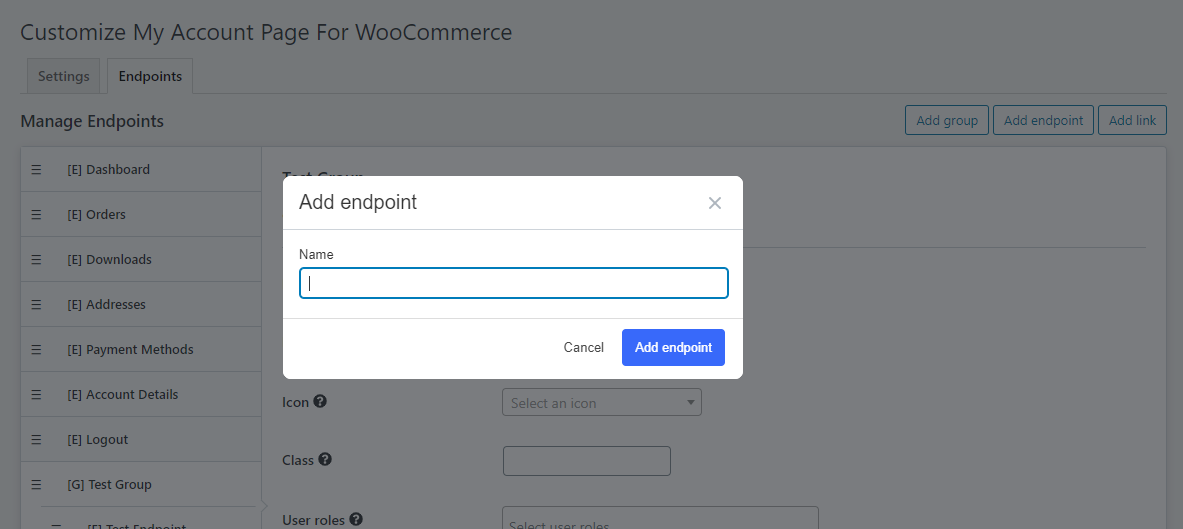
Adding My Account Endpoint is super easy. Click on Add Endpoint button, give a name, and done. You can then enter the content for that endpoint, add icons, set access roles, and more.
Also easily sort the endpoint position on how they appear with simple drag and drop.
Group EndPoints Together
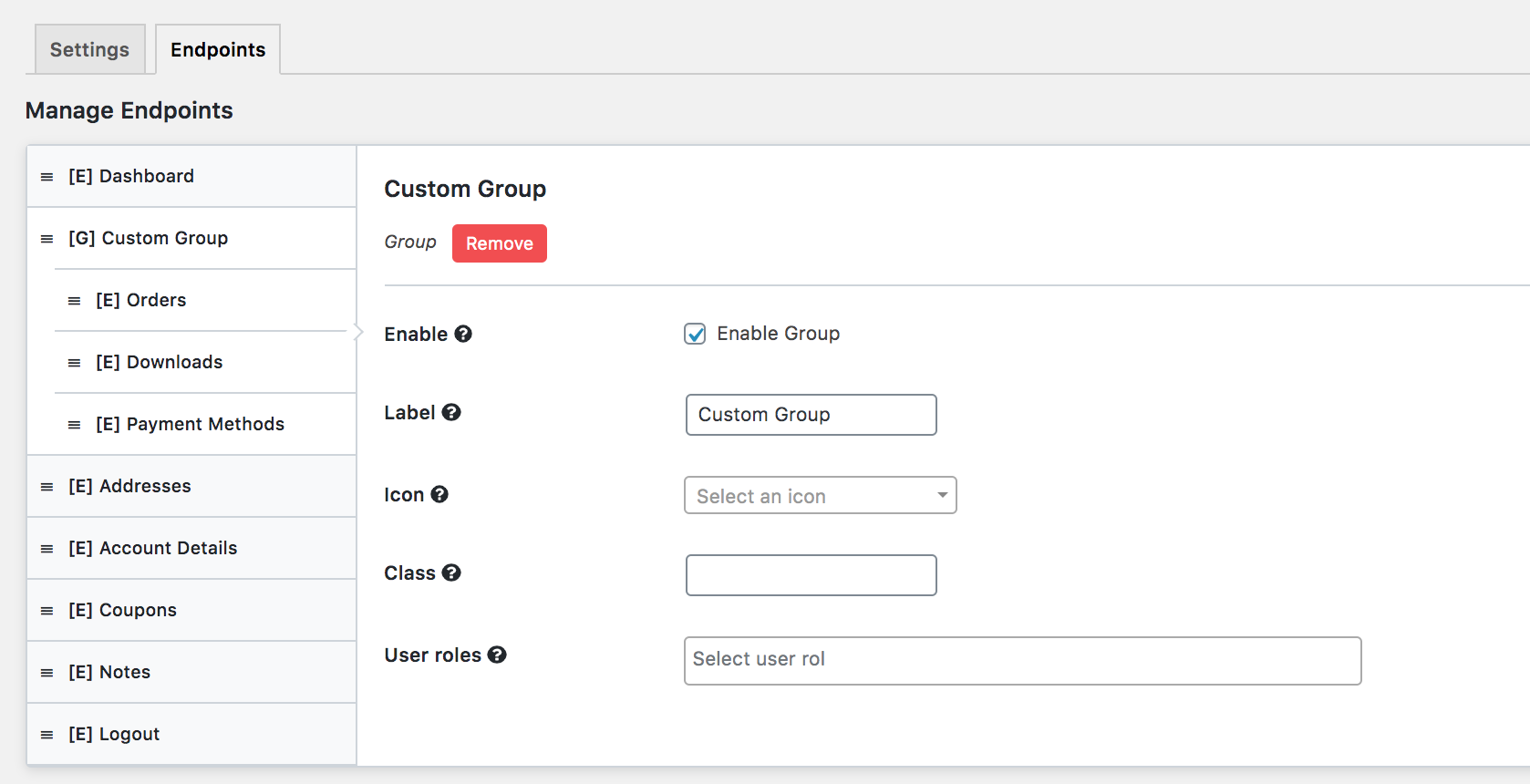
Grouping similar endpoints together are easy. If you are familiar with the WordPress Menu system then it’s similar. Simply create a group and add endpoints inside it.
Design My Account page visually with live customizer
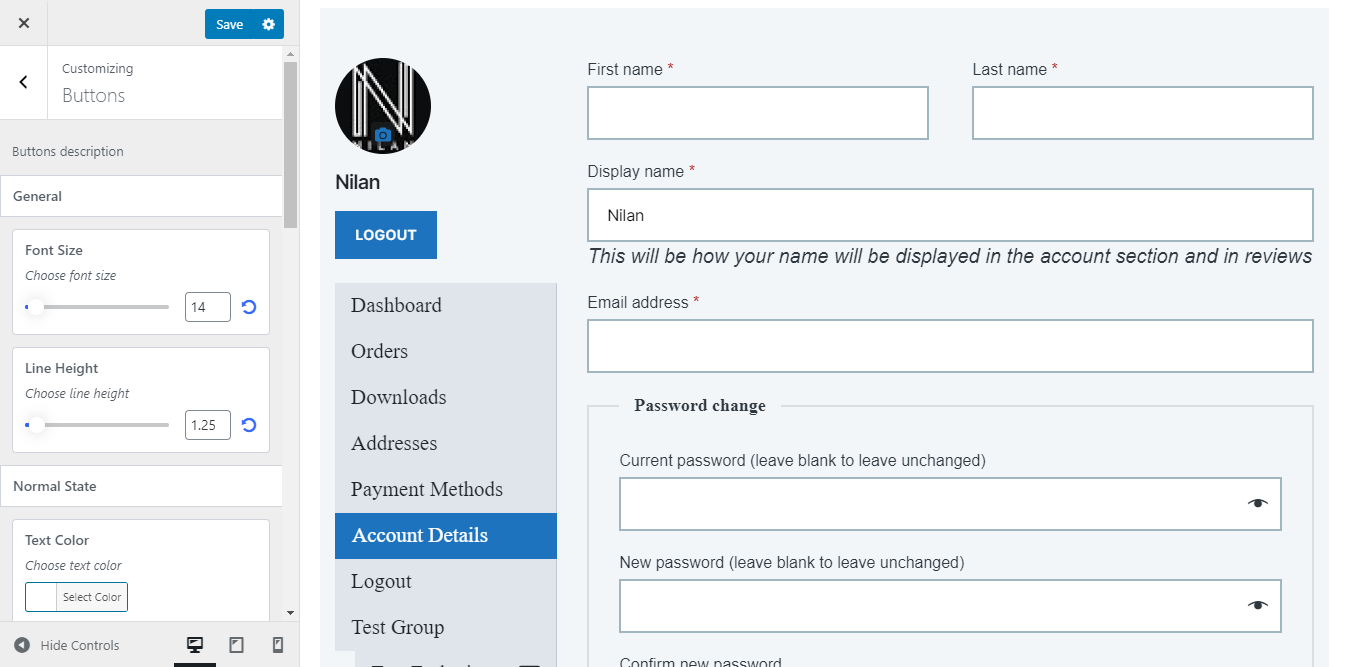
Customizing Account page as per your site design is now a breeze. Simply launch our customize panel and start editing the color, background, font, spacing, and more. You don’t need to be a CSS master to do achieve these design changes. Once done click save and that’s it.
Get complete control over WooCommerce’s My Account Page. No more messing with code to create new custom tabs.
Compatibility with third-party WooCommerce plugins
Currently, the plugin is by default compatible with the following plugins
- WooCommerce Bookings
- WooCommerce Subscription Downloads
- WooCommerce Subscriptions
- WooCommerce Memberships by SkyVerge
For plugins other than the one listed above you can manually make it compatible by following this guide
For more detail please follow our documentation
You can also, check out this detailed article on How to customize My Account Page for WooCommerce stepwise step plugin implementation


Reviews
Clear filtersThere are no reviews yet.