 🔑 Software keys sent via WhatsApp or E-mail within 24 hours (1 Day) ! ⏳ If not received, Contact us! ! 📬



 Recently Updated


Cashier
por StoreApps
All-in-one plugin to optimize your customer checkout experience. WooCommerce one page checkout, checkout field editor, direct checkout, one-click checkout, Buy Now buttons, product recommendations, min-max quantity and many other enhancements.
ÚLTIMA ACTUALIZACIÓN
2023-12-01
VERSIÓN
Save $600+, reduce 12 plugins
Buy any popular WooCommerce one page checkout plugin, and you’ll spend $79. Add checkout field editor, direct checkout, side cart, frequently bought together, cost of goods sold and other checkout/marketing plugins…you’ll spend a whopping $600!
Plus, the hassle of installing, configuring, and dealing with individual plugin support consumes your valuable time and effort.
Cashier for WooCommerce combines all of them into one affordable WooCommerce checkout solution, saving you money and frustration from managing multiple plugins.
Developed by the same team behind best-selling Smart Coupons and Affiliate for WooCommerce plugins, you are assured of quality and top-notch support.
Sell more with a smarter, simpler and faster checkout process
No setup or configuration. You have the flexibility to enable/disable these enhancements as and when you like:
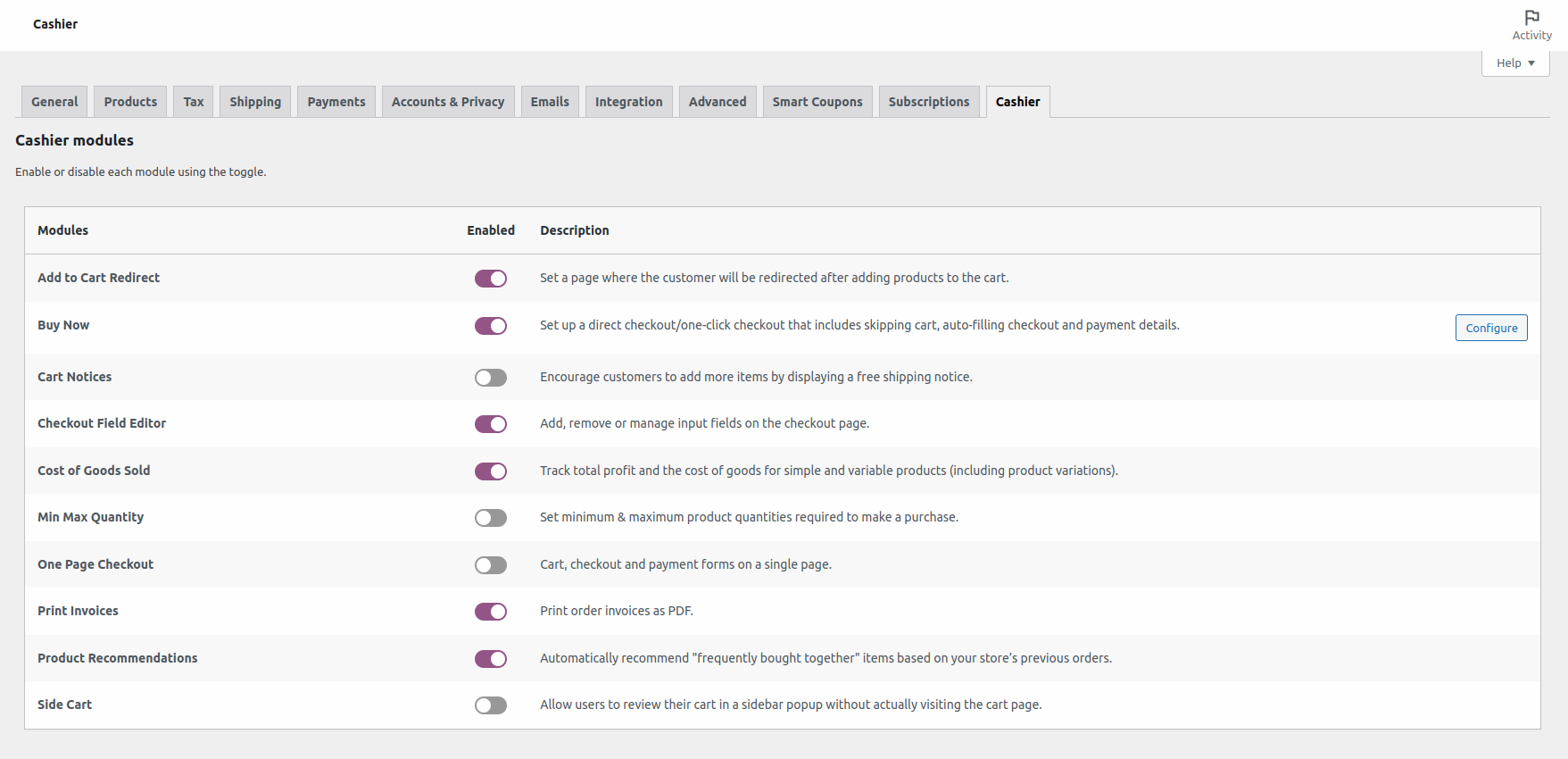
- One page checkout (one page shopping) – show the products, cart, checkout form and payment details on a single page.
- Checkout field editor – edit/add/remove core WooCommerce fields and also add custom fields for an optimized checkout.
- Direct checkout – skip cart and redirect users to checkout with quick Buy Now buttons/links.
- One-click checkout (instant checkout) – skip cart, checkout and payment and complete the transaction in one click with quick Buy Now buttons/links.
- Add to Cart redirect – redirect users to the checkout page or custom URLs after a product is added to the cart.
- Frequently bought together – show related product recommendations — based on products from the same category or tags, and other algorithms.
- Side cart – show the cart as a sidebar popup, allowing customers to update cart items without visiting the cart page.
- Min-Max quantity – set desired quantity of the products that users can purchase and enable direct checkout using Buy Now links for that product quantity.
- Cost of Goods sold – measure your total profit and cost of goods sold.
- Print PDF invoices for orders.
- Cart notice – nudge users to buy more and qualify their order for free shipping.
- Update cart variations – allow users to change cart item variations on click of a button.
- Empty cart – allow users to clear their cart in one-click.
- Compatible with WooCommerce Subscriptions.
- Ongoing enhancements, new features, and updates
Stop abandonment before they happen. Create superior checkout flows for customers. Cashier is a single plugin for all major customizations in your sales funnel — cart page, checkout page, order complete page, product recommendations and more.
WooCommerce one page checkout (single page checkout)
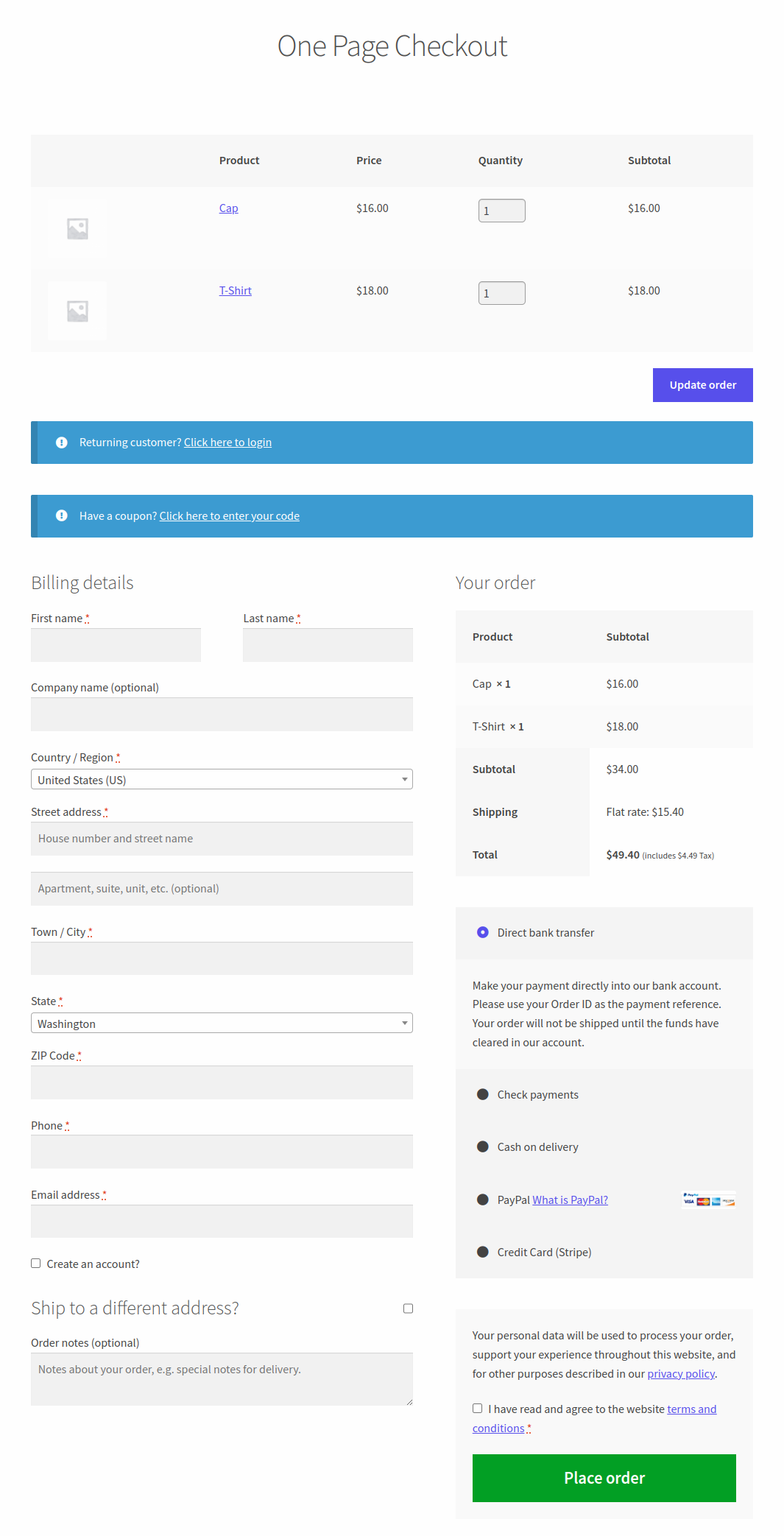
Reduce cart abandonment by showing the entire purchase process on a single page, with Cashier‘s WooCommerce one-page checkout enhancement.
Create special pages or turn any page into a one-page checkout where customers can choose quantities of the listed products, update the order, fill out the checkout form & payment details, all on a single page.
You can enable one page checkout for pre-selected products, product IDs and product categories. Supports simple, variable products (including variations) and subscriptions.
WooCommerce stores that sell services, plugins, themes or even physical goods will find one page checkout a valuable addition to their store. It gives a faster checkout experience with less interruption and more happy customers.
WooCommerce checkout field editor (checkout manager)
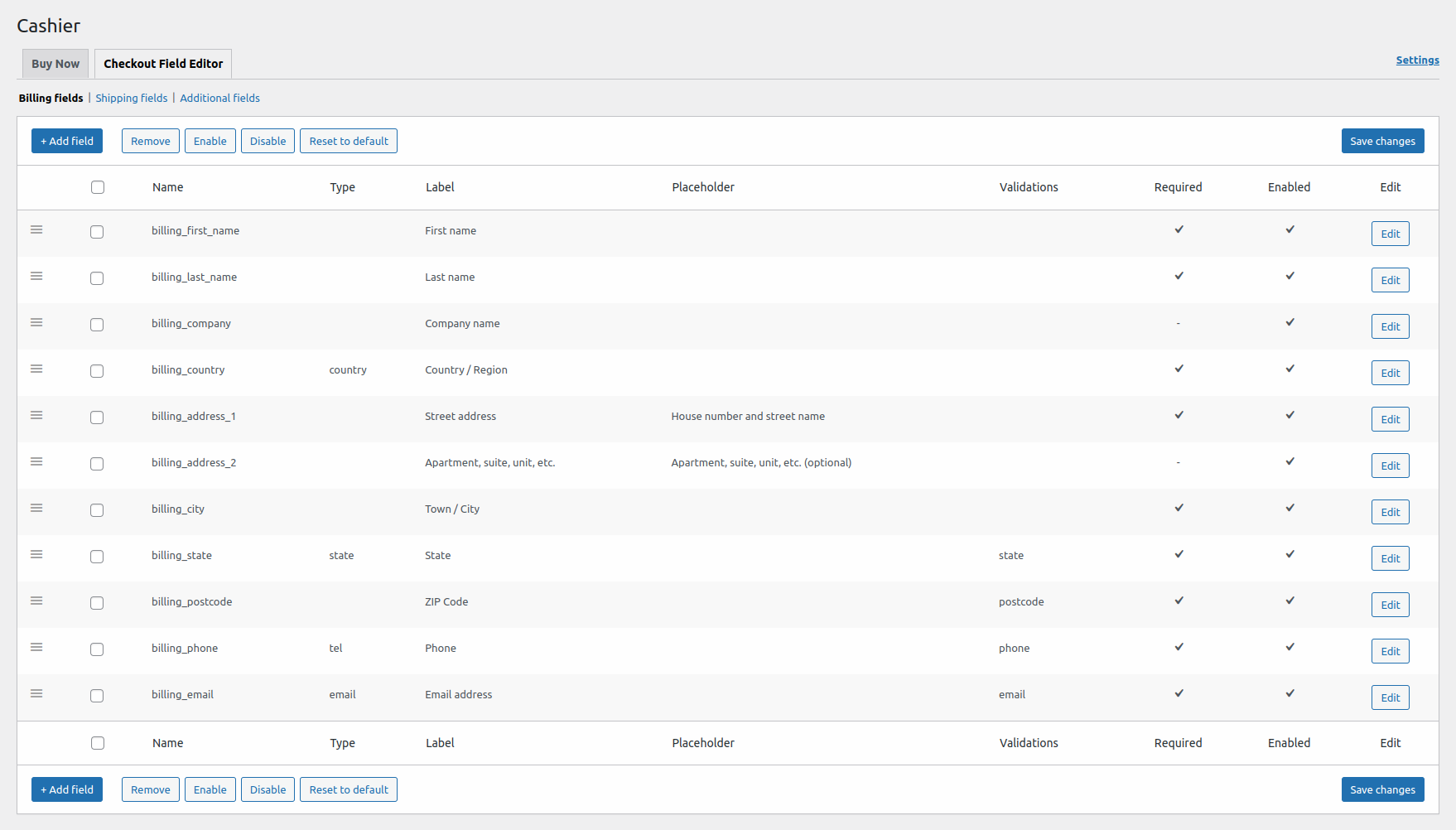
Stay in control over your checkout without touching the code. Your smart WooCommerce checkout manager is here!
Cashier’s WooCommerce checkout field editor enhancement enables you to edit the default checkout fields and also add new custom fields in the three sections – Billing, Shipping and Additional.
You can edit, enable, disable, and remove the default checkout fields; rearrange them, validate them, change labels, reset to defaults and also add custom CSS classes…all these with an easy and user-friendly interface.
Get the required information from the shoppers by adding new fields to your WooCommerce checkout page. The various field types Cashier supports include – text, password, email, phone, select, multi-select, text area, radio. For example, ask for GST/VAT details from customers but don’t make it compulsory.
Direct checkout and one-click purchase with quick Buy Now buttons
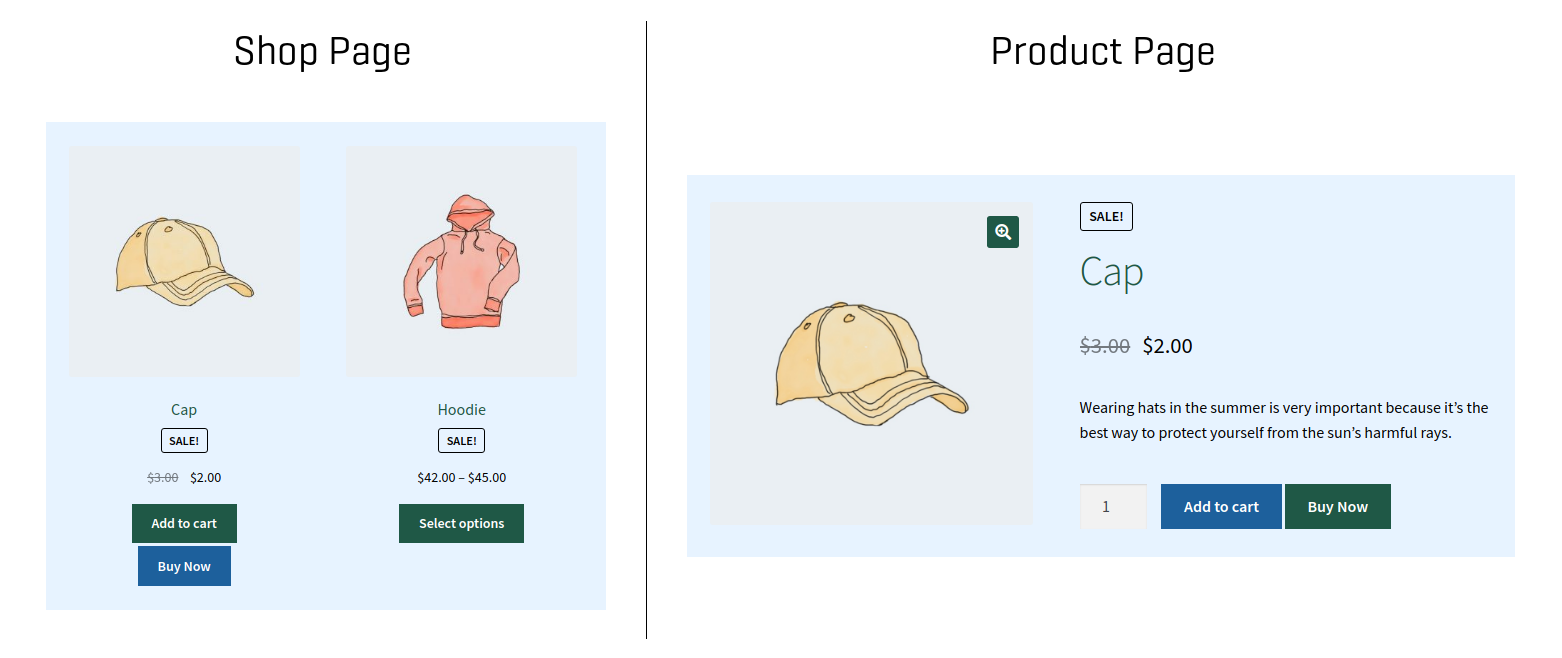
Use Buy Now buttons or links to allow users complete their purchase in just one or two steps. It allows your customers to skip the cart page and go straight to the checkout page (Direct checkout).
It can also skip cart, checkout and payment altogether and complete the purchase in one click (One-click checkout). A significant reduction in abandonment rates for digital products, downloadables and subscriptions.
- Cashier plugin can auto-fill billing and shipping information from a customer’s previous order, pick up their last used payment method, and redirect to the payment gateway to complete the purchase.
- One-click checkout works with PayPal Standard, Stripe, Braintree, Authorize.net, Direct Bank Transfer, Cash on Delivery and Cheque Payments – for customers with at least one previous order.
- Flexibility to enable Buy Now for your entire store, specific products and specific product categories.
- Convert all Add to Cart links on your site to Buy Now links.
- Embed a coupon to auto-apply a discount on click of the Buy Now button.
- Use Buy Now links in emails, social media, blog posts and anywhere else…
- Choose the preferred shipping method for products embedded with Buy Now links.
- Redirect to any page using Buy Now – custom thank you page, offers page, affiliate products or any other external links.
- Works with all WooCommerce product types – simple, variable, subscription, bundles, group…
- Customize the Buy Now button text. Name it “Quick Buy”, “Proceed to Payment”, etc.
- Quick checkout for new and guest users too!
Redirect to checkout or other pages using Add to Cart links
Use the ‘Add to Cart redirect’ functionality to redirect users immediately when a product is added to the cart. You can redirect users to the checkout page, terms and conditions page, blog post, custom URL…any page you wish to.
This saves additional page load times, reduces checkout steps and improves the customer experience, giving a boost to conversions.
You can configure the ‘Add to Cart redirect’ at individual product variation levels and product levels. Enter the desired URL and that’s all. Support for the global level will be added soon.
Automated ‘frequently bought together’ for upselling cross-selling
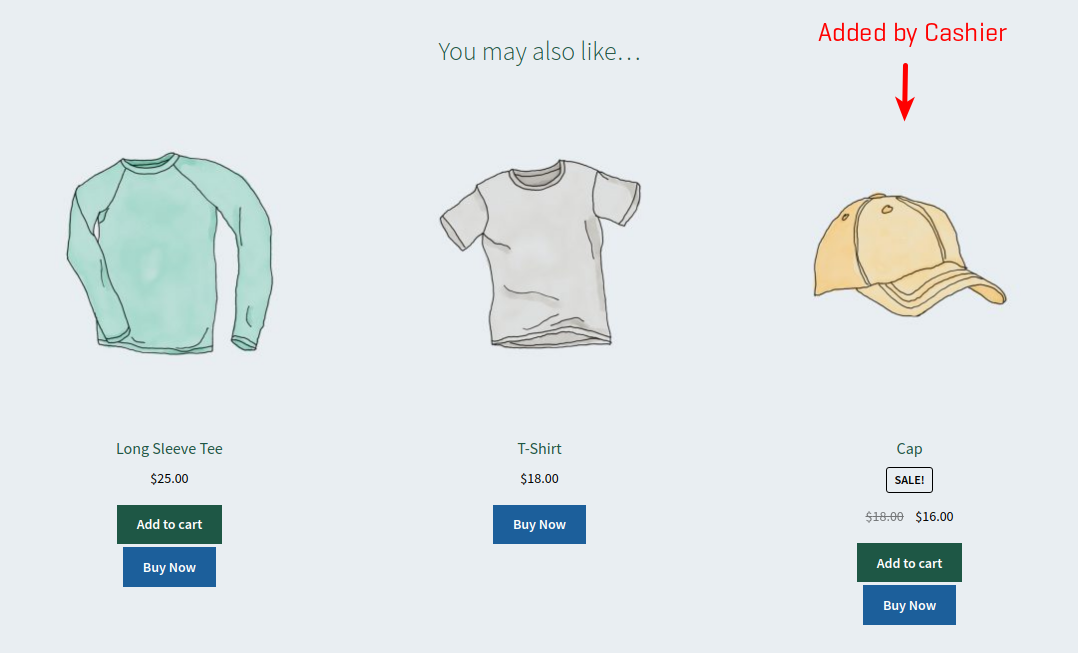
Cashier for WooCommerce will automatically recommend “frequently bought together” items (like a product bundle indirectly) based on your store’s previous orders.
For example, if your store’s orders frequently include more iPhone purchases with AirPods than protective cases, the plugin will automatically suggest AirPods to users when they add an iPhone to their cart.
- No configuration required, runs on auto-pilot.
- If needed, Cashier will even pick up other products from the same category and recommend them as cross-sells.
- If these products are already set for the product and still some empty spaces are available on the product page, Cashier will try to fill it up with a few more related product recommendations.
- Customers can add all or specific ones of the frequently bought together products to their order.
Side Cart for easy access to cart from anywhere
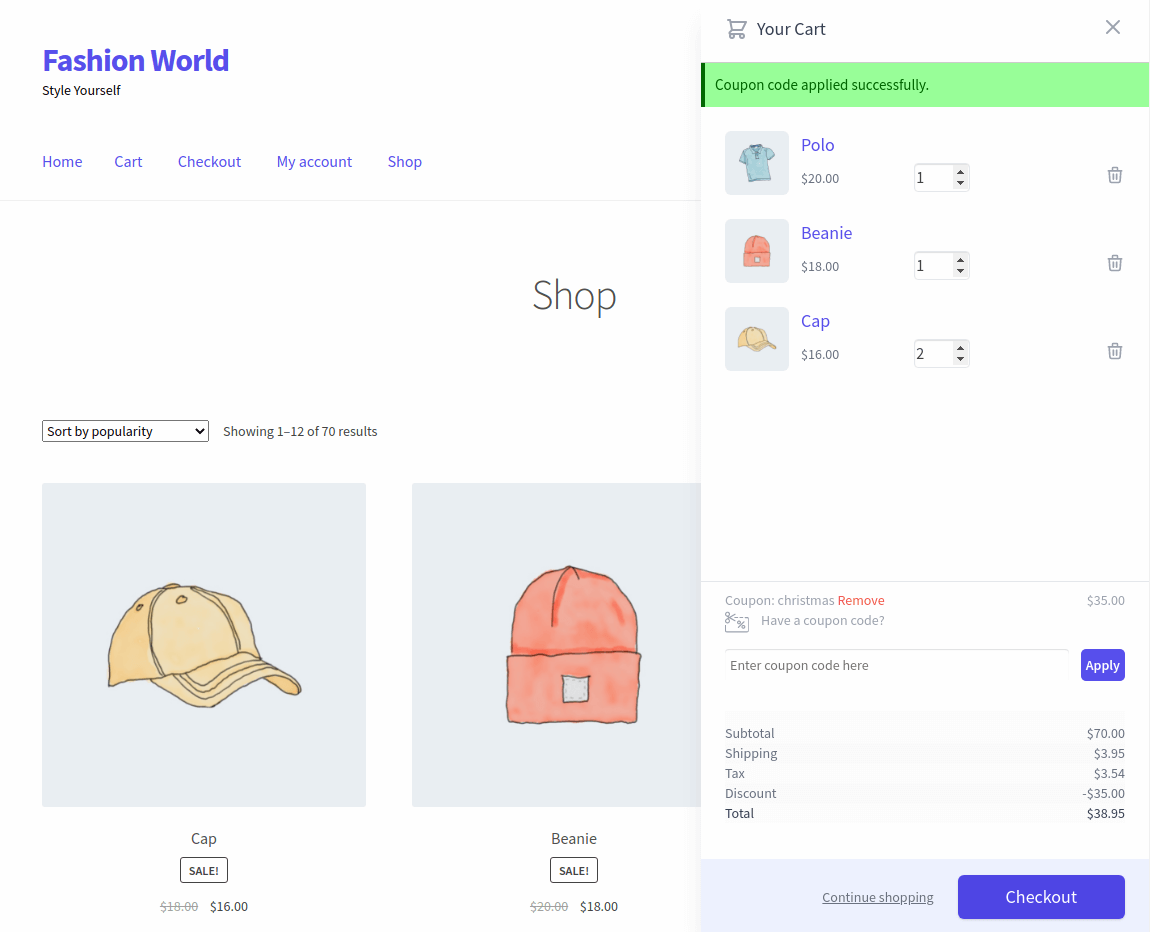
Cashier plugin provides a cart icon that allows users to quickly review their cart items in a sidebar popup without actually visiting the cart page.
The sidebar will open up when the user adds a product to the cart from the shop page or individual product page. All via AJAX…no refresh, thus speeding up the checkout process.
- No configuration or settings are required.
- Accessible from all website pages except the checkout page.
- Customers can add or remove products, update quantities, add or remove coupons, view product prices, shipping costs and taxes.
- Call to action button – link to the shop page or WooCommerce checkout page.
Set Min-Max quantity for each product
A minimum quantity encourages customers to buy more. A maximum quantity cap helps avoid going out of stock, allowing more unique customers to buy your products.
Print PDF invoices for orders
WooCommerce, by default, doesn’t allow you to print order invoices. Using the Cashier plugin, you can print order invoices as PDFs from the WooCommerce > Orders page.
Your customers can also print PDF invoices from their My Account > Orders section.
It’s a good practice to include an invoice. It serves as a confirmation of what the order contains along with your contact information and the details of the purchase.
Also, when you sell internationally, it is a standard requirement in many countries to include an invoice.
Cost of Goods Sold
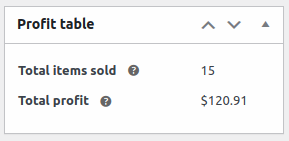
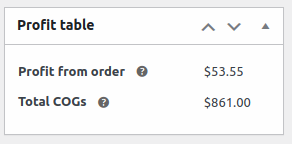
Easily track total profit and cost of goods for simple and variable products (including product variations). The costs are automatically calculated on checkout, per item and per order.
This cost will only be for the goods produced and would not include taxes or shipping.
Display Cart Notices to increase average order value
Encourage your customer to add more items by displaying a cart notice that offers free shipping.
Set a minimum value to qualify for free shipping. The plugin will display the cart notice to users to spend more and qualify their order for free shipping. A great tactic to nudge visitors to buy more or get related products.
Note – Other cart notices based on products, categories, urgency will be added soon.
WooCommerce update variations in cart
Reduce abandonment. Allow users to change and update product variations based on attributes (color, weight, type, size, etc.) directly from the cart page. No need to visit the product page again, select a new variant, and add it to the cart.
All your existing products & newly created variable products will automatically be enabled with this feature. Also works with WooCommerce subscription products.
One-click clear cart
Users may add the wrong or too many products to their cart and want to get rid of them quickly.
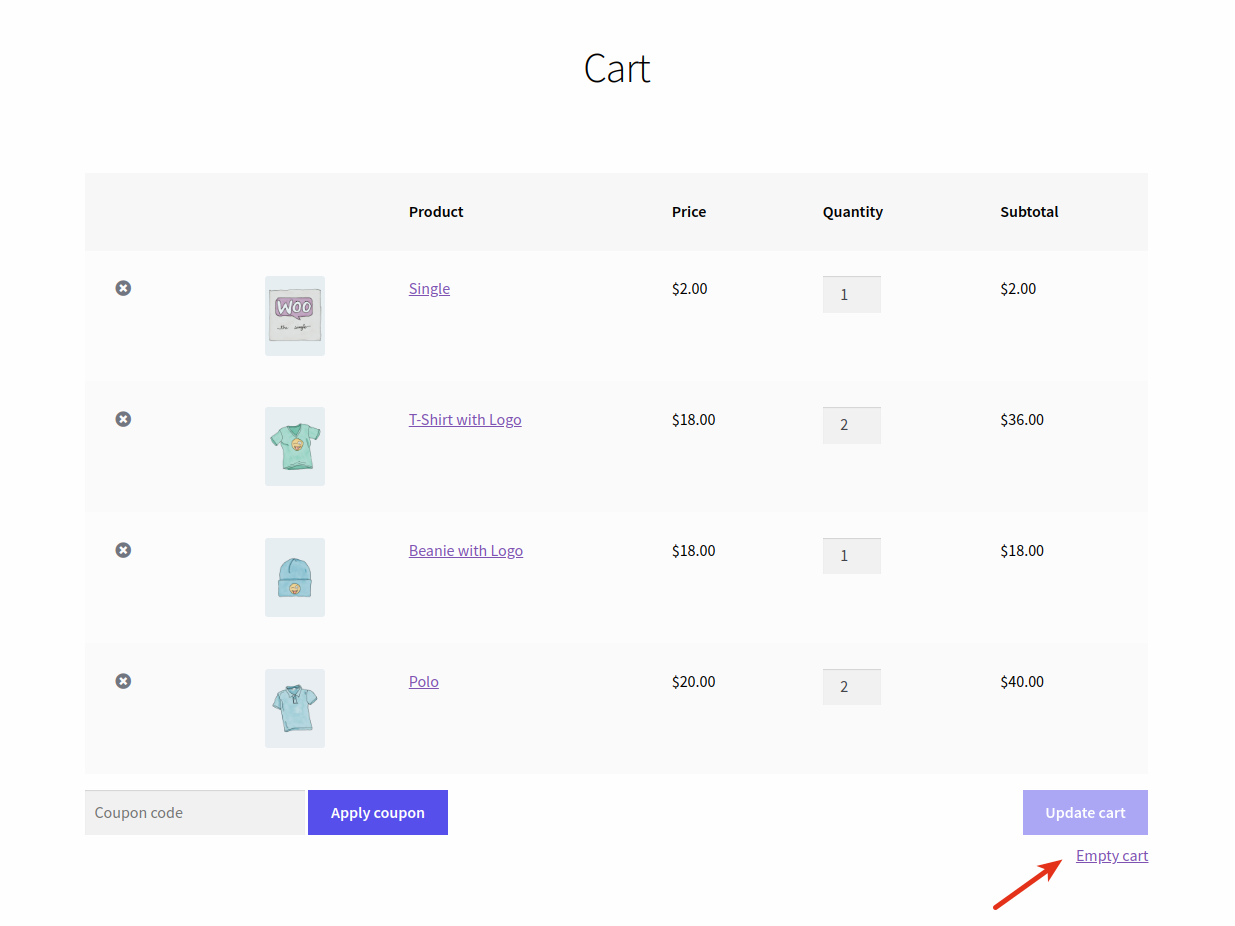
Cashier plugin provides an ‘Empty cart‘ link on the cart page to allow users to clear their cart content instantly. It also asks for confirmation before it clears the cart.
Who can better use the Cashier plugin (Special use cases)
Cashier for WooCommerce plugin provides excellent value for the price you’ll pay for. However, it truly shines for these businesses:
- FMCG stores can use the Side Cart option to allow users to quickly add or remove products from anywhere, saving time.
- FMCG can also use the Min-Max quantity option to allow quantity-based restrictions and avoid going out of stock on limited products.
- For stores selling plugins and themes or digital products, and where users tend to purchase just one product in an order, use Buy Now buttons to skip cart.
- Electronics, travel & tourism, food and beverages can use the Frequently Bought Together option to upsell/cross-sell related products.
- Donations and Charity websites can take the advantage of Checkout Field Editor to add some donation related fields.
- Food and Pet stores will find one-click checkout useful as their majority of sales will be from repeat customers and they also will find instant checkout beneficial.
- Stores with limited product portfolio – luxury watches, high-end automobiles, premium spirits and antique art and craft items will find love the One Page Checkout option.
- Update Variations in Cart option will find takers in the Fashion and Beauty stores as your users want to keep changing colors or other attributes frequently.
Better checkout is a worthwhile investment…
Every interaction during checkout matters. When you optimize your order process, abandonment rates come down, sales pick up, and your business scales. If you want a powerful WooCommerce checkout plugin and optimizer, an all-in-one solution, it’s Cashier!
Buy with confidence! 👍👍👍


