 🔑 Software keys sent via WhatsApp or E-mail within 24 hours (1 Day) ! ⏳ If not received, Contact us! ! 📬



 Recently Updated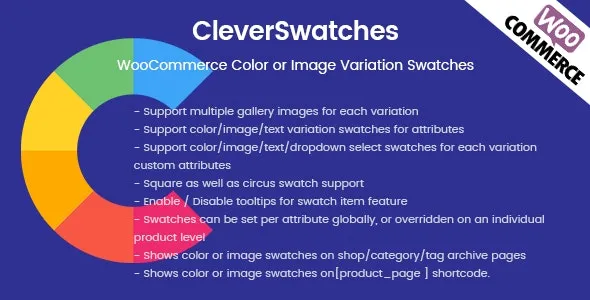

Latest Version 2.2.3 Release Oct 03, 2020 Click HERE to view the Change log
- Fix issue can’t select with iOs devices.
- Fix issue product change type from variable to another type.
- Correct default attribute label first time create.
CleverSwatches – WooCommerce Color or Image Variation Swatches. Convert your normal variable attribute dropdown select to nicely looking color or image select. You can display images or color in all common size. Display them in round or square mode. CleverSwatches allows you to add multiple gallery images for each variation and when visitor selects the variation those gallery images will be shown as gallery images instead of main product gallery images.
Showcases
- Cerato – Multipurpose Elementor WooCommerce Theme
- Ciao – Minimalist Elementor WooCommerce Theme
- Fona – The Ultimate WooCommerce Theme
- Doma – Fastest Google AMP WooCommerce Theme
- Kodo – Minimal Responsive WooCommerce Theme
- MediaMart – Gadgets & Digital Responsive WooCommerce WordPress Theme
- Novetty – Responsive Powerful WooCommerce Theme
- Moza – Minimal WooCommerce WordPress Theme
- EmallShop – Responsive Multipurpose WooCommerce Theme
Popular Theme Supported
CleverSwatches has already tested with these popular themes: Avada, Flatsome, Salient, Porto, Shopkeeper, X, Electro, Savoy, Jupiter, Xstore, Basel, EmallShop, WoodMart, Vitrine, Unero, Bronx, GeneratePress, Astra, OceanWP, Zephir
If you are using popular theme on ThemeForest, just contact for getting FREE integration service.
@Potential customer: If you don’t know how to integrate this plugin with your theme and don’t want to us access your site (via admin, ftp) to help you integrate this plugin with your theme. Then don’t purchase this plugin. Because we ONLY accept a refund request, if we can’t integrate this plugin with your theme.
Key Features
- Support multiple gallery images for each variation
- Support color/image/text variation swatches for attributes
- Support color/image/text/dropdown select swatches for each variation custom attributes
- Square as well as circus swatch support
- Different sizes of swatch from small to large
- Enable / Disable tooltips for swatch item feature
- Swatches can be set per attribute globally, or overridden on an individual product level
- Shows color or image swatches on shop/category/tag archive pages
- Shows color or image swatches on shortcode.
- Enable / Disable pre-select for variable product
- Full WPML Plugin Compatibility
General Configuration
- Enable Swatches: Using this admin can enable/disable the image and color swatches for variable product instead of default select options.
- Enable Variation Wise Gallery: Using this admin can enable/disable the variation wise gallery feature shows on variable detail page when select an variation combination.
- Use Attributes Terms Thumbnails: Using this admin can allow usage of default attribute color and image swatches on product detail page.
- Use Attribute Term Label: Using this admin can hide the attibute name label on top of color and image swatches on product detail page.
- Attribute Term Thumbnail Display Type:Using this admin can select the color and image swatch display size and display type on product detail page when swatches setting is enabled.
Set up default swatch type for global attributes
- Go to: Products > Attributes.
- Create a new attribute, at option CleverSwatches Type and select default type you want use.
Edit a attribute: If your site already had attribute, you can edit it and set default swatch type for them.
Select attribute you want edit and click to Edit
- At new page appear, find option CleverSwatches Type and select default type you want use.
Set up colors and photos for global attributes
- Go to:
Products > Attributes - Create a new attribute, or skip this step if you already have one
- Click
Configure terms - Add New Color or whatever your attribute is called (or choose to edit an existing term)
- Select either
ColororImagein the Swatch Type dropdownIf you’ve chosen color, you’ll be able to click on the color icon and select the color you want to use in the color picker. Alternatively, you can type in the HEX value for the color.
If you’ve chosen image, you’ll be able to upload an image.
- Select Add New Color
Add color and image swatches to variable products
Color and photo swatches can only be used for variable products.
- Create a variable product. Make sure that you select a global attribute or create a custom one in the “Attributes” tab. Also set up the “Variations” tab.
- Publish your product.
- Go to the
CleverSwatchestab. - Select a
Display Typefor each of the attributes used for the variations, leave it if you want it use default option of attribute.- Default (Select): The options will be offered in a dropdown
- Image: You will be able to add image swatches
- Color. You will be able to add colors swatches
- Text. The available options will be displayed as Text buttons
- Display Size: Select the size of the swatches. This will determine how large the swatches will be on the single product page.
- Display Shape: Shape type display of attribute.
- Configure the attribute terms. This is similar to how global attribute terms are configured (see above).
- Select the term.
- If you’ve chosen color, select a color.
- If you’ve chosen image, upload an image.
Shop/Category Page swatches
To display one attribute swatches on shop/category pages you need to check the Enable one attribute swatches on shop/archive pages checkbox in variation select tab and then select the attribute in next option as shown in the below image.
Note: To make this feature work you must select Color or Image Swatches as display type.
Integrate CleverSwatches with your custom theme
Important! We support all major themes but if your installed theme is not following the WooCommerce thumbnail DOM structure, the feature might not work according to your theme behaviour of showing gallery images. In this case, we do provide API to integrate. CLICK HERE
Full WPML Plugin Compatibility
All files are ready for translation. The WPML translation plugin is fully supported! Add Attribute Customization for each language separately. Translate all your attribute options into any language, including tooltips, attribute name overrides and custom attribute descriptions. The plugin comes with .MO and .PO files included.
Extended License
If you are looking for including this plugin in your theme package, then you should purchase the Extended License. Just purchase a extended license for each single theme. No need to contact us.
You are required to put the credit link back to this plugin.


Reviews
Clear filtersThere are no reviews yet.