 🔑 Software keys sent via WhatsApp or E-mail within 24 hours (1 Day) ! ⏳ If not received, Contact us! ! 📬



 Recently Updated

By using this Extension, you no longer need to access the wp-admin of a Child Site just to click the “Update Database” button. This saves you a significant amount of time and helps you stay up-to-date with performance and security.
Why Database Updater Extension for MainWP?
The Database Updater Extension is the ultimate solution for hassle-free updates to WooCommerce, Elementor, and Elementor Pro plugin databases.
Our Extension currently supports WooCommerce and Elementor plugins. However, we’re always open to your suggestions to improve; feel free to add your recommendations to our feedback portal.
– Check for Available Database Updates
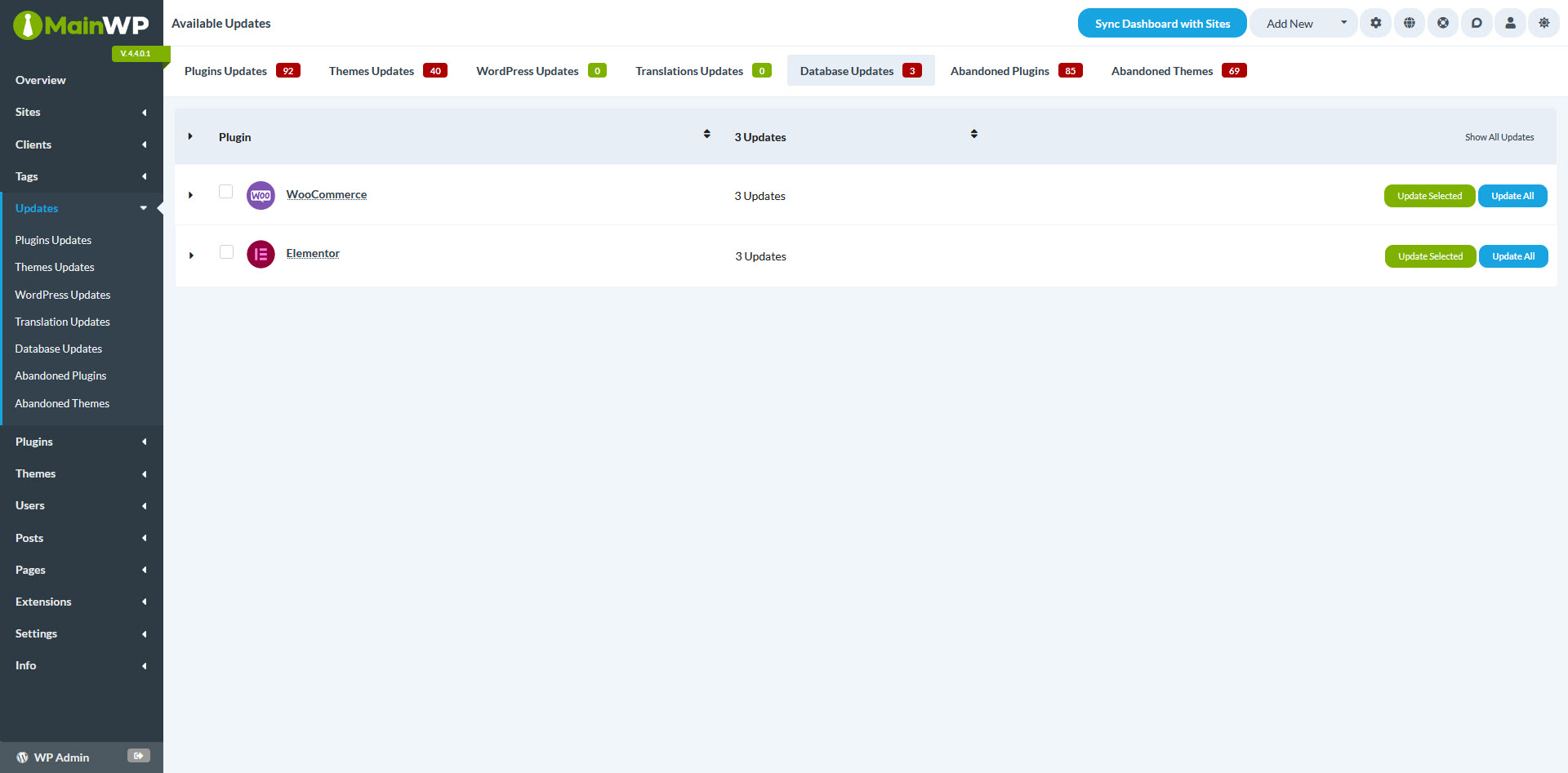
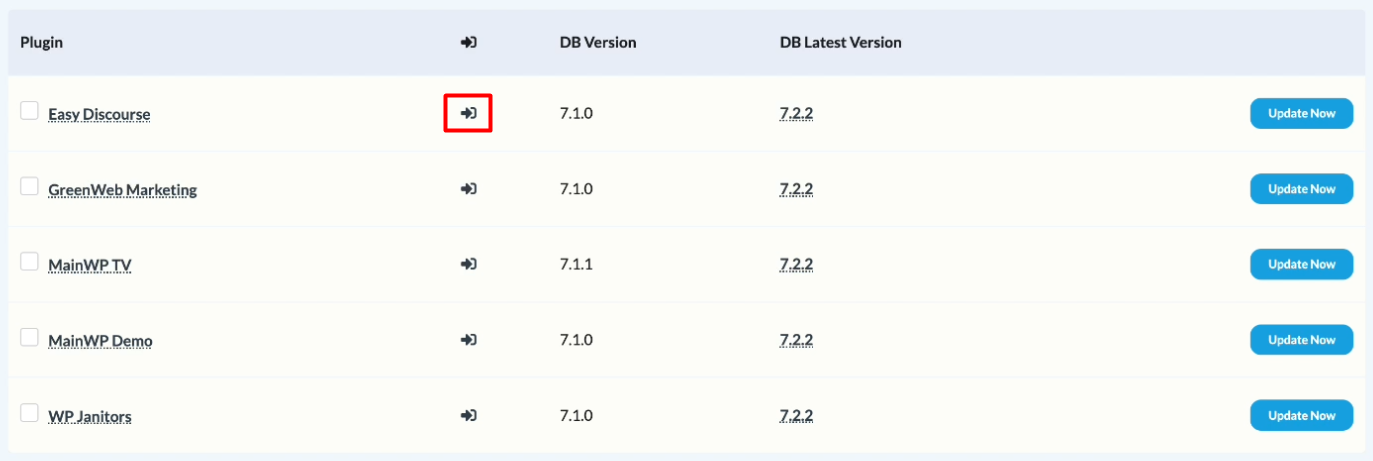
Once you have enabled the “Database Updater” Extension from the “Extensions” menu, you will notice a new tab called “Database Updates” under the “Updates” menu item. This tab will display the plugin(s) list on your Child Sites that require database updates.

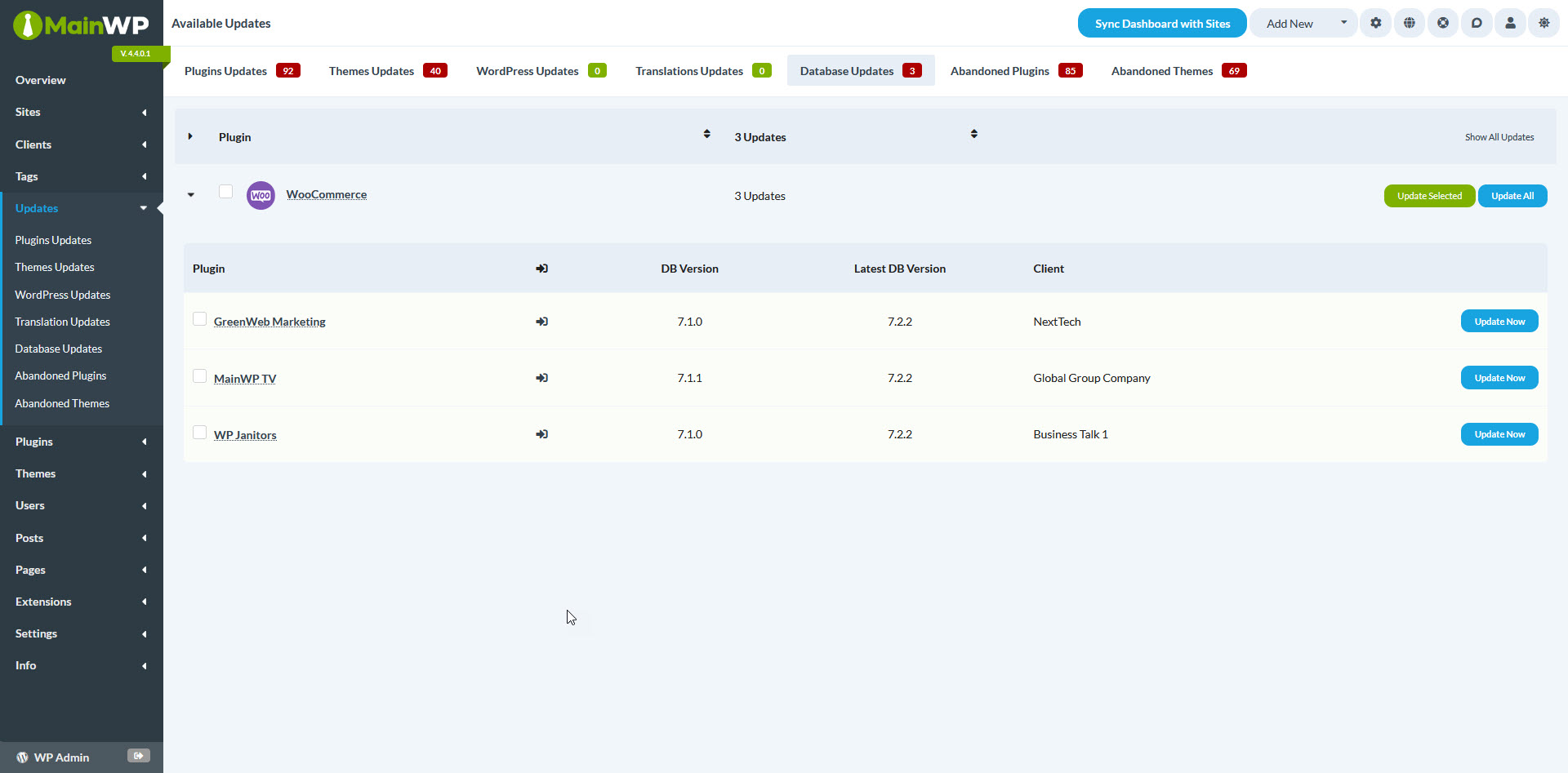
Here, you can see the existing and the latest version available, and you can jump into the wp-admin of the relevant Child Site to check the status of the database updates.
– Bulk Database Update on Multiple Sites
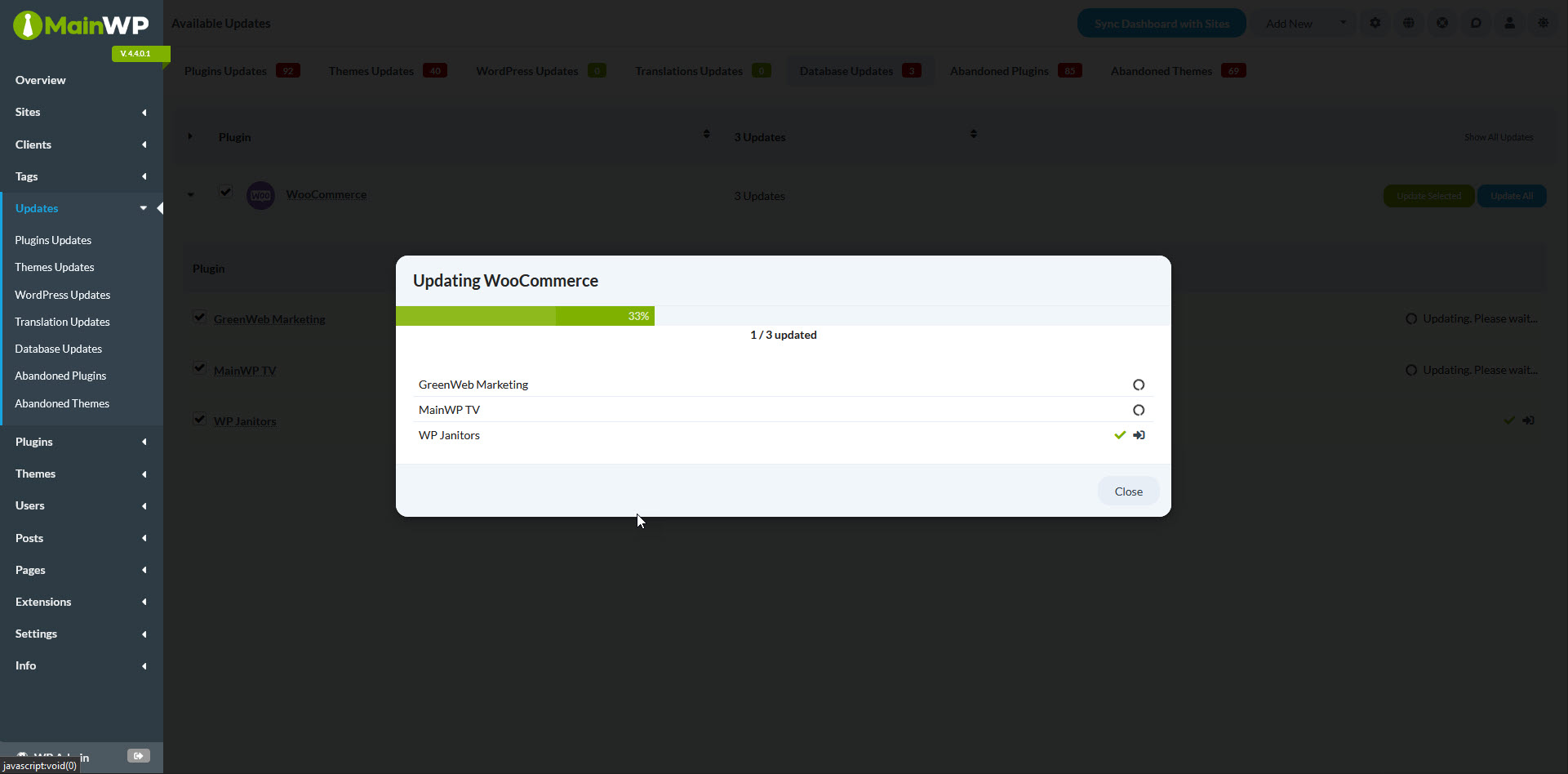
To update the database for WooCommerce and Elementor, select the relevant plugin(s). This will automatically select all associated Child Sites. You can then deselect any Child Sites you do not want to update.
Click the “Update Selected” button to initiate the database update process for the selected Child Sites.
Alternatively, you can use the “Update All” button to update the database for plugins on all Child Sites, regardless of which websites you have selected.
– Bulk Database Update on Individual Sites
The “Database Updater” Extension also allows you to perform database updates for plugins on individual Child Sites.
Click the arrow next to the relevant plugin to view a list of Child Sites requiring database updates for WooCommerce or Elementor plugins.
To update the database for a specific Child Site, locate the relevant row and click the “Update Now” button.

With the Database Updater Extension, you can ensure that your WooCommerce and Elementor plugins are always running on the latest versions without worrying about manually updating the databases.


