 🔑 Software keys sent via WhatsApp or E-mail within 24 hours (1 Day) ! ⏳ If not received, Contact us! ! 📬



 Recently Updated


Discount Rules for WooCommerce – PRO
Create Dynamic Pricing and Discounts in your WooCommerce online store easily. Bulk discounts, cart discounts, special offers, user role based discounts and more.
Why you should have Discount Rules PRO
for your WooCommerce Store?
Discount is a time-tested sales booster. Discount Rules for WooCommerce – PRO is the most loved discount plugin with tons of features, easy to use interface and crafted for increasing your sales conversions.
There are a number of discount plugins for WooCommerce out there. But discount scenarios differ vastly from store to store. So just installing a discount plugin is not sufficient. You would need a professional help to achieve your discount strategy.
That’s why we have one the best customer support service.
Here is what you get with Discount Rules PRO…
Discount Types
- Store-wide global discount
- Percentage based
- Price based
- Fixed cost discount
- Bulk purchase discounts
- Tiered discounts
- Product specific discounts
- Category-wide discounts
- User role based discounts
- Buy One Get One Free offers
- Offer free product when order total is above X amount
- Conditional discount
- Discount for Product Variations
- Product Attributes based discount
- Purchase history based discount
- Cart subtotal based discounts
- Delivery address based discount
- Next order discount
- First order discount
- Coupon activated discount
- Discount for customers with specific domains
- Applying multiple discount rules in a purchase
And there are more conversion focussed features…
- Discount Table on Product Pages
- Advanced Formatting for discount table layout
- Alerts in cart when a discount is applied. It’s configurable.
- “You saved” message in line items / totals
- Exclude products on SALE from discount rules
- SALE Badge for discounted products
WooCommerce Dynamic Pricing and Discounts made easy
Convert visitors into customers instantly
How Discount Rules can help increase your conversions?
Features
Dynamic Pricing and Discounts Made Simple
Launching an eCommerce store is quite easy. The hardest part is the scaling of the store. Having an effective discount / pricing strategy can help grow your store.
Because, dynamic pricing and discounts can
- Increase your Customer acquisition rate
- Scale your online revenue
Here are some revenue-earning dynamic discount scenarios
- Wholesale pricing model creates exclusive promo codes and pricing deals for wholesale customers
- Combo product discounts encourages customers to buy in pairs with combo offers.
- Volume pricing discounts make customers to buy more quantities to get better discount offers.
- Discounts based on previous order makes customers come back to shop more.
- First-order coupon discount converts your first time web visitors into customers.
- Multiple discounts with single coupon code – People have poor memory. So don’t trouble them with too many discounts code. Just make one code and offer different discounts with conditional rules.
- Category based discounts – Push the sales in a low-performing category with a handsome discount
In Discount Rules for WooCommerce – PRO, we have classified the discount strategies into two – depending on where they get applied.
- Product Price based Discount Rules – This works similar to Regular Price – Sale Price workflow in WooCommerce. You can set any type of conditions for the customers to get eligible for the discount
- Cart based Discount Rules – The discount is applied at the cart on a number of cart specific parameters like subtotal, line items, quantity, shipping address and more.
Let’s look at them in detail
Price Discount Types
As the title suggests, the discount applies to the Product Price. Customers can see the discounted price on the product page itself if the rules match.
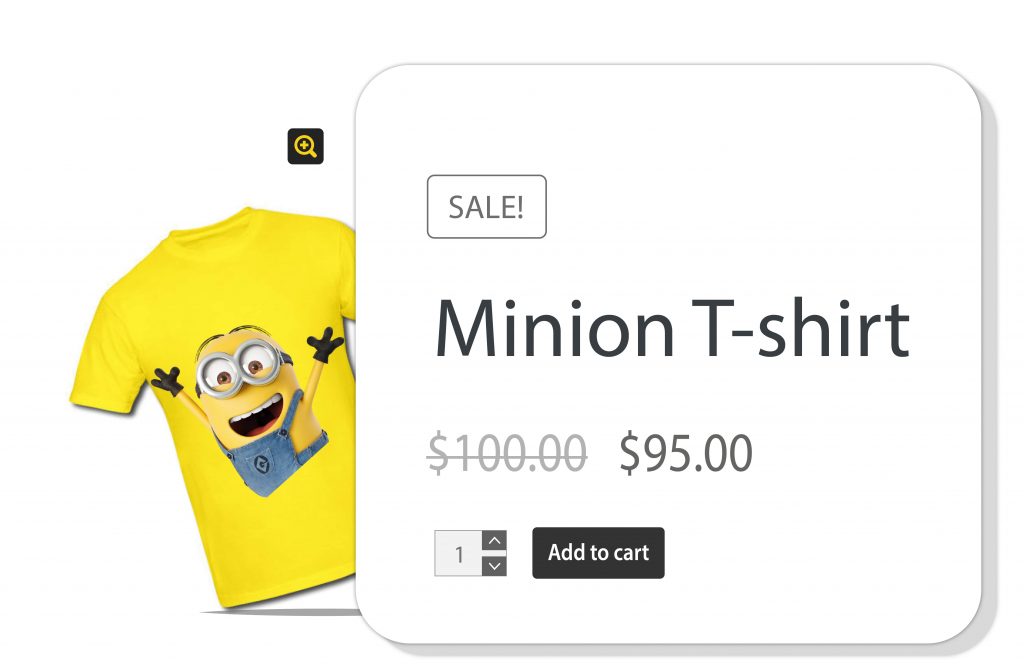
Example: 10% off store wide rule can show the discounted price along with a crossed-out original price
- Simple Percentage discounts
- Fixed cost discount
- Bulk quantity discount
- Discounts based on categories, products, user roles, attributes, and more
- Buy One Get One Free offers
Cart Discount Types
Cart discount rules apply on the cart page of your online WooCommerce store. The primary advantage of the cart based rules is that they help you reduce the cart abandonment in WooCommerce.
- Order total based discounts
- Discounts based on purchase history
- Cart discount based on product quantity
- Cart discount based on product line items
- Shipping & Billing address discount
- Cart offers based on User roles
Discount Rules PRO- Features with Examples
Discounts based on Product Category back to top
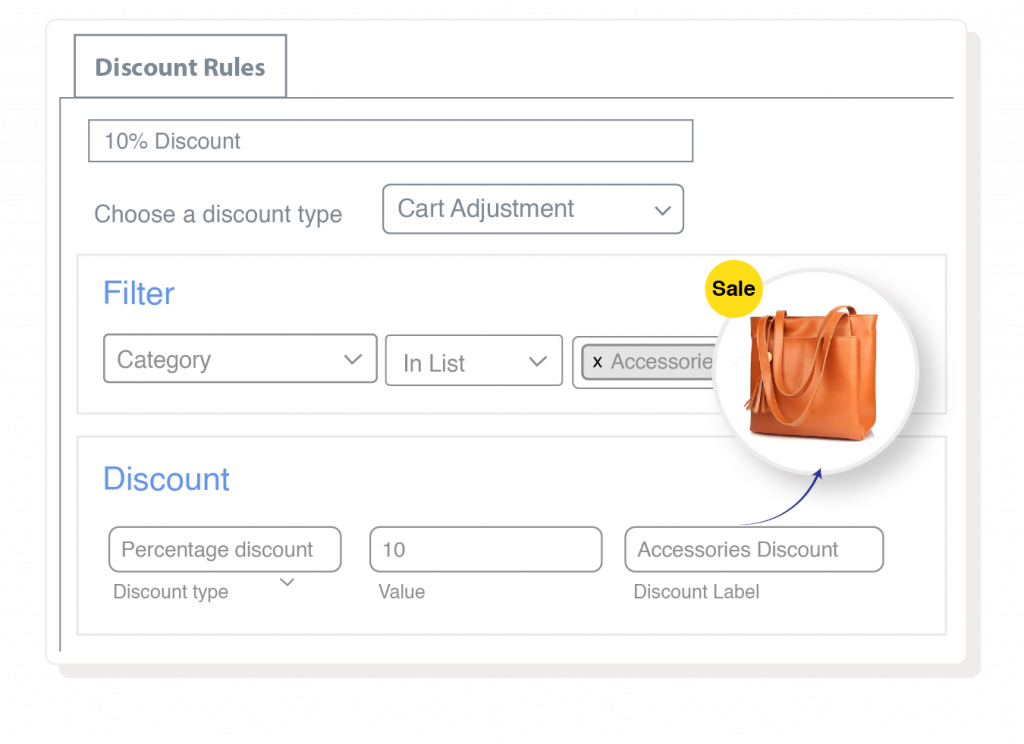
Set the offer valid only for a few selected categories of products in WooCommerce. Here are some examples
- 10% discount on Category A and B
- 5% discount on Category B, when any product is purchased from Category A
- Buy any item from Computers category, get $10 discount
Discounts based on Quantity / Tiered Pricing discounts back to top
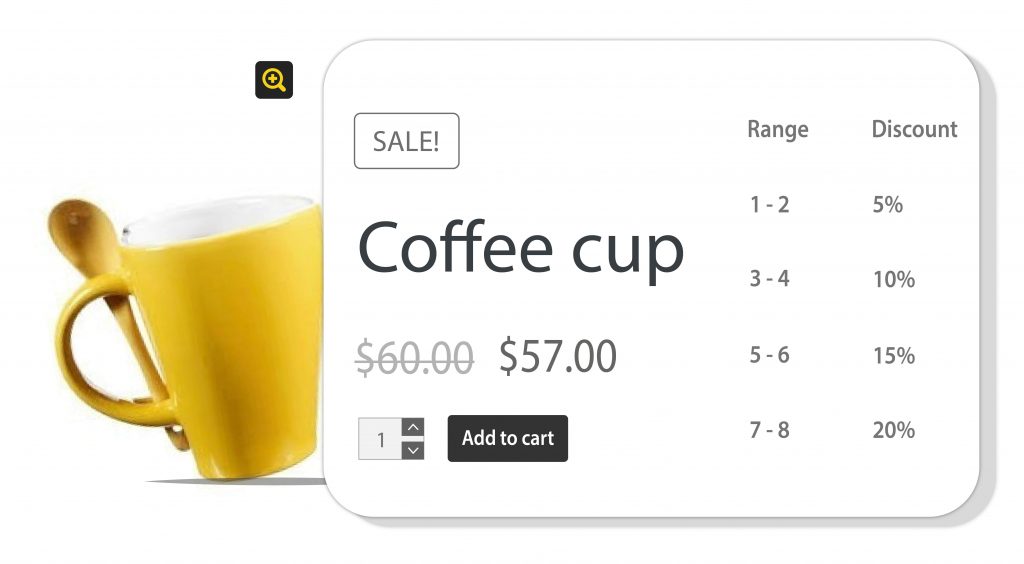
Buy 10 or more items, get 10% discount
- Buy 2 quantities each of Product A and B, get $2 discount
- Buy 10 quantities from Category A, get 5% discount
- Buy 10 quantities, get $2 discount on each. Buy 20 or more, get $3 discount on each (this can be product or category or attribute based)
Percentage Discounts in WooCommerce back to top
- Buy 2 quantities of Product A, get 5% discount
- 10% store-wide discount on the entire store from November to January
- Buy Product A and get 10% discount on Product B
- Buy any item from Category A and get 5% discount on any item in Category B
- Buy one of Product (E) and one of Product (F) and get a 10% discount on Product (G), exclusive for Premium Subscribers
(a user role) - Buy over $500, get 10% on all items in cart
- Buy 3 products from any category, get 1 free. Buy 6 products, get 2 products free
- Buy 1 of Product A and Get 1 of Product A free (Buy X Get X)
- Buy Product A and B, get Product C free (dependent, conditional discount)
- Buy Product A and get the second quantity at 50% discount
- Buy any product and get 50% on the cheapest in the cart
Buy One Get One Free Offers back to top
BOGO offers are the smartest way of upselling and converting more visitors into customers. Here are a few example discount scenarios you can create with the Discount Rules for WooCommerce plugin.
- Buy Product A and get Product B free (Buy X Get Y)
- Buy X get Y product free Eg: Buy 3 product and get a pendrive free (or with 50% discount)
- Buy any product in Category A, get Product X free
- Buy any products in the store, get cheapest item in the cart free
- Buy 1 Get 1 cheapest in cart, Buy 2, get 2 cheapest in cart and so on (repeat)
Product Specific Discount back to top
You can also set discounts for specific products in the store. The most common use case is setting a most popular product on sale.
- Product X is on sale. Get 30% for a week.
- 20% discount on Product A, B, C and D
- Buy Product A and get Product B at 50% discount
Conditional / Dependent Product Discount back to top
The discount applies on a condition of purchasing another product. Here are some discount use cases
- Buy Product A at full price and get Product B at $50 discount
- Buy at least 1 quantity of Product A and B to get discount on Product C
- Purchase 2 each of Product A and 2 each of Product B, get 10% discount on them (There should be at least 2 quantities each to be purchased)
User role based discounts back to top
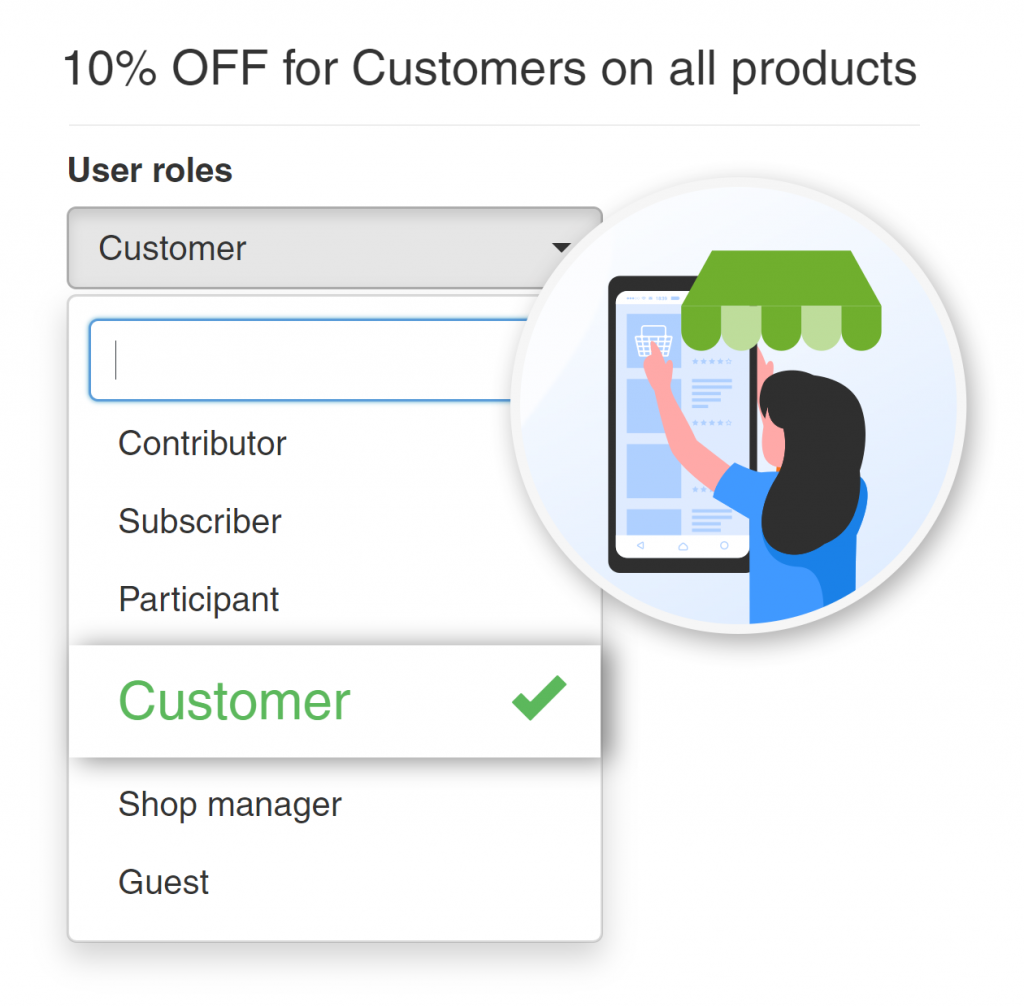
WordPress offers user roles to group your users into different roles/groups. Example: VIP customers, Wholesale customers and more You can offer a user role based discount with the Discount Rules for WooCommerce
- Wholesale customers get 10% discount in Category B
- VIP Customers can get 20% discount on Category X (or a few selected products
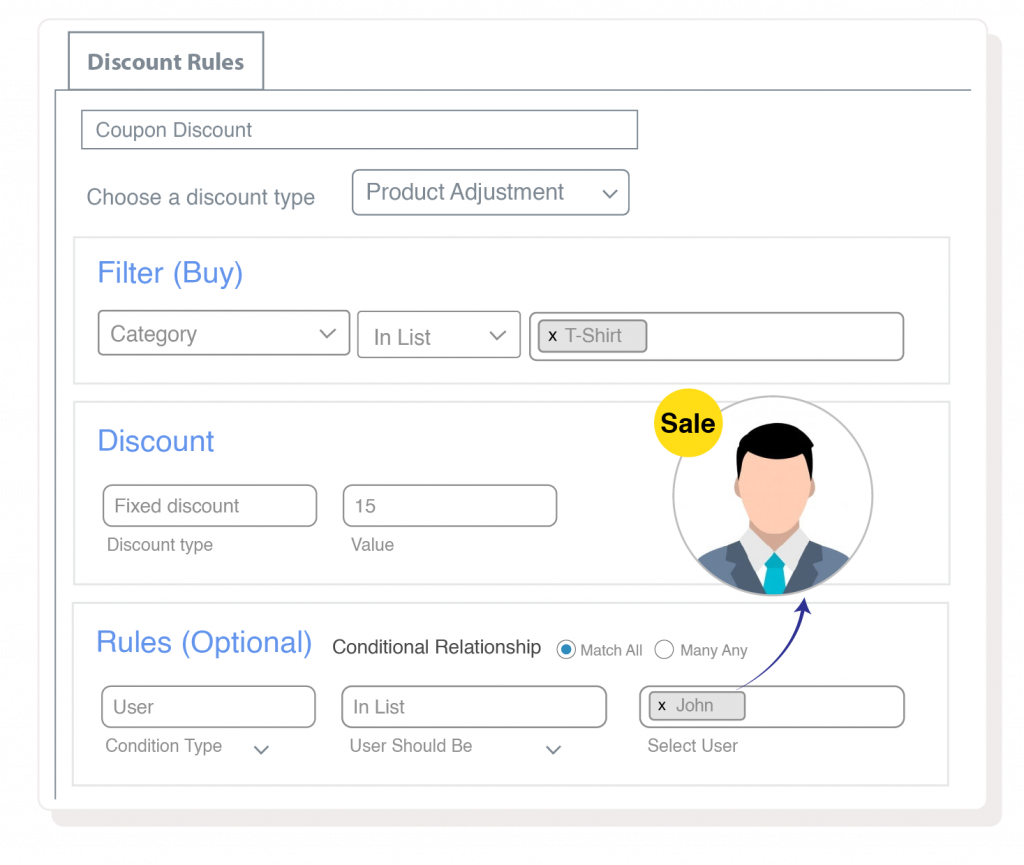
Customer Specific Discounts back to top
Sometimes, you may want to offer customer specific discounts. The discount applies only to a few selected customers
- John gets 10% discount on the entire store
- Elle gets 5% on Category A, 7% on Category B
- William gets 20% when he orders above $2000
- $100 discount for Martin when he purchases Product A
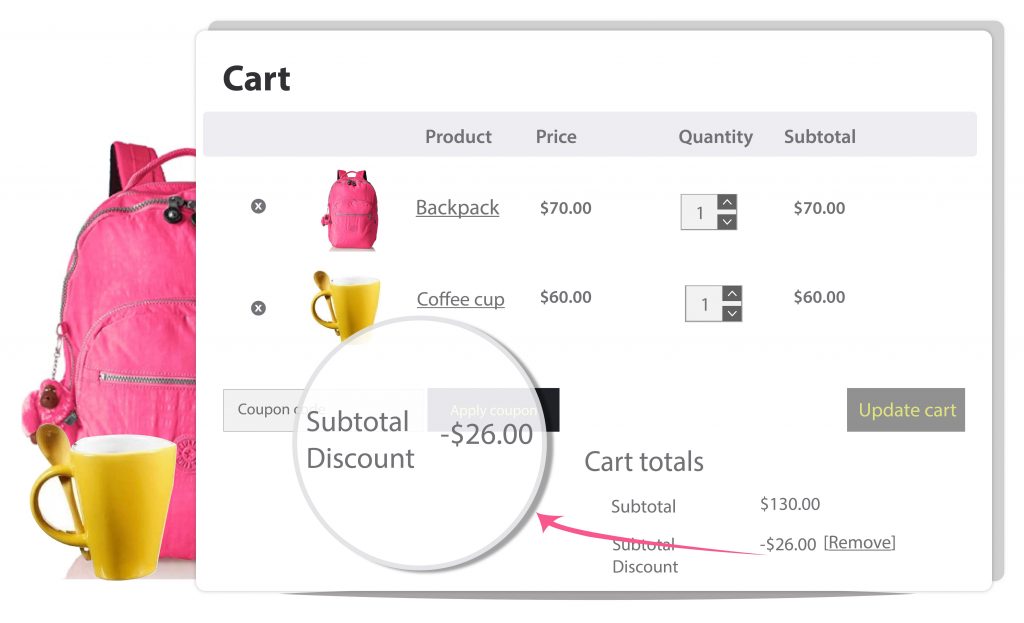
Discounts based on Cart conditions back to top
Offer discounts based on various parameters in the cart. It could be based on subtotal, line item, categories in cart, user roles and much more. Here are some examples
- Shop for $300 and Get 15% discount
- 10% discount in the total quantities in cart is above 5 and 20% if the total quantities is 10
- 5% discount if total is above $200, 10% if the total is above $400, 15% if the total is above $600
- If cart has products from Categories A, those items get 10% discount
- If customer purchased items worth over $1000 in his previous orders, offer a 20% discount on his next order
Coupon activated discount back to top
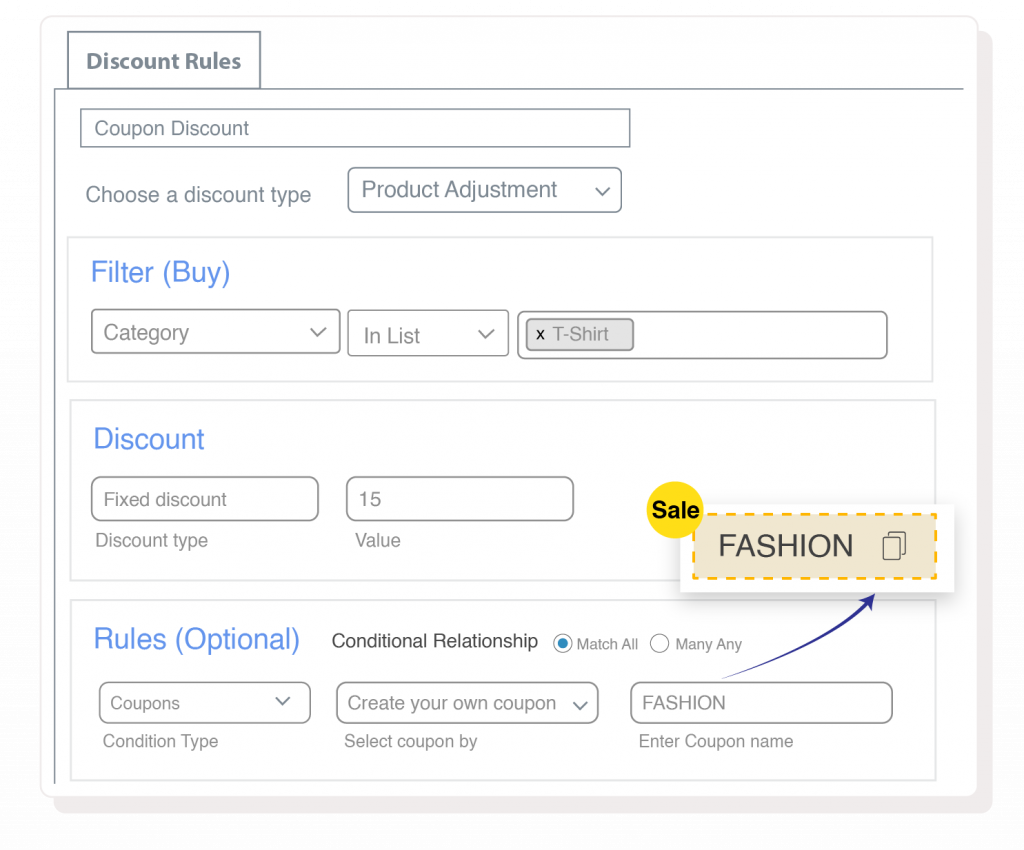
There will be times when you wanted to activate the discount rules only when a coupon code is applied. You can do this easily with the discount rules for WooCommerce. All you have to do is create a coupon and associate it with the one or more rules
Here are some use case scenarios
- Use ‘COUPONCODE’ & Get 10% discount on all products from Category A
- Use “XMAS” coupon code and Get a product FREE this December (free product upon applying a coupon)
- The following is a smart coupon discount which offers multiple discount with one coupon code
The following is a smart coupon discount which offers multiple discount with one coupon code
- Use promo code ‘MYSHOPPE’ and get 10% discount on order total above $300
- Use promo code ‘MYSHOPPE’ and get 10% on ‘All Products’
Holiday Discount Campaigns back to top
How to attract more online shoppers to your online store during the Holiday season?
Create attractive store discounts and Coupon deals to boost your online sales during special shopping season like Halloween, Black Friday, Cyber Monday, Christmas, and Boxing day.
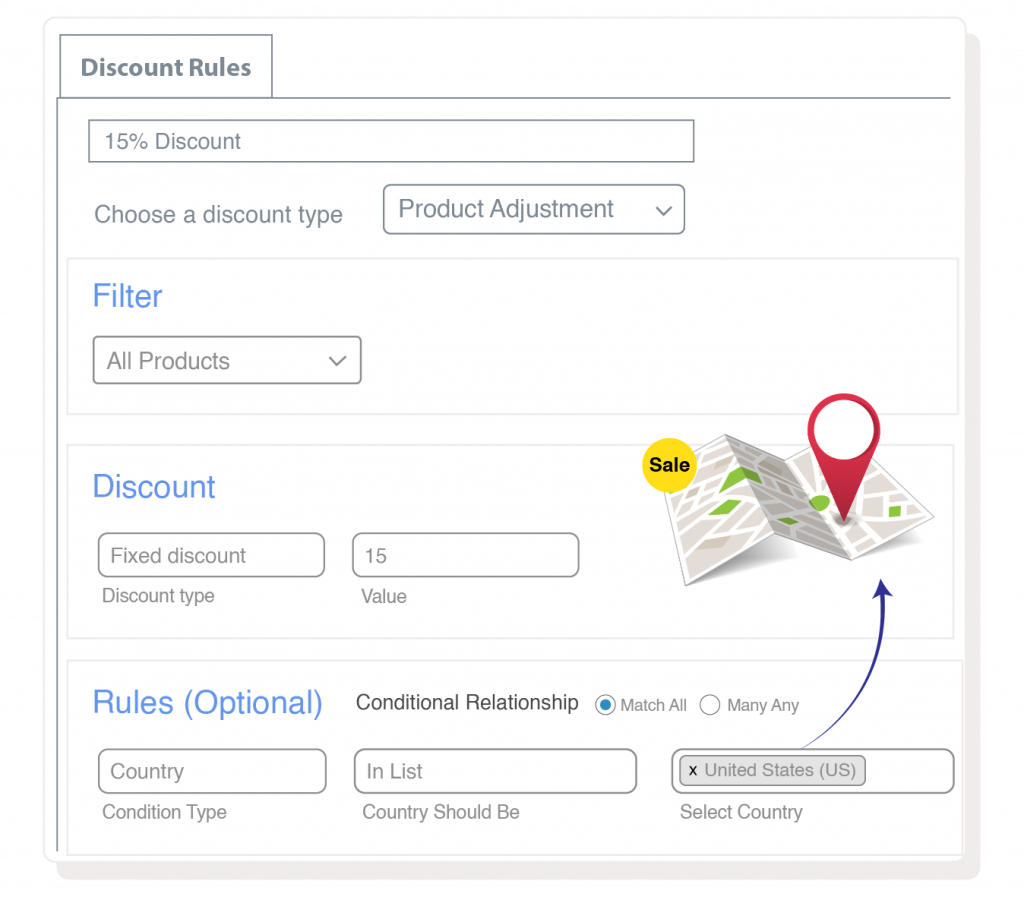
Shipping Address based discount back to top
Create a shipping address discount to offer price and percentage discounts to customers from a particular shipping location.
Sample Shipping Address discount examples
- Exclusive 10% Shipping discount for Customers from United States
- Grab 5% OFF on cart for orders from Rio. Offer valid dd/mm/yy to dd/mm/yy
- Students from NY! Get FREE Shipping on all your orders
- Buy for $500 and Get Free Shipping
- Shop 10 from Product A category and get 15 % wavier on cart for Australian customers
Grow Sales by 10x
Bulk Discount
Create bulk discounts in three simple steps. The discount can be for the entire store / categories / products / attributes. It can also be based on the order total. You can create unlimited bulk discount rules.
Store-wide discount
Offer a 10% discount across the store and go live within a few minutes. It just takes 2 steps to create a discount.
Quantity based tiered discounts
This is same as the bulk discount. You can create a tiered bulk discounts. Example: Buy 5 quantities, get 10%, Buy 6 to 10 quantities, get 20%, Buy 11 to 15 quantities, get 25%.
Buy One Get One offers
Create any type of BOGO offers. The plugin supports Buy X Get X, Buy X Get Y types and also conditional BOGO offers like Buy product A and get 50% on cheapest in cart. So the discount can be either free or a limited percentage as well.
Percentage discounts
Both the price based and cart based rules support percentage discounts. You can create any type of percentage based discounts including a conditional, dependent rule.
Fixed cost discount
The fixed cost discount can be offer per product / category. You can also set up a fixed cost discount that applies to entire cart.
Discount for Product Variations
You can configure a discount for a single variation or for multiple variations. You can also choose to provide discount for one variant across products. Example: Blue colour gets 10% discount.
Attribute based discounts
Offer discounts based on the product attributes (which were created using the WooCommerce Attributes and associated with the products).
User role discount
Discount rules can be limited to specific user roles. Example: Wholesale customers get 10% discount across the store / categories / attributes / cart.
Free Shipping
Offer free shipping to customers if they meet certain conditions. Example: Free shipping for orders over $500.
Order total based discounts
Create offers based on the total order value. Example: 5% discount for all orders above $1000.
Shipping Address based discount
Offer discount based on the shipping destination of the customers. Example: Customers from US get 10% discount. It could also be based on the zip/postal codes.
Coupon activated discounts
You can create a normal WooCommerce Coupon code and associate it with any discount rules. So whenever that coupon is applied, the associated discount rules will apply. This way, you can just activate multiple discount rules with a single coupon code.
Combo offers
Club two or more product category and create an advanced product combo discount. Buy One quantity of Product A and One quantity of Product B to get $50 Flat Price discount.
Purchase History Discounts
Create discounts based on the purchase history of the customers. Example: 10% discount for all customers who have purchased for over $1000 in their previous orders.
First Order discount
Encourage first time customers to purchase with a coupon code and an associated discount rule, which checks if the customer has not made any previous purchases.
Flexible Discount Display
Use our advanced layout for discount table to showcase the discount on product pages in the way you wanted. Use your own wordage instead of the built-in default texts. That way, you have a better control over what you express.
Alerts
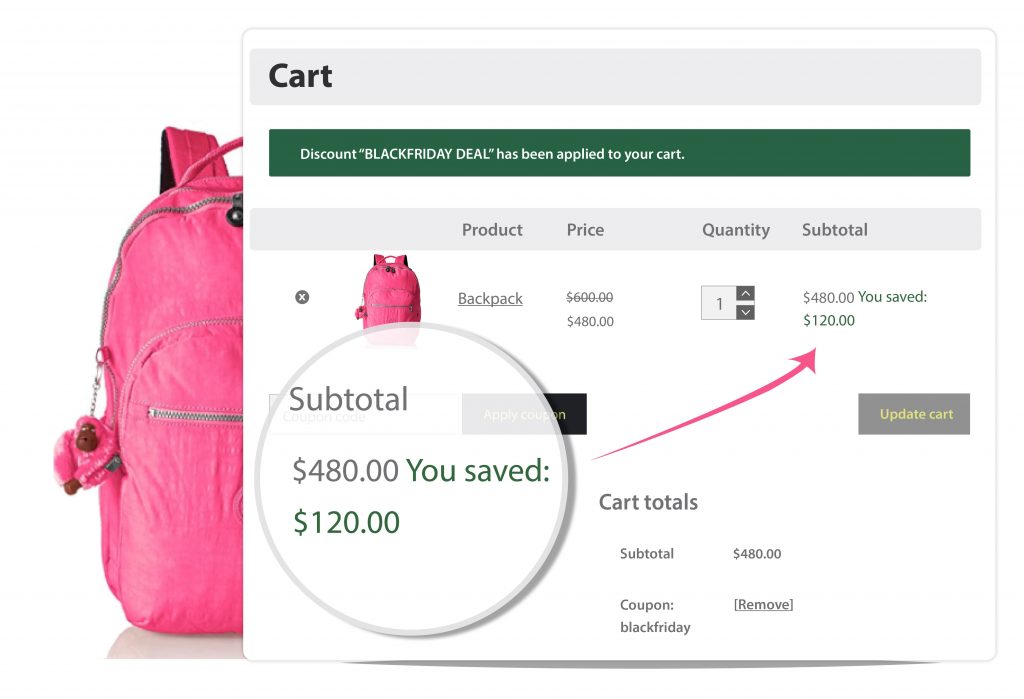
Showcase an alert when the discount is applied at the cart page and bring a smile! People love when they receive a discount.
You saved – text
Show a “You Saved” text at the line item and/or the total column in cart and checkout. People love when they save money! Add more reasons for smiling and improve the checkout experience.


