All-in-one digital toolkit. Premium WordPress themes, Shopify themes, plugins, templates & creative assets.




 Recently Updated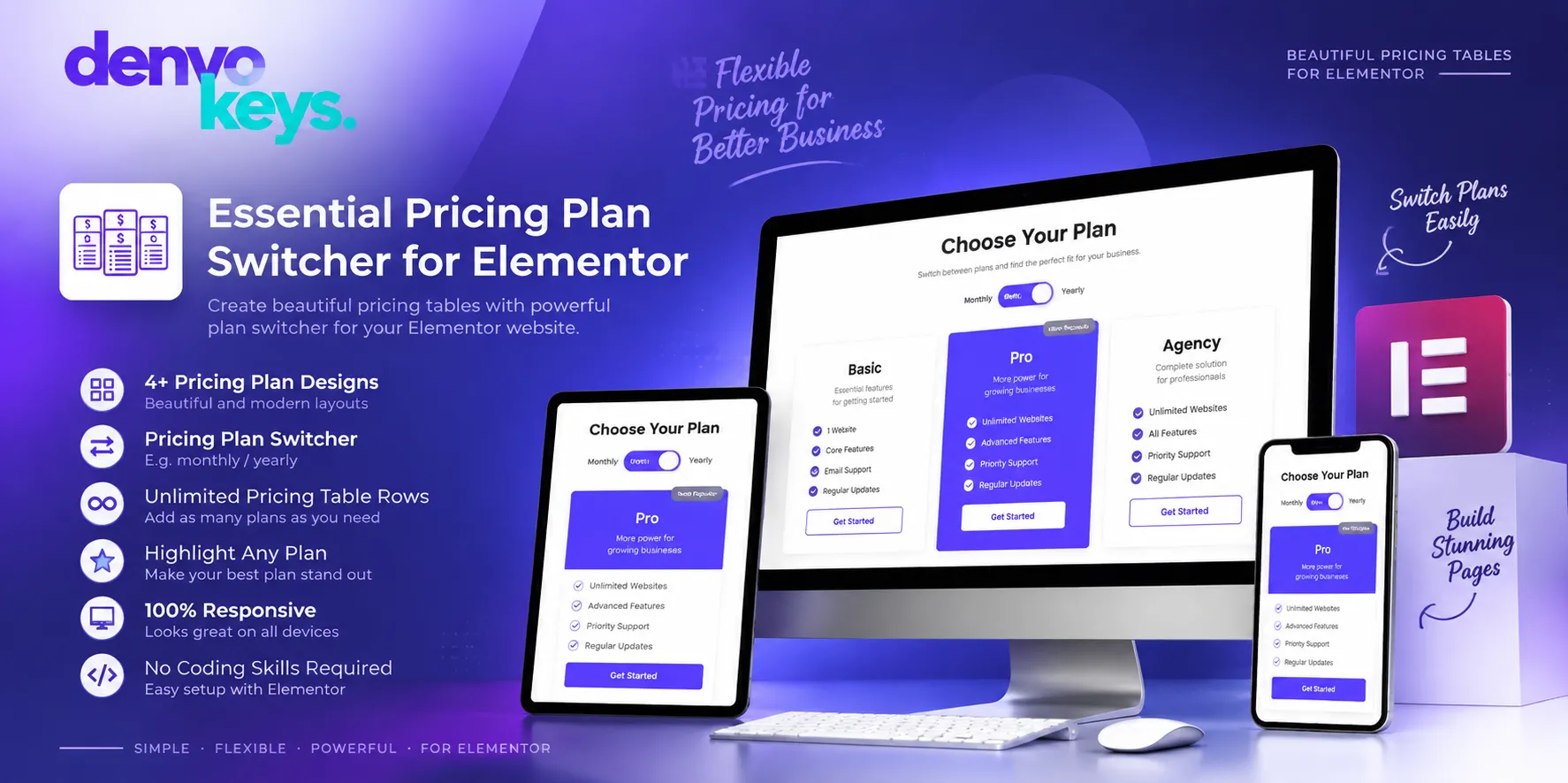

What Is Essential Pricing Plan Switcher for Elementor?
Essential Pricing Plan Switcher for Elementor is a WordPress plugin for pricing plans. It works with Elementor and helps build clear pricing tables without code. You can show plan rates, key perks, badges, icons, and more. It also lets users switch between two price views with ease.
The plugin suits many sites that sell plans or paid services. Users can compare plans without moving across many pages or tabs. Its clean layout helps make price details easy to scan.
Key Features of Essential Pricing Plan Switcher for Elementor:
- Five Ready Pricing Designs: The plugin gives you five types of ready pricing plan designs. Each style gives your site a neat way to show plan data. You can pick a layout that fits your page and brand. These styles help you build a rich price block with less work.
- Monthly and Yearly Plan Switcher: The plan switcher lets users move between two price views. A common use is to show monthly and yearly plan rates. You can also use the two views for other plan types. This makes it easy for users to check costs and plan perks.
- Easy Elementor Editing: Essential Pricing Plan Switcher works as an Elementor-based pricing tool. You can add and edit pricing blocks through the Elementor page editor. No coding skill is needed to set up the main price area. This makes the tool useful for both new and skilled site users.
- Plan Highlight and Badges: You can mark a plan that you want users to notice first. The plugin supports popular plan badges and other plan labels. This can help show a key offer in a clear way. You can also add icons and feature lists to each plan.
- Custom Price Table Rows: The plugin lets you create many rows inside your pricing tables. You can use rows to list perks, tools, limits, or plan details. This gives each plan space for its own key info. It also helps users compare what each price level includes.
- Multi-Currency Support: Essential Pricing Plan Switcher gives you many currency symbol options. This can help sites that serve users from more than one market. You can show the right price style for your plans. The plugin also lets you set custom parts of the pricing content.
- Style and Button Controls: You can change colors, button positions, borders, and hover effects. The tool also gives control over many parts of each price block. These options help you match the table with your site’s look. You can also add text and URL buttons for clear action paths.
Why Choose Essential Pricing Plan Switcher for Elementor?
This plugin gives Elementor users a focused way to show price plans. It puts rates, perks, buttons, and plan views in one clear block. Its switch tool can also show two price views on one page. The simple setup can help save time during page design work.
Who Should Use Essential Pricing Plan Switcher?
Essential Pricing Plan Switcher can suit:
- Software and app sites
- Web hosting firms
- Online course sites
- Subscription-based services
- Business consulting firms
- Coaching websites
- Email marketing tools
- Online survey sites
- Marketing agencies
- Virtual office services
Essential Pricing Plan Switcher for Elementor Comparison:
| Feature | Essential Pricing Plan Switcher | General Pricing Tool |
| Main Use | Pricing plans with Elementor | General price display |
| Elementor | Supported | Depends on tool |
| Pricing Designs | Five ready designs | Depends on tool |
| Plan Switcher | Supported | Depends on tool |
| Monthly/Yearly View | Supported | Depends on tool |
| Plan Highlight | Supported | Depends on tool |
| Currency Options | Multiple symbols | Depends on tool |
| Table Rows | Unlimited | Depends on tool |
| Hover Effects | Supported | Depends on tool |
| Responsive Design | Yes | Depends on tool |
| No-Code Setup | Yes | Depends on tool |
| Translation Ready | Yes | Depends on tool |
FAQs:
What is Essential Pricing Plan Switcher for Elementor?
It is a WordPress plugin made for creating pricing tables with Elementor. It helps display plans, rates, perks, buttons, and other price details.
Can I show monthly and yearly prices?
Yes, the switcher lets users move between two pricing views. Monthly and yearly plans are common ways to use this feature.
Can I change the pricing table design?
Yes, you can change colors, buttons, borders, rows, icons, and other parts. The plugin also offers five ready pricing table design types.
Accordion title


Reviews
Clear filtersThere are no reviews yet.