 🔑 Software keys sent via WhatsApp or E-mail within 24 hours (1 Day) ! ⏳ If not received, Contact us! ! 📬



 Recently Updated

Gravity Forms Advanced Calculations
Perform advanced calculations with mathematical functions, conditionals, and a powerful formula editor.
What does it do?
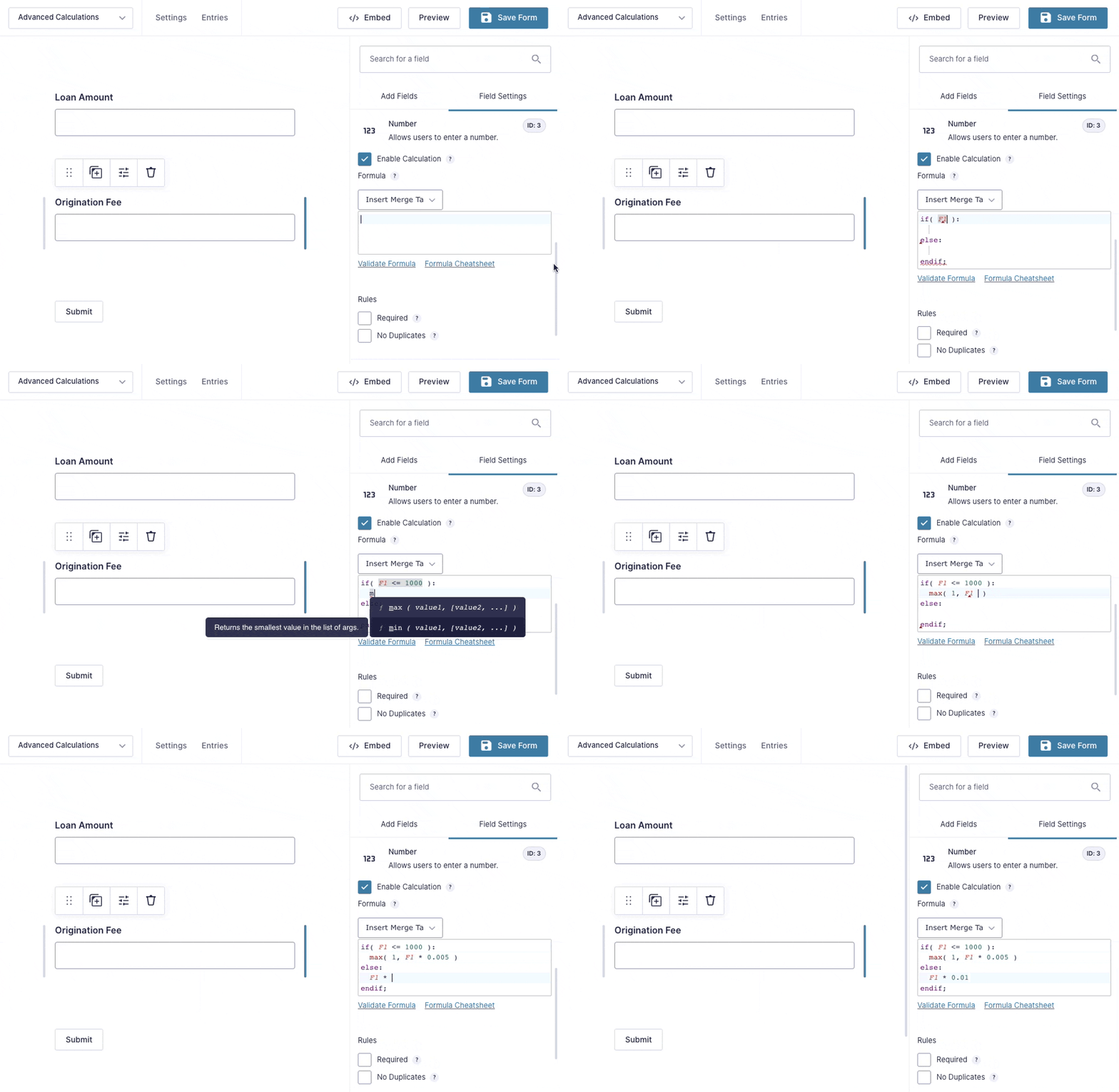
Advanced Calculations completely revamps calculations in Gravity Forms. Not only does it empower you with advanced mathematical functions and conditionals, it improves the formula editing experience with a powerful new editor, complete with syntax highlighting, autocompletion, shorthand field references, and so much more!
With Advanced Calculations you can create:
- Mortgage calculators
- Advanced calculated products
- Auto loan calculators
- Investment/Retirement calculators
- BMI calculators
- And many more!
Features
- Heaps of mathematical functions.
Spreadsheet style math directly in your form. - Conditional statements.
Specify multiple formulas in the same field; use the right one based on your conditions. - Formula shorthand.
Simplify your formulas with our field reference shorthand. No more cumbersome merge tags! - Syntax highlighting.
Clarify your complex formulas and spot issues quickly with automatic syntax highlighting. - Secure, tamperproof calculations.
All calculations are recalculated on submission for accuracy and security. - Seamless integration.
Automatically enhances all calculation-enabled fields like Number and Calculated Product fields. - Automatic updates.
Get updates and the latest features right in your dashboard. - Legendary support.
We’re here to help! And we mean it.
Documentation
- How do I enable this functionality?
- Feature Details
- Known Limitations
- Integrations
- Translations
- FAQs
- Hooks
How do I enable this functionality?
After installing and activating Gravity Forms Advanced Calculations,
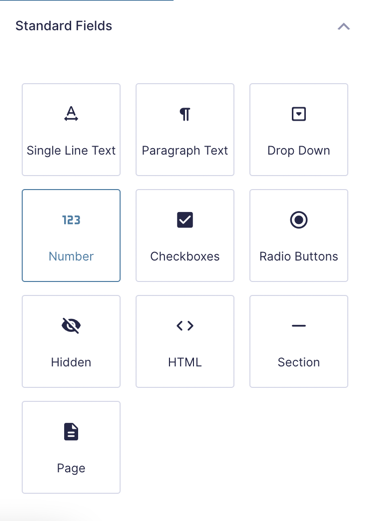 |
Add a Number field to your form. |
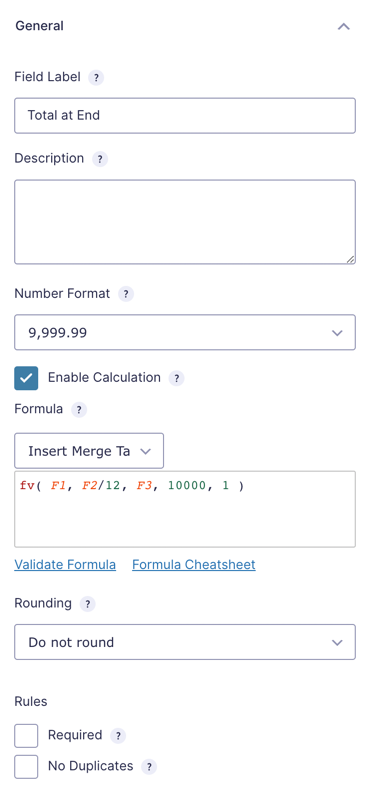 |
Check Enable Calculation. |
|
Insert advanced calculations into form. Use the Formula Cheatsheet for a primer on calculations. |
Feature Details
Merge Tag Shorthand
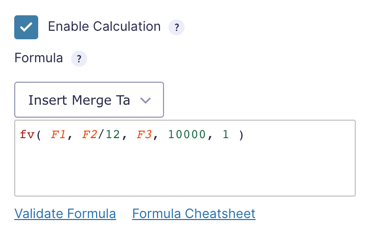
The true power of calculations with Gravity Forms comes from being able to reference other fields to create calculations from what users have entered. Gravity Forms uses merge tags to reference fields. Merge tags are referenced using the field ID, with or without the descriptor, such as {Field A:1} or {:1}.
Gravity Forms Advanced Calculations adds shorthand for fields to clean up your calculations and make it easier to keep track of everything. The shorthand for the same field shown above is written as F1.
Shorthand offers more readable calculations, especially for complicated functions.
Conditional Statements
Advanced Calculations supports conditional statements such as if/else and if/elseif/else. Use these statements to evaluate calculations based on field values.
if/else
if( F1 > 1.25 && F1 < 5.5 ):
	F1 * 50
else:
	0
endif;
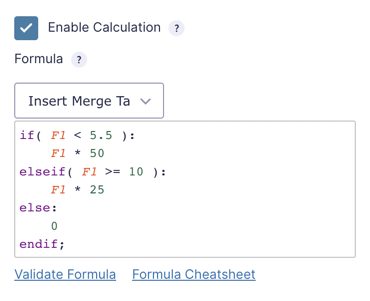
if/elseif/else
if( F1 < 5.5 ):
	F1 * 50
elseif( F1 >= 10 ):
	F1 * 25
else:
	0
endif;
You may use as many
elseif statements as needed. You are not limited to one.Supported Operators
The following comparison operators are supported:
==Equal to!=Not equal to>Greater than<Less than>=Greater than or equal to<=Less than or equal to
Multiple Expressions
Conditional statements support multiple expressions within a single condition via the the && (and) or the || (or) operators.
To require both expressions to be true for the condition to match, you would use the && operator. In this example, the condition will only be true if Field #1 is greater than 5 and less than 10.
if ( F1 > 5 && F1 < 10 ):
If you would like your condition to match if any of the conditions are true, you would use the || operator. In this example, the condition will return true if Field #1 is greater than 5 or if Field #2 is greater than 5.
if ( F1 > 5 || F2 > 5 ):
While these examples are simple, this functionality is quite robust and can handle conditions that contain expressions with both && and || operators.
Syntax Highlighting
Advanced Calculations adds syntax highlighting and autocompletion to the calculation text area. Syntax highlighting drastically improves the readability of calculations, especially complicated ones that use conditional statements and functions.
Autocompletion aids you when inputting a function or conditional statement. When you start typing any supported function, the editor will suggest a completion. Click the suggested function (or hit return) to insert the full function with placeholder values.
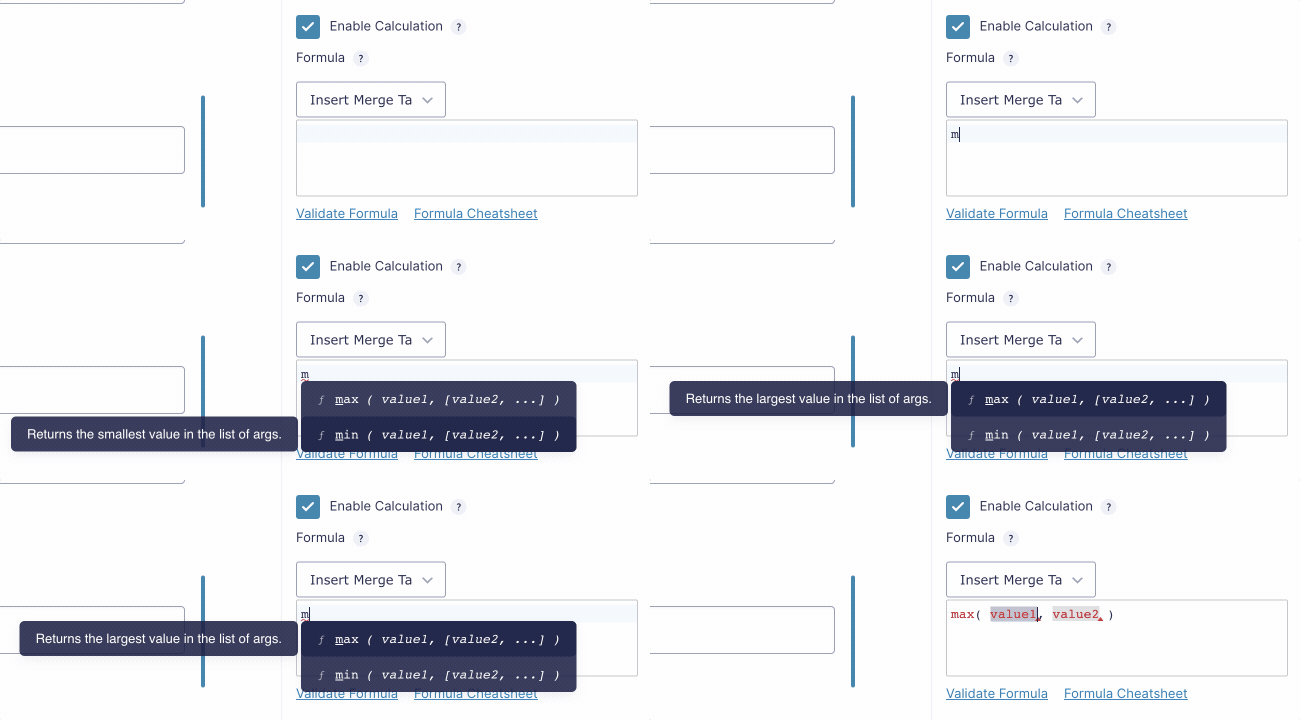
The editor also automatically closes parentheses and merge tag braces. Say goodbye to invalid formulas because of an errant parenthesis!
Tooltips
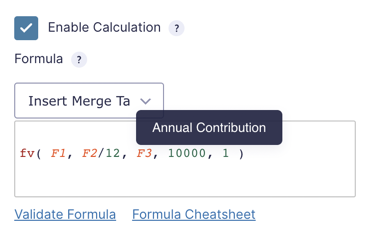
When hovering over shorthand field variables and merge tag field variables with no descriptor in the formula editor, you will see a tooltip displaying the field’s label.
Functions
Advanced Calculations adds support for common functions to both save you time and effort and provide more accurate results.
Exponential – exp
Returns e^x, where e is Euler’s number (~2.718) and x is the provided value.
Future Value – fv
fv calculates the future value of an investment based on constant-amount periodic payments and a constant interest rate.
Natural Logarithm – ln
ln returns the logarithm of a number, base e. e is Euler’s number (~2.718).
Known Limitations
- Non-numeric values are not supported in conditional statements.
Integrations
Invoicing Templates by Gravity PDF
GP Advanced Calculations integrates with Gravity PDF’s Invoicing 2.0+ templates. These templates allow for business-ready invoice generation from Gravity Forms submissions. They’re highly customizable, translatable, support conditional logic, and are GST/VAT compatible. This integration allows for GP Advanced Calculations’ mathematical functions and formulas to be leveraged while working with Gravity PDF’s Invoicing templates.
There’s a variety of sleek templates to choose from and all templates integrate with GP eCommerce Fields, GP Inventory, GP Conditional Pricing, GP Unique ID, and GP Price Range. Learn more about Gravity PDF’s invoicing templates here.
Translations
You can use the free Loco Translate plugin to create translations for any of our Perks. If you’ve never used Loco translate before, here’s a tutorial written for beginners.
FAQs
No FAQs yet. What do you want to know?
Hooks
Gravity Forms has hundreds of hooks. Check out our Gravity Forms Hook Reference for the most thorough guide to Gravity Forms’ many actions and filters.
Related Resources
- How to Do Calculations with Gravity Forms
If you’re using Gravity Forms on your WordPress website, you might need an easy way to do Gravity Forms calculations on form fields and user submissions. - Spotlight: Building a Loan Calculator with GP Advanced Calculations
See how James Roberts built a loan calculator for an auto-financing company using GP Advanced Calculations.


