All-in-one digital toolkit. Premium WordPress themes, Shopify themes, plugins, templates & creative assets.



 Recently Updated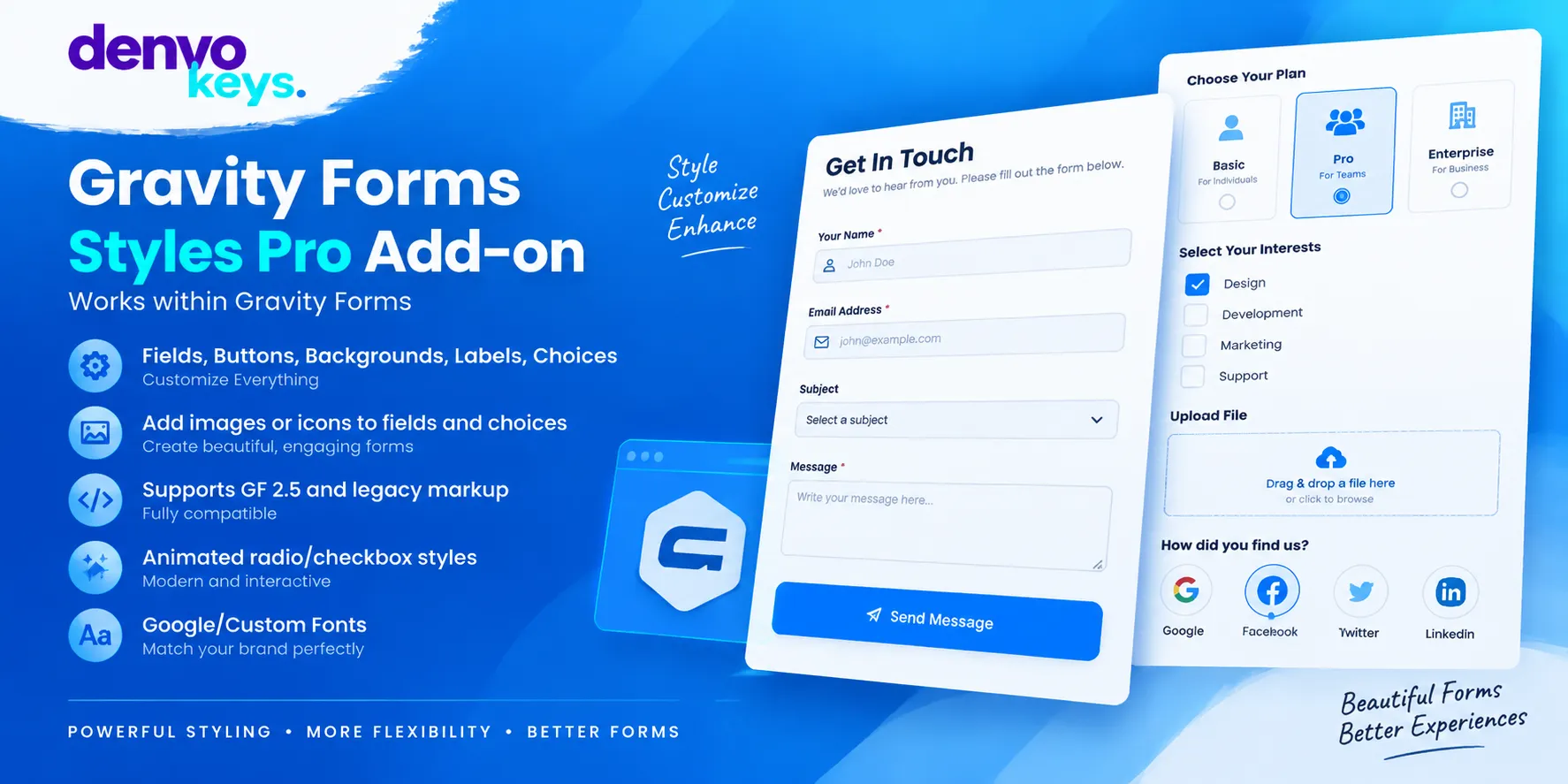

What Is Gravity Forms Styles Pro Add-on?
Gravity Forms Styles Pro Add-on helps you make neat forms in WordPress. It adds a live theme styler for form design. You can edit fonts, colors, fields, icons, labels, and buttons with ease. This add-on works as a native part of Gravity Forms. It uses GUI tools, so you can make style edits without deep code work. You can use more than one theme on one page.
The add-on comes with nine ready themes to start. These include Bootstrap, Material, Flat, and other form styles. You can edit them to fit your site.
Key Features of Gravity Forms Styles Pro Add-on:
- Live Theme Styler: The live theme styler gives you a clear way to edit form design. You can view style changes as you work on each form. This makes it easy to test a look before you save it. You can set field, label, button, note, and footer styles with ease. You can also set colors, type, spacing, and other visual parts. This helps keep each form style in line with your site.
- Ready Form Themes: You get nine built-in themes that give your forms a strong base. The set has Bootstrap, Material, Flat, and other visual form styles. This saves time when many forms need a consistent style across one site. It can save time when you need new forms with a set look.
- Fonts and Text Style: You can style text across fields, labels, notes, and buttons with ease. This helps each form stay close to your main site design. Clear type can also make long forms easier to scan.
- Icons and Images: You can add icons beside, before, after, or inside form fields. The add-on supports Font Awesome and Material Icons for form design. You can choose icon style and color to match your theme. You can also add icons or images to radio and checkbox choices. This gives users a clear visual way to spot each choice. The image and icon areas also have many style options.
- Field and Button Styles: The tool lets you shape key parts of each form with many style controls. You can edit fields, labels, notes, buttons, footers, and special toggles. You can use your own colors for key parts. Floating labels are also part of the Material form style set. This look can help save space while keeping field names clear. You can use it for a clean and neat form layout.
- RTL and Theme Support: Gravity Forms Styles Pro Add-on includes support for right-to-left form layouts. It can also inherit form styles from your WordPress theme for a close fit. You can then edit the look for each form. Its CSS setup uses a clear style path based on theme rules. This helps you make safe edits without wide changes around the form. You can also manage custom CSS from one place.
Why Choose Gravity Forms Styles Pro Add-on?
This add-on gives you more control over form style without deep code work. Its live styler, ready themes, font tools, and icon tools speed up design work. It focuses on ease, speed, browser use, and clean UI design.
Who Should Use Gravity Forms Styles Pro Add-on?
This add-on suits site owners who use Gravity Forms and need more style control. It can help shops, blogs, firms, schools, and service sites build clean forms. It also fits users who want rich form style without being design or code pros.
Comparison:
| Feature | Gravity Forms Styles Pro Add-on |
| Live theme styler | Yes |
| Built-in themes | 9 themes |
| Google Fonts | 300+ fonts |
| Custom fonts | Yes |
| Field icons | Yes |
| Choice icons | Yes |
| Choice images | Yes |
| Floating labels | Yes |
| RTL support | Yes |
| Import and export | Yes |
| Custom CSS | Yes |
| Multiple themes per page | Yes |
FAQs:
Is Gravity Forms Styles Pro Add-on easy to use?
Yes, the add-on uses GUI tools for most style tasks. You can change form parts without special shortcodes or deep code work. It helps non-designers build neat forms with less effort.
Can I add icons to my Gravity Forms fields?
Yes, you can add icons before, after, beside, or inside fields. Font Awesome and Material Icons are supported for form design. You can also add icons to radio and checkbox choices.


Reviews
Clear filtersThere are no reviews yet.