 🔑 Software keys sent via WhatsApp or E-mail within 24 hours (1 Day) ! ⏳ If not received, Contact us! ! 📬



 Recently Updated

The Jetpack Scan Extension allows you to effortlessly scan all your Child Sites for potential vulnerabilities, get detailed information about each vulnerability, and take advantage of the one-click solution for most issues.
Note that this requires a Jetpack plugin on your Child Sites and a Jetpack Scan subscription that you can get at a discounted price from within the MainWP Dashboard.
– Why Jetpack Scan?
Jetpack Scan offers an additional layer of security to your Child Sites by utilizing the extensive WPScan vulnerability database to run:
- Automated & on-demand malware scanning, in addition to vulnerability checks
- One-click fixes for most issues
- Web Application Firewall (WAF) with automatic rule updates
- Instant email notifications when threats are detected
- Priority support from WordPress experts

– Jetpack Scan: Widget
Once you activate the Jetpack Scan Extension, you’ll notice a helpful widget on the MainWP Overview page.
This widget gives you an overview of the Jetpack Scan scanned results providing one-click action to jump into the vulnerabilities for WordPress core, plugins, and themes.
– Jetpack Scan: Overview
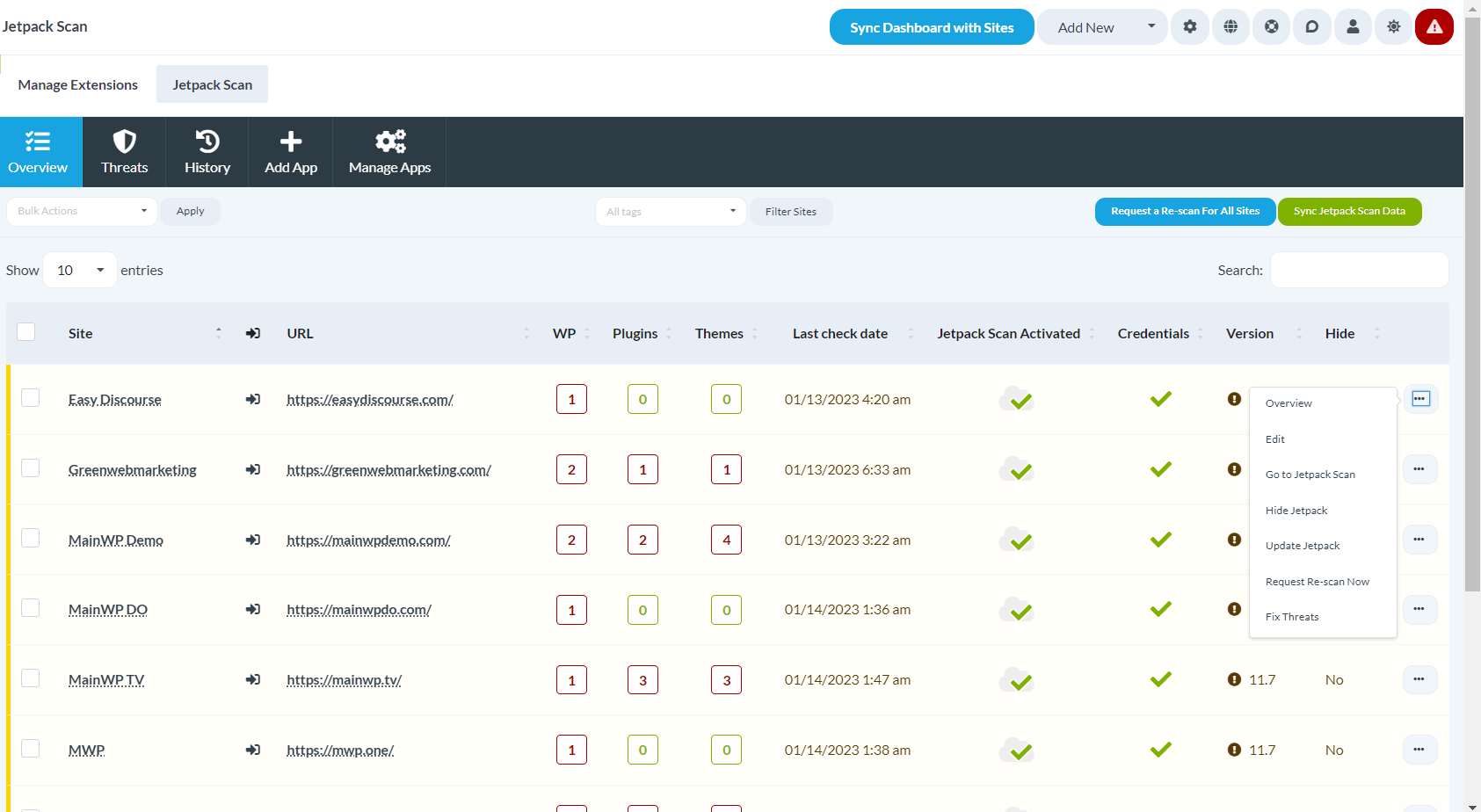
The Overview page displays detailed information for the scanned vulnerabilities for WordPress core, themes, and plugins on each Child Site connected to Jetpack Scan.
You can request an on-demand scan for all the Child Sites and then fetch them to the MainWP Dashboard with the “Sync Jetpack Scan Data” button.
The numbers listed below the WP, Plugins, and Themes columns correspond to the number of threats or vulnerabilities detected on each Child Site.
– Jetpack Scan: Threats
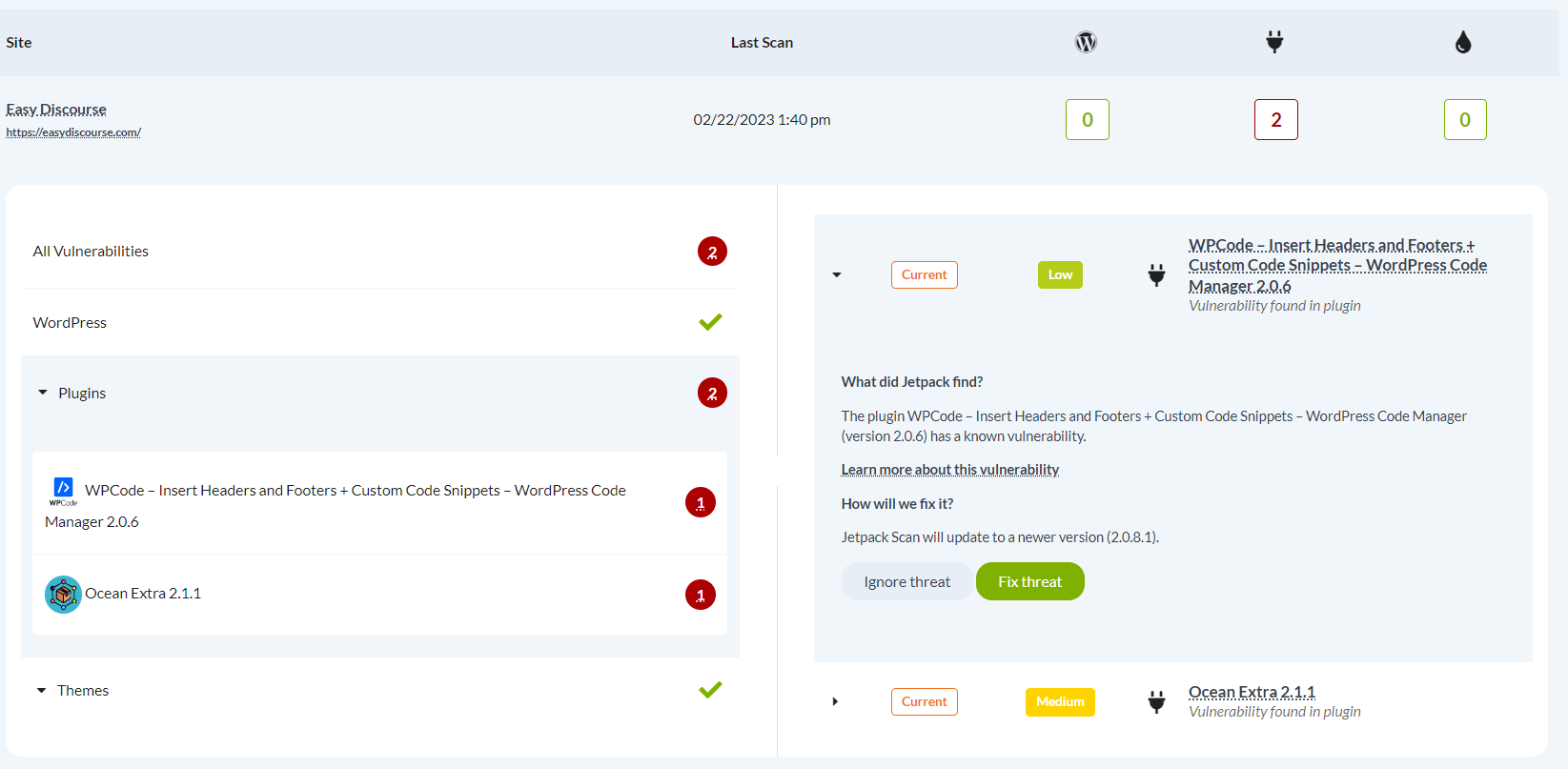
This section displays Jetpack Scan’s scanned results, enabling you to take appropriate action.
By clicking on a specific number, you can get further information regarding the vulnerabilities detected and the necessary steps to address them.
Note: The process runs through the Jetpack API and can take a few minutes to complete.
– Jetpack Scan: History
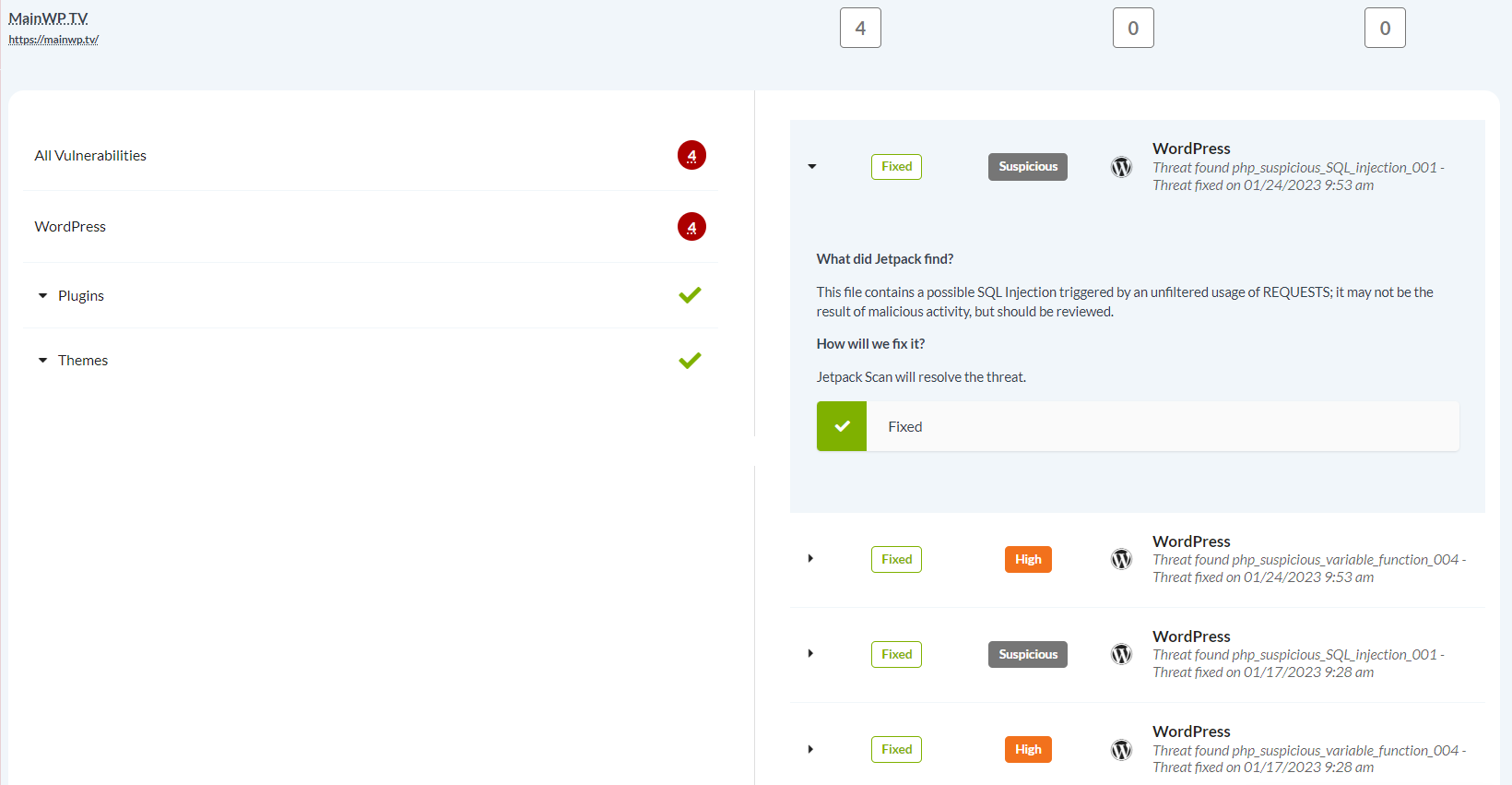
The tab “History” shows you previous threats that have been fixed or ignored and the date & time of the action taken.
– Jetpack Scan: Add App
This is where you generate Jetpack Scan APIs to connect your Child Sites to the Jetpack Scan Extension. Follow the on-screen instructions.
– Jetpack Scan: Manage Apps
The “Manage Apps” lists the existing Jetpack Scan APIs that you added from the Add App screen.

– Jetpack Scan: Exclusive Discount
As a MainWP user, you can request Jetpack Scan Coupons through the Extension, unlocking an exclusive 40% discount for your first year of a Jetpack Scan subscription.

The Jetpack Scan Extension is an excellent solution to detect and fix vulnerabilities in WordPress, plugins, and themes.


