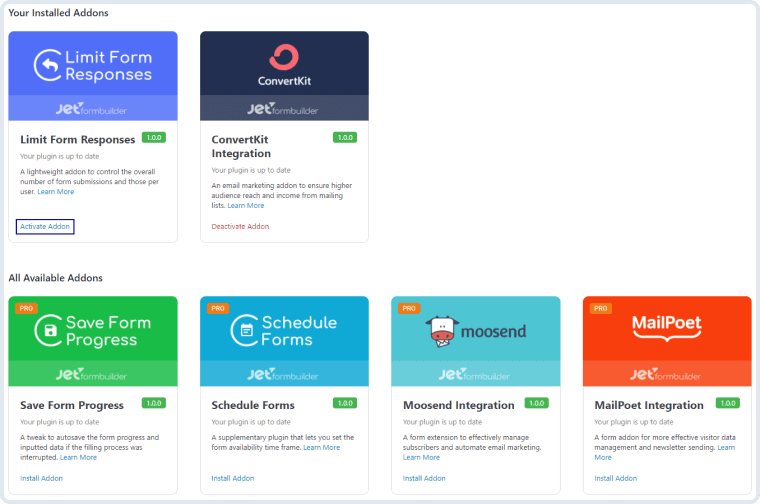
To install the addon, go to JetFormBuilder > Addons and find the “Limit Form Responses” addon in the All Available Addons section. Press the “Install Addon” button and, once installed, it will appear on Your Installed Addons. Next, click “Activate Addon” to get it ready for further work.
Limit Form Responses – JetFormBuilder Pro Addon
As you can see, all PRO version addons can be installed and activated through JetFormBuilder Dashboard.
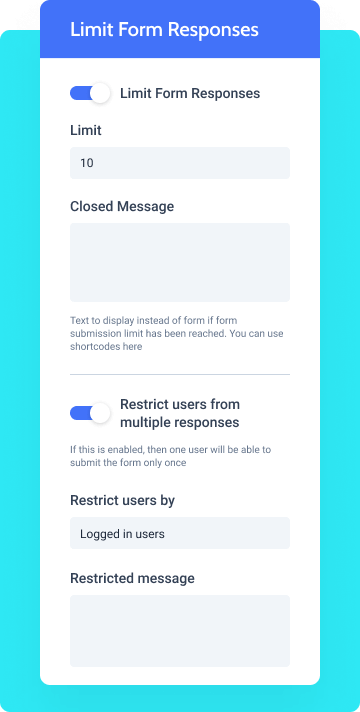
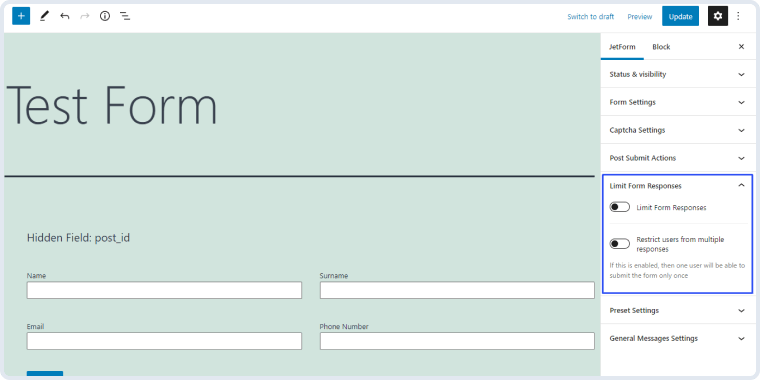
After you finish the installation and activate the plugin, the new settings section called Limit Form Responses will appear. To find it, go to JetForms > Forms and open one of the created forms. In the right-side menu, you will see the Limit Form Responses section.
Limit Form Responses – JetFormBuilder Pro Addon
Limit Form Responses Settings
By enabling this toggle, you set a restriction to the number of successful responses to the form. This means that only the submissions that have gone successfully count.
Limit Form Responses – JetFormBuilder Pro Addon
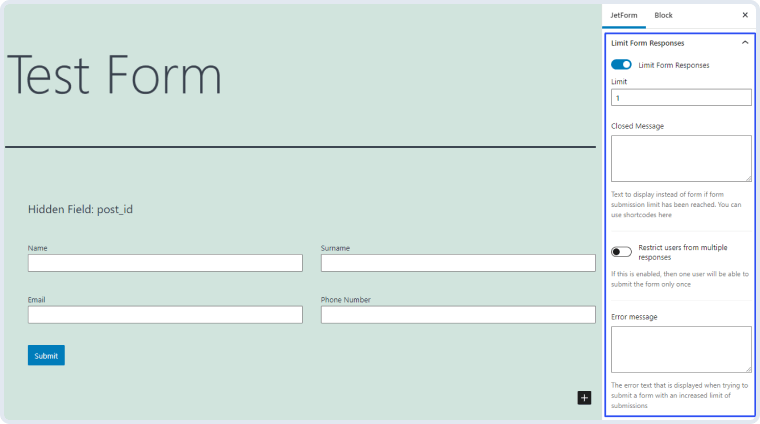
Limit. The number you put here will be the number of successful submissions of the form that you allow;
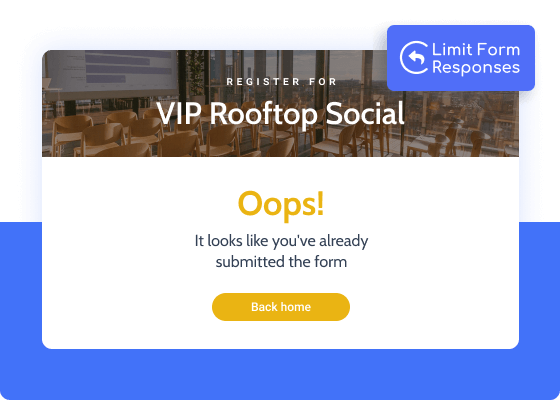
Closed Message. If the number of form submissions reaches the set limit, users will see the text you type in here. If you leave this text area empty, the users will see the form as usual but after pressing the “Submit” button, they will receive a notification with the text of Error Message text area. You can use shortcodes in this text;
Error Message. The text you enter here will be shown to the user if he/she tries to submit the form after the limit is reached.
Restrict users from multiple responses
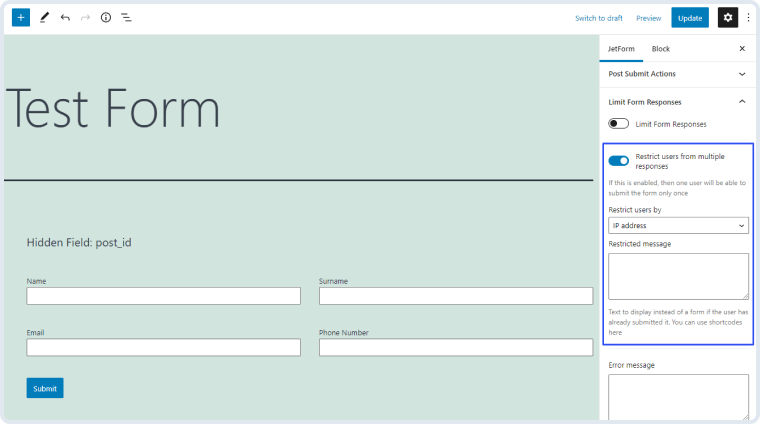
If you want every user to be able to submit the form only once, you should enable this toggle. You can turn it on separately from the Limit Form Responses toggle.
Limit Form Responses – JetFormBuilder Pro Addon
Restrict users by. There are several parameters that can be used to define the user. You can choose them in this drop-down menu:
IP address – the system stores the IP addresses of users that already submitted the form and restricts them from doing it again;Multi-Column Layouts
Logged in users – the users are defined according to their account. If you choose this option, only the logged-in users will be able to see this form;
Cookie value – the user is defined by the cookie value;
Session value – the user can submit the form only once during the session;
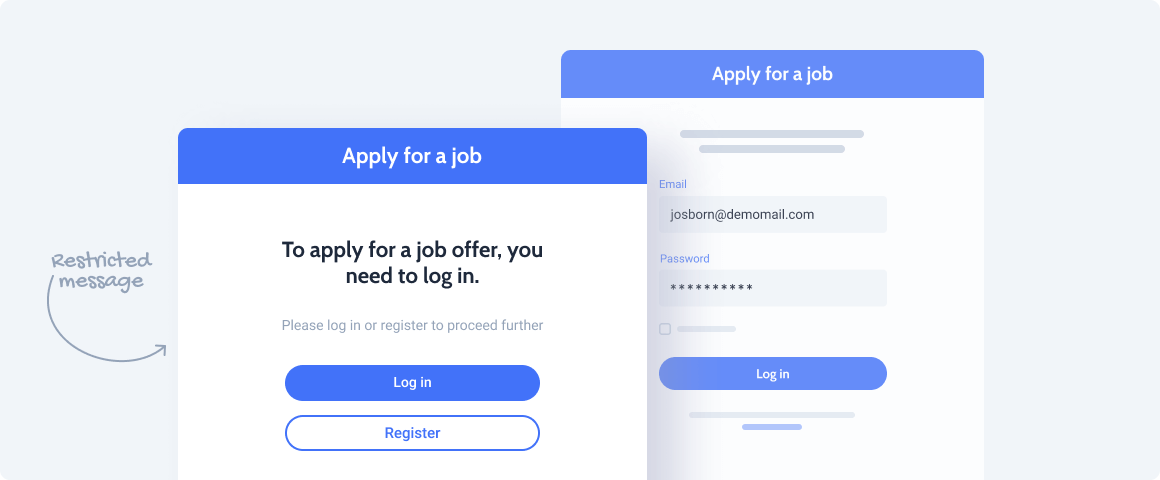
Restricted Message. If the user tries to submit the form again, he/she will see the message you type here. You can use shortcodes in this message.




 Recently Updated