


 Recently Updated Well Documented

Completely automate syncing member lists with Mailchimp
Mailchimp for WooCommerce Memberships helps you communicate more effectively with the members on your site. Previously, to get member data set up in Mailchimp, you had to perform CSV exports for members, upload these exports to Mailchimp, and manually change merge tags to be able to create effective member segments.
No more! Mailchimp for Memberships seamlessly updates member data for you in your subscriber profiles, ensuring Mailchimp data is always up-to-date with your latest membership list and statuses. Keep segments auto-updated, and make it simple to email targeted groups of members on your site.
Set up in minutes
Mailchimp for Memberships does all of the heavy lifting during set up to get your member data pushed to Mailchimp quickly. Once you add a Mailchimp API key to the plugin settings, you can choose what list your members should belong to, and what merge fields you’d like to use for plan data.
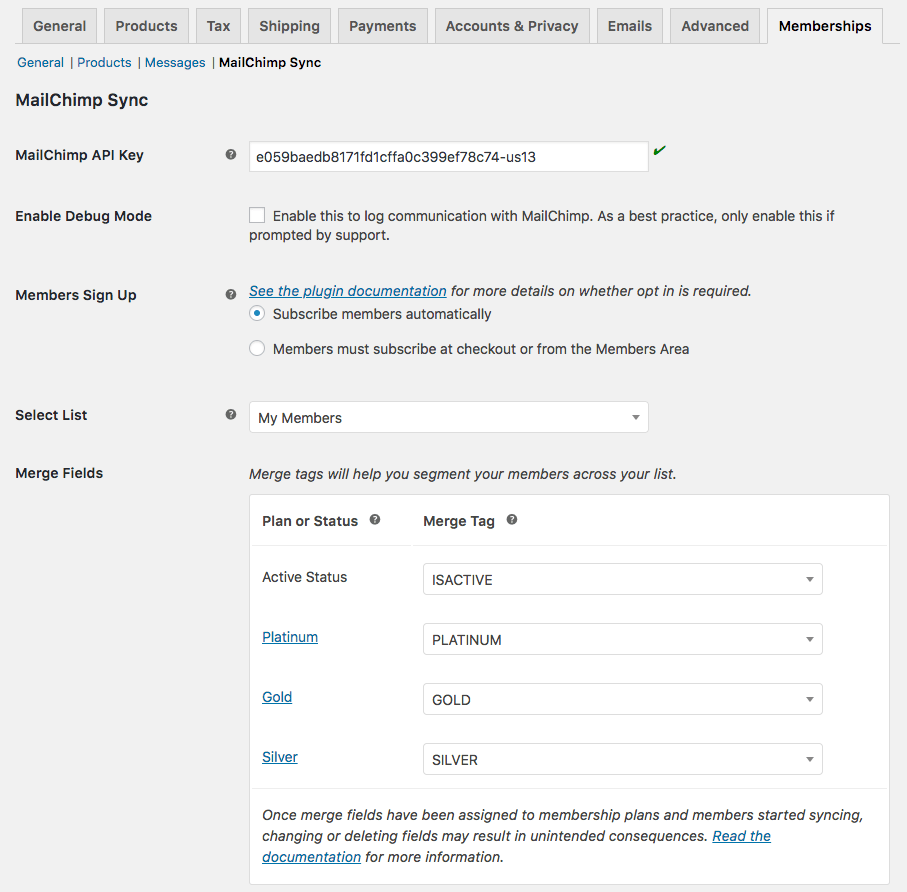
Mailchimp for Memberships even cuts out the work to set up merge fields for you — once you’ve chosen a list for your members, merge fields will automatically be created for each plan so you can store member data within your Mailchimp list.
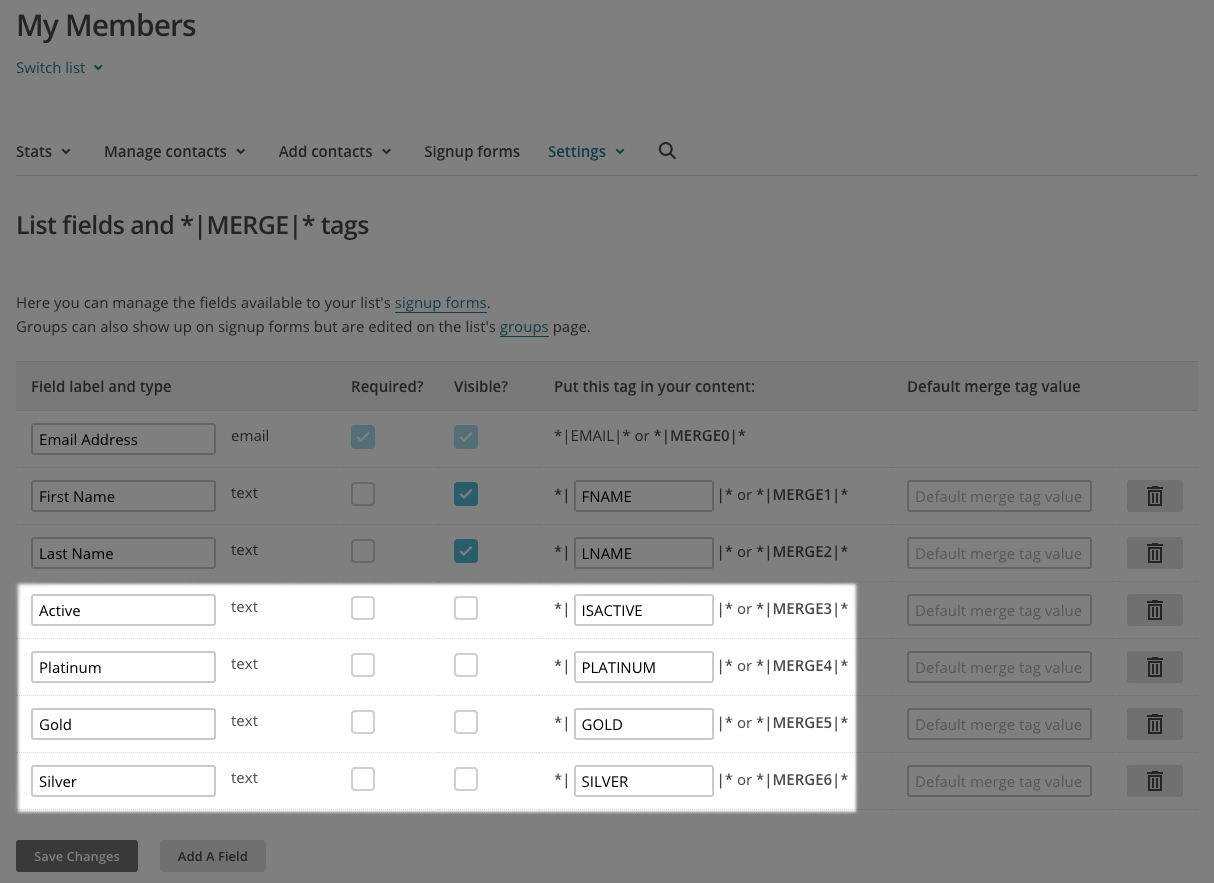
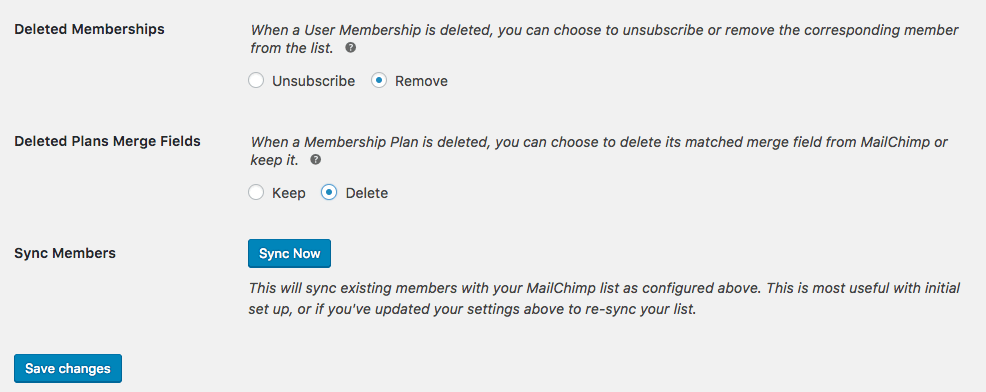
Once you’ve connected a list and merge fields, you can sync your current membership list, and you’re ready to create member segments in minutes!
Segment emails for members
Now that member data is automatically synced to Mailchimp, you can easily create segments for your members. For example, you could target active members of a specific plan:
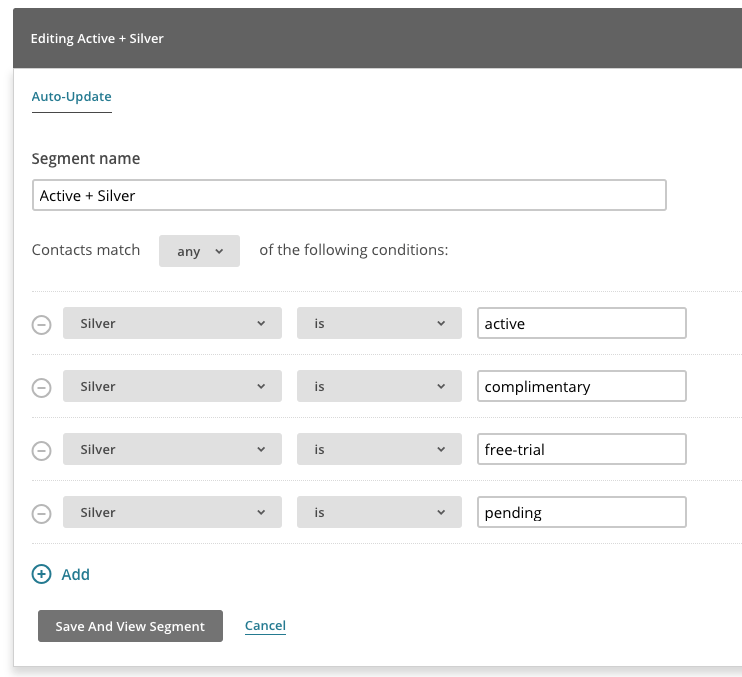
You could also target “cancelled” members to send win-back emails, or paused members to woo them back to you site.
Want to email all active members? That’s straight-forward as well! Mailchimp for Memberships maintains an “Is Active” merge field for you in addition to plan merge fields. This will be “yes” or “no” for any member, ensuring you can use one merge field to segment by all active members on your site for simple communication.
Always automatically updated
You’ll never have to export and re-import member CSV files to update Mailchimp data again. For every membership that’s added, removed, has a status change, or is transferred, Mailchimp for Memberships will handle pushing those changes to Mailchimp automatically. Your member merge fields will always be updated with the latest data from your site.
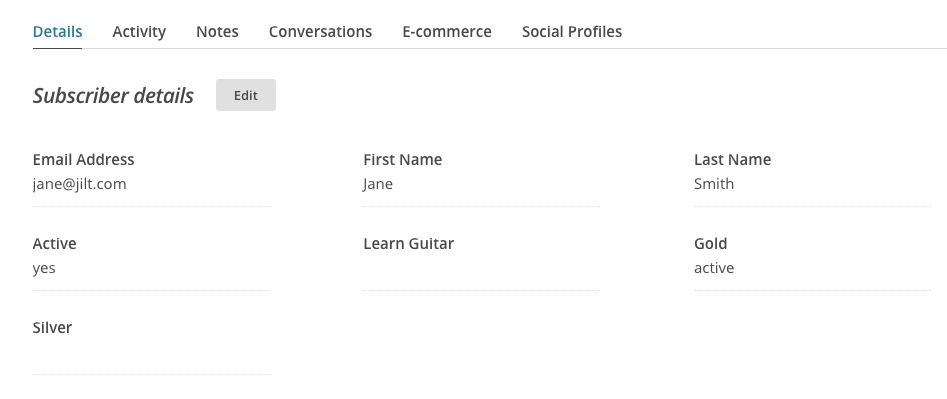
These fields also respect sites with multiple membership plans. Have a member who’s cancelled one plan, but is still active on another? The “Is active” tag won’t change on you until all of the customer’s memberships are inactive.
Mailchimp for Memberships is built to take all of the work out of maintaining your member segments, letting you spend time delivering valuable emails to your members instead.
How to Get Started
Ready to sync your member data to Mailchimp? You can get going with these steps:
- Be sure your site already has WooCommerce Memberships, or purchase it now. (Don’t forget to check out the Woo Members Bundle!)
- Buy this extension 🙂
- Download and install Mailchimp for Memberships in your WooCommerce store
- Add your Mailchimp API key and select plan merge fields.
- That’s it! Sit back and enjoy your automatically synced member email list!
Need any more reason to buy? When you purchase a SkyVerge-developed extension, you’re getting the highest quality extensions for your WooCommerce store. Gain peace of mind by knowing that when you purchase our products, your store’s performance is as important to us as it is to you.
Latest Release

Fluent Forms – The Fastest WordPress Form Builder
Original price was: US$299.00.US$4.99Current price is: US$4.99. for 1 year
WizeStore – Multipurpose WooCommerce Shop WordPress
Original price was: US$59.00.US$4.99Current price is: US$4.99. for 1 year
Chelsey – Portfolio Theme for Freelancers and Agencies
Original price was: US$79.00.US$4.99Current price is: US$4.99. for 1 year
Reviews
Clear filtersThere are no reviews yet.