🔑 Software keys sent via WhatsApp or E-mail within 24 hours (1 Day) ! ⏳ If not received, Contact us! ! 📬



 Recently Updated

The Add On will add “pay by check” as an option on membership checkout for the levels that allow check payment.
How it Works
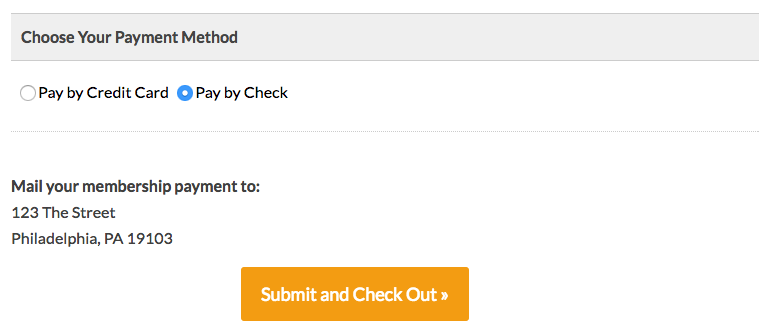
If a user selects to pay by check, they will see the instructions for making payment by check on the checkout page and the membership confirmation page/email. The order for their membership will be set to the “pending” status. This will block that member from accessing content until the payment is received.
Members whose order is set to the “pending” status will see the following non-member-text notice when trying to access members-only content.
The message can be filtered using the gettext filter in WordPress.
After you receive payment, the admin will edit the order to change the status to “success”, which will unlock the member’s access.
Video Demo
Installation
You must have the Paid Memberships Pro plugin installed and activated with a valid license type to use this Add On.
- Navigate to Memberships > Add Ons in the WordPress admin.
- Locate the Add On and click “Install Now”.
- To install this plugin manually, download the .zip file above, then upload the compressed directory via the Plugins > Add New > Upload Plugin screen in the WordPress admin.
- Activate the plugin through the Plugins screen in the WordPress admin.
Setup the Pay by Check Gateway
- Navigate to Memberships > Settings > Payment Gateway and SSL in the WordPress Dashboard
- Select Pay by Check as the Payment Gateway, and make sure to set the “Instructions” field with instructions for how to pay by check.
- Save the changes.
- On the same page, change the Payment Settings back to use your gateway of choice.
- Save the changes.
- Behind the scenes the “Pay by Check” settings are still stored.
Level Settings for Pay by Check Option
Change these settings to allow or disallow the pay by check option for this level. Repeat these steps for each level you offer.
- Navigate to Memberships > Memberships Levels > Edit Level (select one) in the WordPress Dashboard.
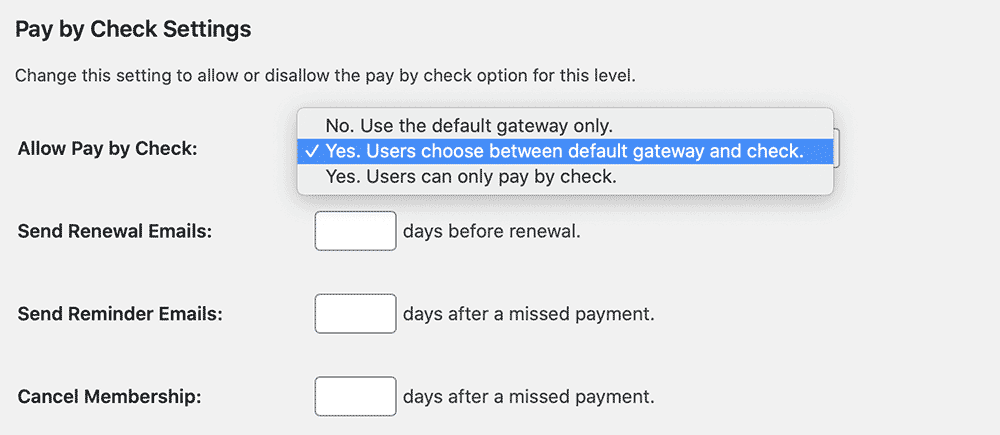
- The section “Pay by Check Settings” has several options:
- Allow Pay by Check
- If the level has a Recurring Subscription, the following settings are also available:
- Send Renewal Emails (set days before renewal)
- Send Reminder Emails (set days after missed payment)
- Cancel Membership (set days after missed payment)
- After changing the level’s settings, save changes.
A Note About Grace Periods
The Pay by Check Add On is programmed to continue to filter content from new members until their order is moved from pending to success status.
One thing to note is that existing customers who already have a successful order in the past may get access to the content right away. This is programmed in to give users a grace period on their recurring payments.
To remove this grace period, you must modify the setting to cancel membership after a missed payment from the Memberships > Settings > Levels > Edit Level page in the WordPress admin. Set this value to “0” to give existing members no grace period on content access and cancel membership immediately after their current term ends.
In practice, it is best to give some grace period for your existing customers. New users will not gain access to any content until their first order is marked “success”. Existing customers will appreciate retaining access for a few days until you receive and mark their recurring order for check payment “success”.
Screenshots