All-in-one digital toolkit. Premium WordPress themes, Shopify themes, plugins, templates & creative assets.




 Recently Updated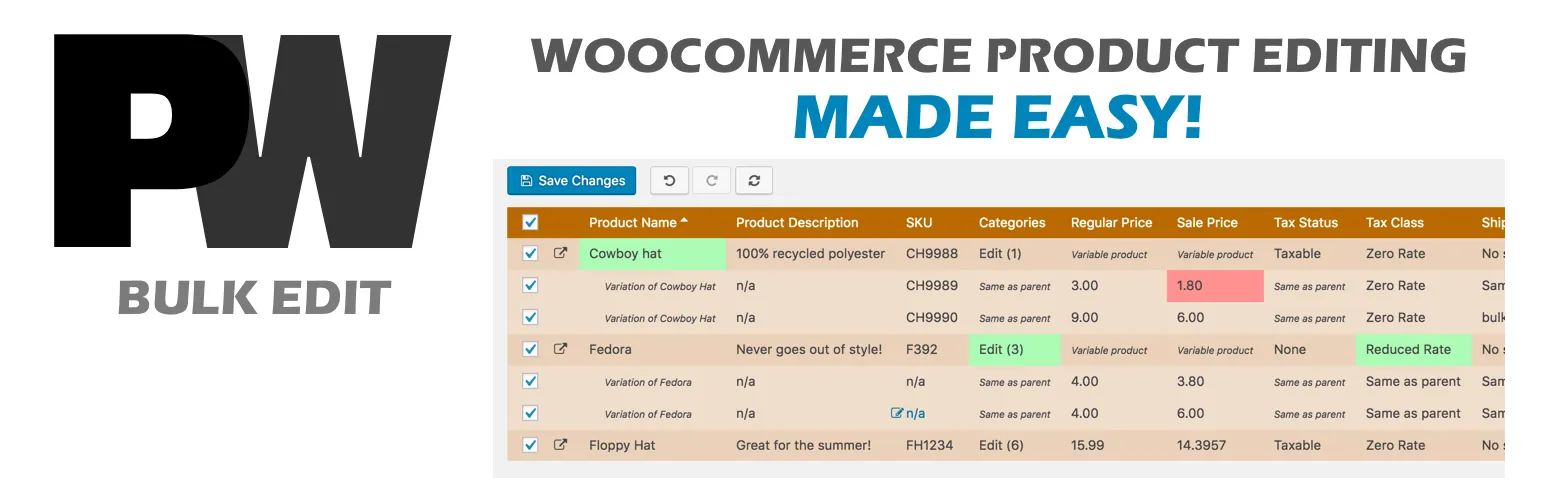

Say Hello to PW Bulk Edit
Intuitive and responsive, even with large WooCommerce product catalog. A tremendously powerful way to update your WooCommerce product catalog.
Bulk discount your product prices. Change sale prices for thousands of products. Rapid inventory updating. Category transitions.
Built with ease of use in mind, PW WooCommerce Bulk Edit is incredibly intuitive. Changes are visible and only applied when you are ready. Save your filters to make future updates a snap.
PW WooCommerce Bulk Edit Pro lets you do more:
- Edit Categories, Sale Prices, Attributes, and so many other fields! (See full list below)
- Bulk change the Sale Price based on Regular Price
- Bulk Delete products and variations
- Create new Variations automatically
- Additional filtering options like “Is Empty” and “Is Not Empty”
- Save and load your custom filters
- Product images and gallery photos
- Use the power of Regular Expressions for searching and replacing text values
- Export results to a CSV (comma-separated values) file.
- Compatible with Dokan Multivendor Marketplace
- Support for many third-party plugins and themes like Flatsome, WooCommerce Brands, and YITH Multi Vendor
- Compatible with WooCommerce High Performance Order Storage

Set or clear product and variation images in bulk. Even bulk edit product gallery images!
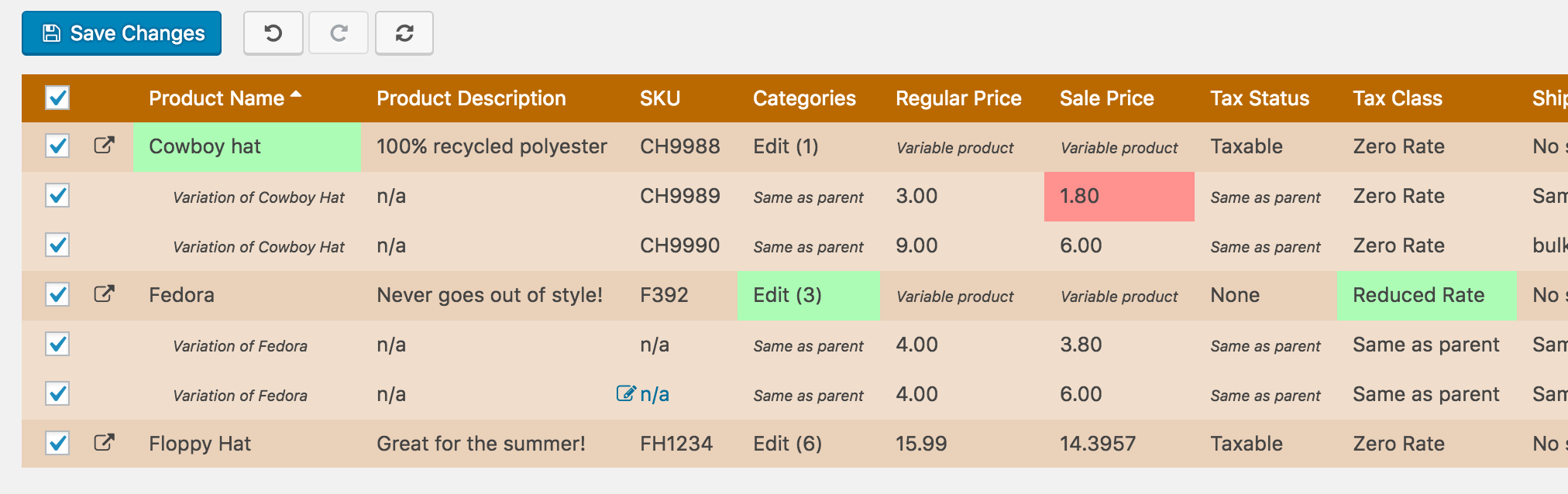
Preview all changes before saving. Price drops highlight in red to give you confidence in your changes!
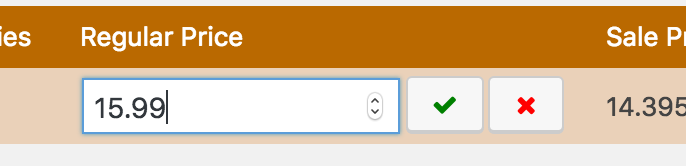
Inline editing, with keyboard navigation.
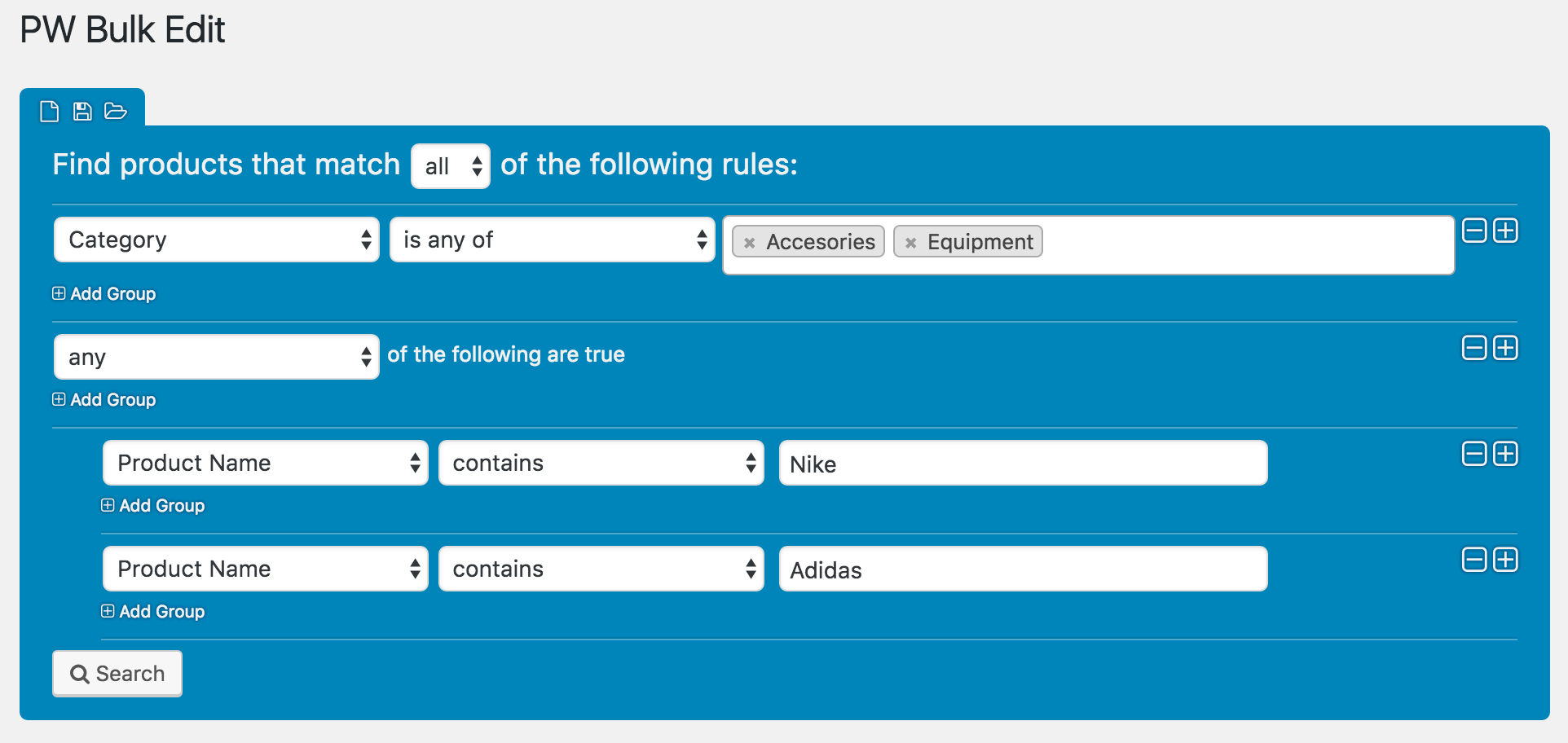
Complex filtering has been simplified to give you ultimate flexibility and control.
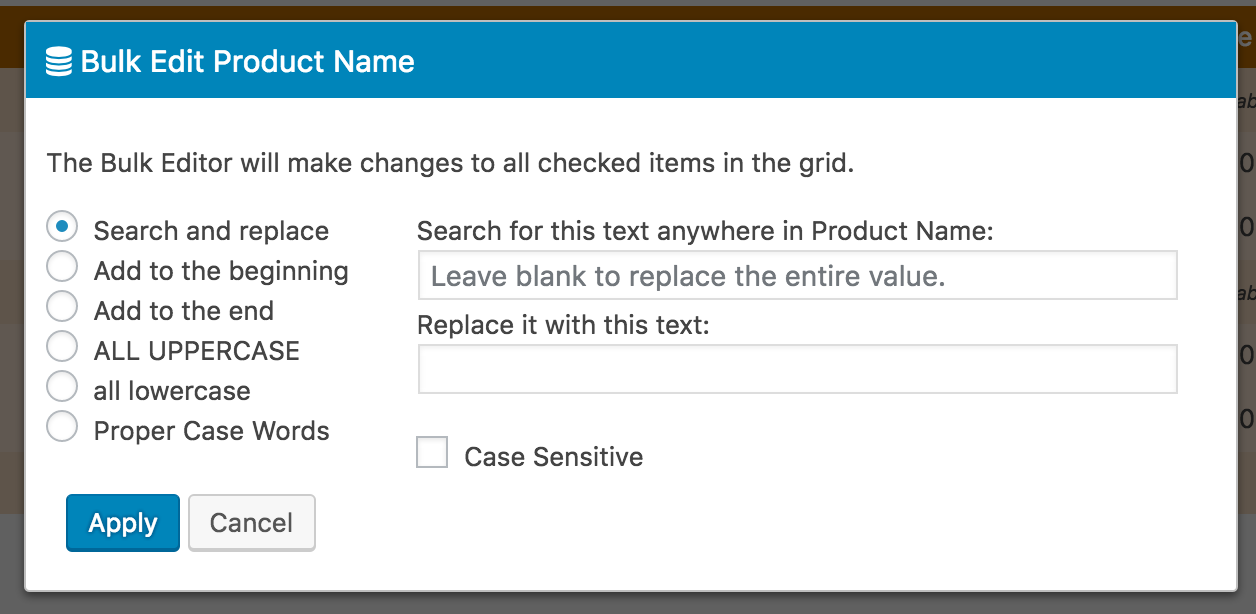
Powerful bulk editing for WooCommerce products.
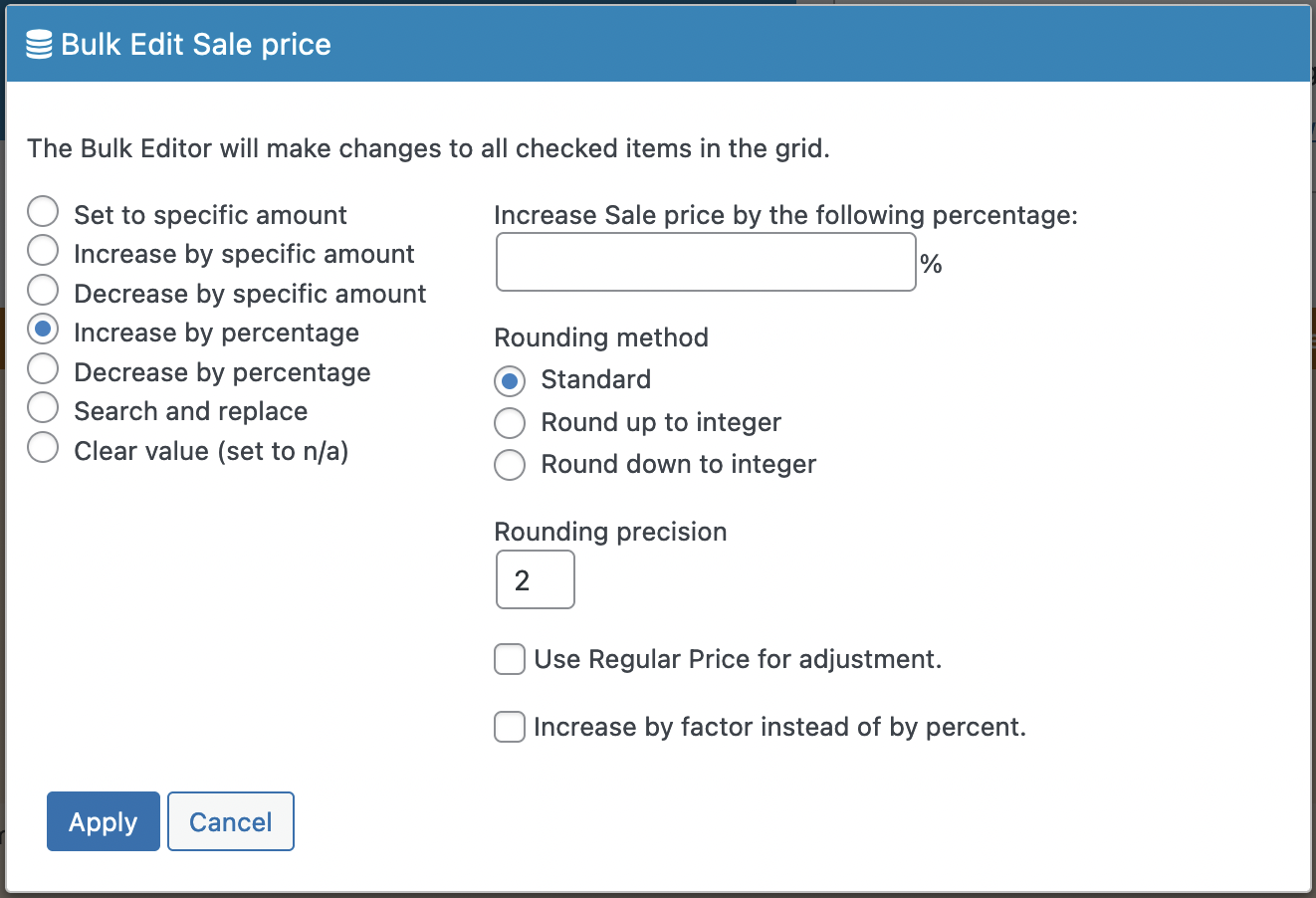
Pro level features at a fraction of the price of the competition.
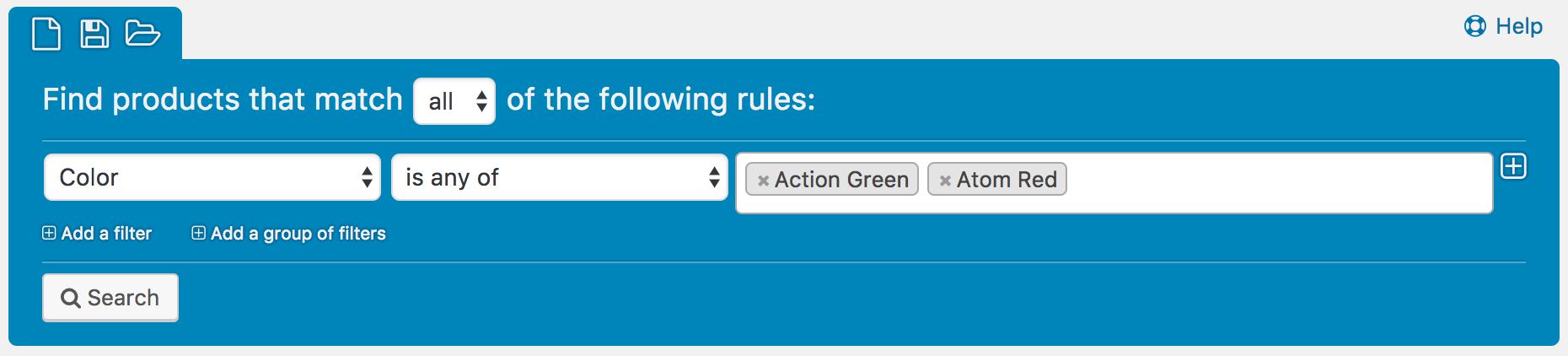
Filter using YOUR attributes to select specific variations (for example, the Color attribute).
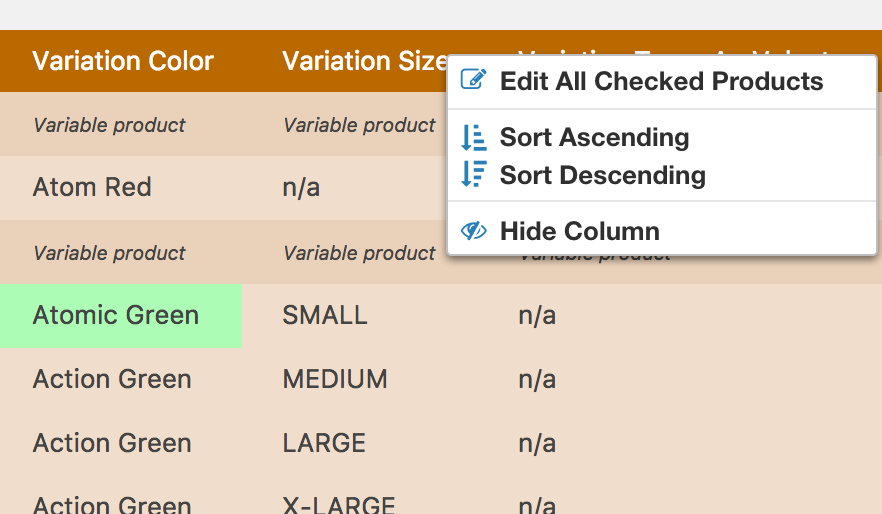
Edit Variations individually or in bulk.
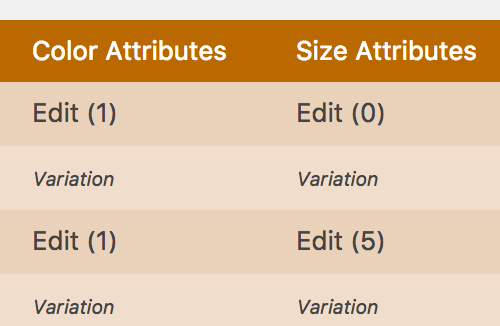
Adjust the attributes available for Variable Products.
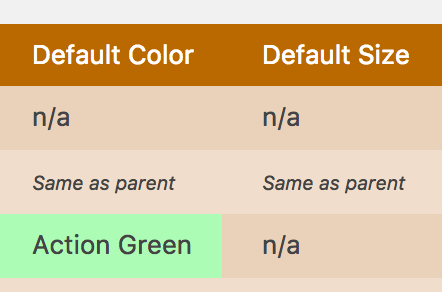
Even bulk edit the Default Form Values for Variable Products!
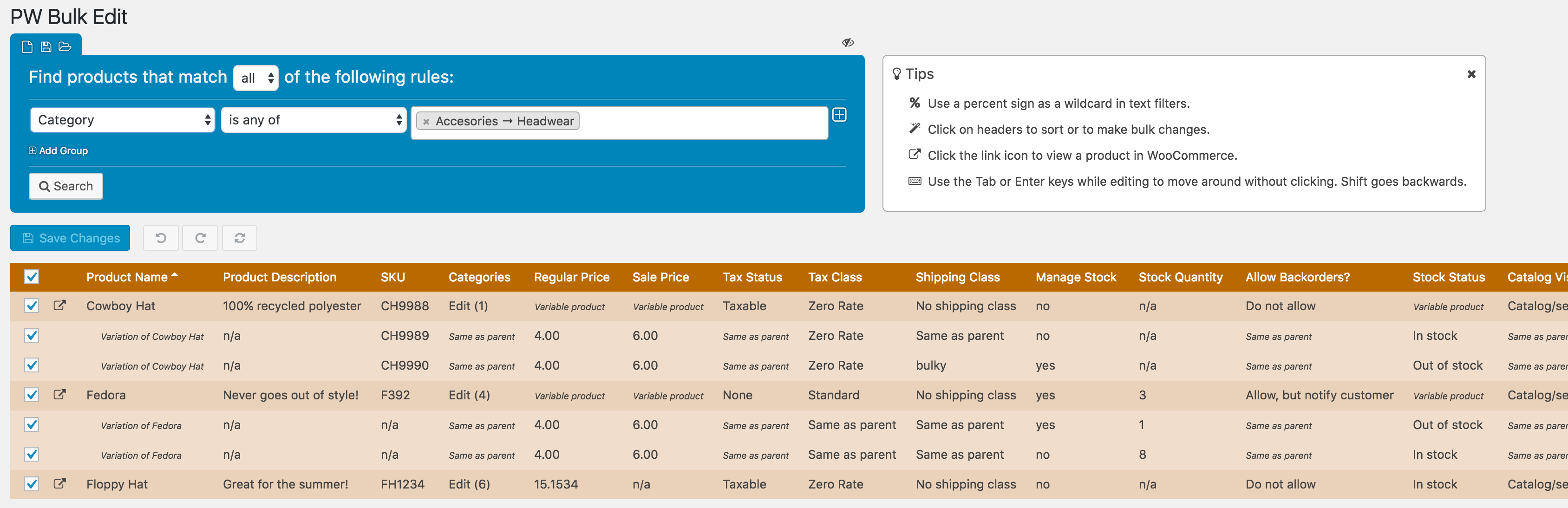
Relax! You’re in control of your WooCommerce product catalog with the power of PW WooCommerce Bulk Edit.
Filters – Find products with PW WooCommerce Bulk Edit’s intuitive filter using the following fields:
- Product name
- Product type
- Description
- Short description
- Variation description
- Categories
- Tags
- Custom attributes (Size, Color, etc)
- Regular price
- Sale price
- Status
- Stock status
- Stock quantity
- Shipping class
- SKU
- Slug
- Product / Variation image
- Vendor (if you have Dokan or YITH Multi Vendor installed)
- Brand (if you have YITH WooCommerce Brands Add-On or the WooCommerce Brands plugin installed)
- Tax status
- Tax class
- Manage stock
Modify a variety of product fields:
- Product Name
- Product image
- Variation image
- Product Type
- Regular Price
- Sale Price
- Sale Start Date
- Sale End Date
- All of your custom Attributes
- Default values for Variable products
- Attribute Visibility
- Product Description
- Short Description
- Variation Description
- SKU
- Categories
- Tags
- Tax Status
- Tax Class
- Weight
- Length
- Width
- Height
- Shipping Class
- Manage Stock
- Stock Quantity
- Allow Backorders
- Stock Status
- Sold Individually
- External/Affiliate Product URL
- External/Affiliate Button Text
- Virtual
- Downloadable
- Download Limit
- Download Expiry
- Download URL
- Download Name
- Purchase Note
- Enable Reviews
- Slug
- Menu Order
- Published on
- Last edited on
- Catalog Visibility
- Featured
- Status
- Cross-sells and Up-sells (enable the “Linked Products” option in Settings)
Fields from certain third-party plugins and themes:
- Aelia Currency Switcher for WooCommerce by Aelia – Bulk edit Regular Price and Sale Price for all configured currencies.
- AffiliateWP by AffiliateWP, LLC
- B2B Market by MarketPress
- Cost of Goods for WooCommerce by WPFactory
- Dokan Multivendor Marketplace
- ELEX WooCommerce Catalog Mode, Wholesale & Role Based Pricing by Elex
- The ‘Extra’ fields from the Flatsome Theme
- Gravity Forms Product Add-ons by Lucas Stark
- MultiVendorX
- Perfect WooCommerce Brands by Alberto de Vera Sevilla
- POS Visibility from WooCommerce POS by kilbot
- PPOM for WooCommerce by Najeeb Ahmad
- Price Based on Country for WooCommerce by Oscar Gare
- Product Feed ELITE for WooCommerce by AdTribes.io
- Product GTIN (EAN, UPC, ISBN) for WooCommerce by Emanuela Castorina
- Product Prices by User Roles for WooCommerce by Tyche Softwares
- Rank Math SEO PRO (GTIN field)
- Related Products for WooCommerce by WebToffee
- Whols – WooCommerce Wholesale Prices by HasThemes
- WooCommerce Brands by WooCommerce.com
- WooCommerce Coming Soon Product by Terry Tsang
- WooCommerce Cost of Goods by SkyVerge
- WooCommerce Estimated Delivery Date Per Product | Shipping Date Per Product by PI WebSolution
- WooCommerce Featured Video by David Towoju (Figarts)
- WooCommerce Germanized by Vendidero
- WooCommerce Google Product Feed by Ademti Software Ltd.
- WooCommerce Local Pickup Plus by SkyVerge
- WooCommerce Min/Max Quantities by WooCommerce.com
- WooCommerce Multi Currency by VillaTheme
- WooCommerce Product Add-ons by WooCommerce.com
- WooCommerce Product Feed Pro by WebAppick
- WooCommerce Product Image Gallery Options by Create and Code
- WooCommerce Skroutz & BestPrice XML Feed by Web Expert
- WooCommerce Variation Swatches – Pro by Emran Ahmed
- WooCommerce Subscriptions by WooCommerce.com
- WooCommerce Product Subtitle by Varun Sridharan
- WooCommerce Role Based Price by Varun Sridharan
- WooCommerce UPC, EAN, and ISBN by Scott Bolinger
- WooCommerce Wholesale Prices by Rymera Web Co
- WP Lister Amazon by WP Lab
- WP Subtitle by Ben Huson, Husani Oakley
- WPML by OnTheGoSystems (Filter products by language)
- YITH Cost of Goods for WooCommerce by YITHEMES
- YITH Multi Vendor by YITHEMES
- YITH WooCommerce Badge Management by YITHEMES
- YITH WooCommerce Barcodes Premium by YITHEMES
- YITH WooCommerce Brands Add-On by YITHEMES
- YITH WooCommerce Featured Video and Audio by YITHEMES
- Yoast SEO by Team Yoast
Don’t see a field listed that you need to edit?
With PW Bulk Edit Pro you can add Custom Fields. Follow the instructions in our guide:
/pw-faq/custom-fields/
Other features include:
- Easily add Variations to products
- See what you’re about to change before you hit save – No more surprises!
- Inline editing in addition to bulk editing
- Safety net: you can undo changes before saving
- Use the power of Regular Expressions for searching and replacing text values
- Edit Variations just as quickly as simple products
- Change prices by a specific amount or a percentage
- Specify rounding precision when changing prices by a percentage
- Revert percentage increases to return to the original amount.
- Change the Sale price based on Regular price
- Save and load filters
- Add/remove categories
- Search/replace text, append, prepend, or change capitalization
- Wildcard searches
- Keyboard navigation
- WooCommerce High Performance Order Storage (HPOS) Compatible
PW WooCommerce Bulk Edit is so easy to use!
Usage
Click on Pimwick Plugins -> PW Bulk Edit and start adding filters. Click on the Search button to show the products.
In the Product Grid, click on any cell to start editing. Column headers can be clicked to perform bulk editing on the entire column. You can also sort and hide columns by clicking on column headers.
Review all changes and click the Save Changes button to commit the changes to the database. Use the Undo / Redo buttons to correct any issues prior to saving.
Troubleshooting
Maximum 1,000 rows returned
In order to prevent browser-side performance issues, results are limited to 1,000 rows at a time. Add more filters to reduce the number of records returned.
Allowed Memory Exhausted Errors
Returning lots of data can sometimes cause PHP memory errors. You can do two things to fix the issue:
1. Add more filters to reduce the number of records returned. This may or may not be possible depending on what you’re trying to accomplish.
2. Increase the allowed memory for your server. You may need to contact your host provider for this. Here is a guide to increasing memory (note: this is not affiliated with us, just one of the clearer guides that can be found online): http://www.wpbeginner.com/wp-tutorials/fix-wordpress-memory-exhausted-error-increase-php-memory/
Try before you buy!
There is a free version available with limited features. To install it, log into your WordPress Admin area, click on Plugins -> Add New, and search for “Pimwick“.


Reviews
Clear filtersThere are no reviews yet.