


 Recently Updated Well Documented


Stripe

Accept payments with Stripe
 The Stripe plugin for WooCommerce allows you to accept payments directly on your store for web and mobile. With Stripe, customers stay on your store during checkout instead of being redirected to an externally hosted checkout page, which has been proven to lead to higher conversion rates.
Stripe is a simple way to accept payments online. Stripe has no setup fees, no monthly fees, and no hidden costs. Hundreds of thousands of businesses—ranging from startups to Fortune 500 companies—rely on Stripe’s software tools to securely accept payments and expand globally.
Stripe is available to businesses in 40+ countries. With Stripe, you can accept all major debit and credit cards from customers in every country in 135+ currencies, as well as Apple Pay, Google Pay, and other local payment methods, such as Alipay, iDeal or SEPA Direct Debit.
Why use the Stripe plugin?
- Accept all major debit and credit cards as well as local payment methods and one-click checkout with Link
- Benefit from Stripe Elements, which helps your users input their payment information quickly and correctly at checkout
- Achieve PCI-DSS compliance with Stripe Elements hosted input fields
- Supports Strong Customer Authentication (SCA)
- Optimized for mobile and fast checkout with Apple Pay, Google Pay, and Payment Request API support
- Better detect and prevent fraud with the help of Stripe Radar and 3D Secure
- Easily capture authorizations and process refunds from your WooCommerce Dashboard
- Support recurring payments with various payment methods via WooCommerce Subscriptions
- Get paid within minutes with Stripe Instant Payouts, if eligible.
- Benefit from free updates and new innovative functionality as Stripe launches new features and products
Features and benefits
A PCI compliant checkout flow optimized for conversion
The Stripe WooCommerce plugin utilizes Stripe Elements to provide you with a PCI-compliant checkout experience that works across browsers and devices of all sizes. Stripe Elements is a set of Stripe hosted input fields built with the collective experience of Stripe’s front-end, design, and analytics teams and help your customers input their information quickly and correctly to minimize user error and increase the number of successful payments. Stripe Elements can be customized to perfectly fit into your theme.
Stripe Elements transmits all sensitive data directly to Stripe without passing through your servers so you remain PCI-DSS compliant. Learn more about Stripe Elements.
Local payment methods to reach customers everywhere
Customer preferences at the time of checkout vary drastically and supporting local payment methods can significantly increase the likelihood of conversion. With Stripe, payment methods can be easily activated from your Stripe Dashboard, no secondary contracts or additional plugins necessary. Once you’ve activated a payment method from your Stripe Dashboard, update your WooCommerce Checkout settings to list the payment method on your checkout page.
Payments made with any payment method on Stripe, including cards, will show up in your Stripe Dashboard, which makes reporting and unified payouts easy. Check out Stripe’s guide to payment methods to discover and select the right payment methods for your customers.
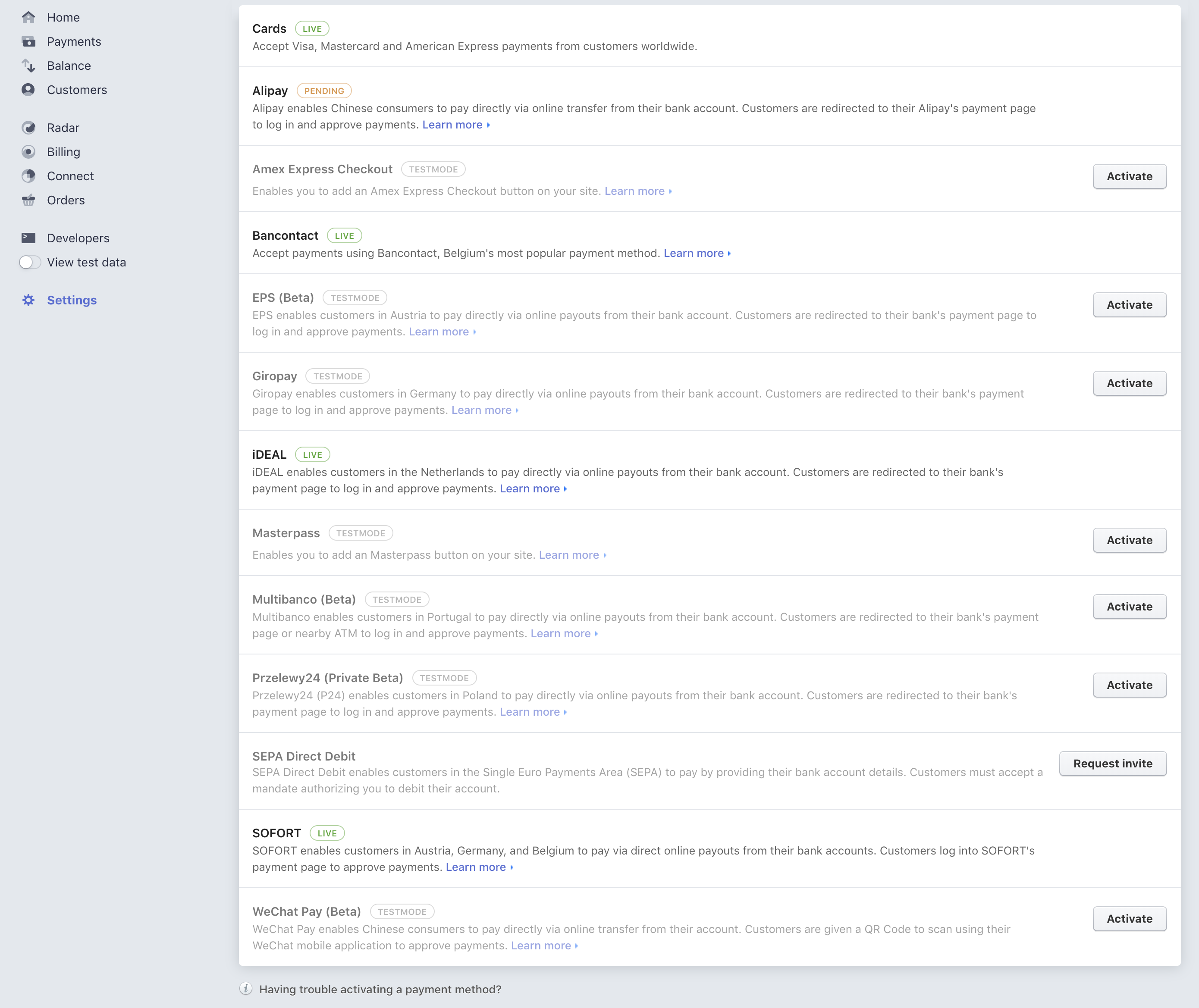
Activate additional payment methods with just a few clicks
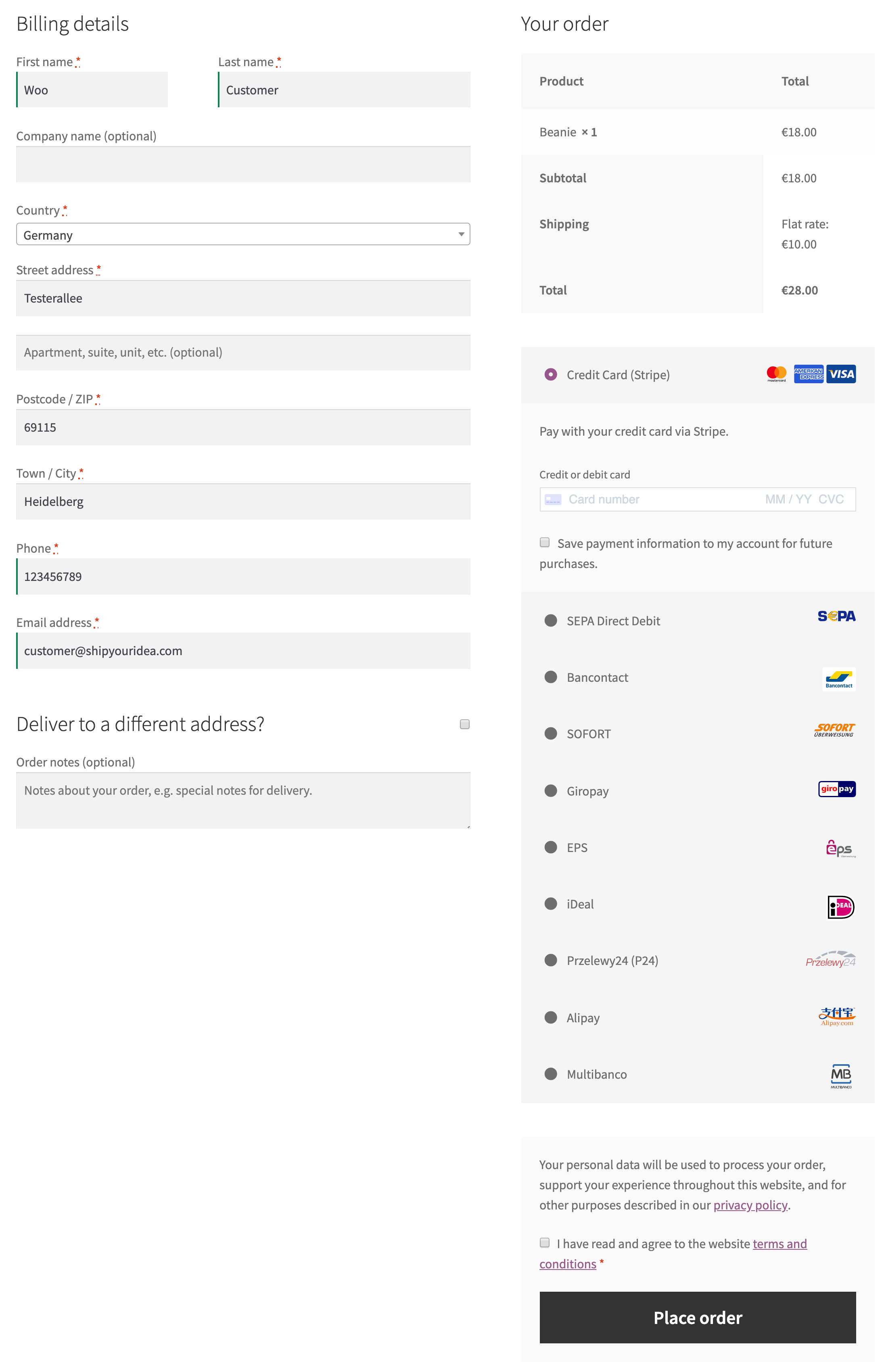 Example list of payment methods on the checkout page
Built in features for faster checkout like ApplePay, Google Pay and Link
With the Stripe plugin, you unlock Link, Stripe’s accelerated checkout. Link autofills your customers’ payment information to create an easy and secure checkout experience. Enable your customers to check out in just 6 seconds with the optimized Link experience, 9x faster than non-Link customers.
The WooCommerce Stripe plugin comes with built-in support for Apple Pay, Google Pay, and the Payment Request API to speed up checkout for your customers on desktop and mobile.
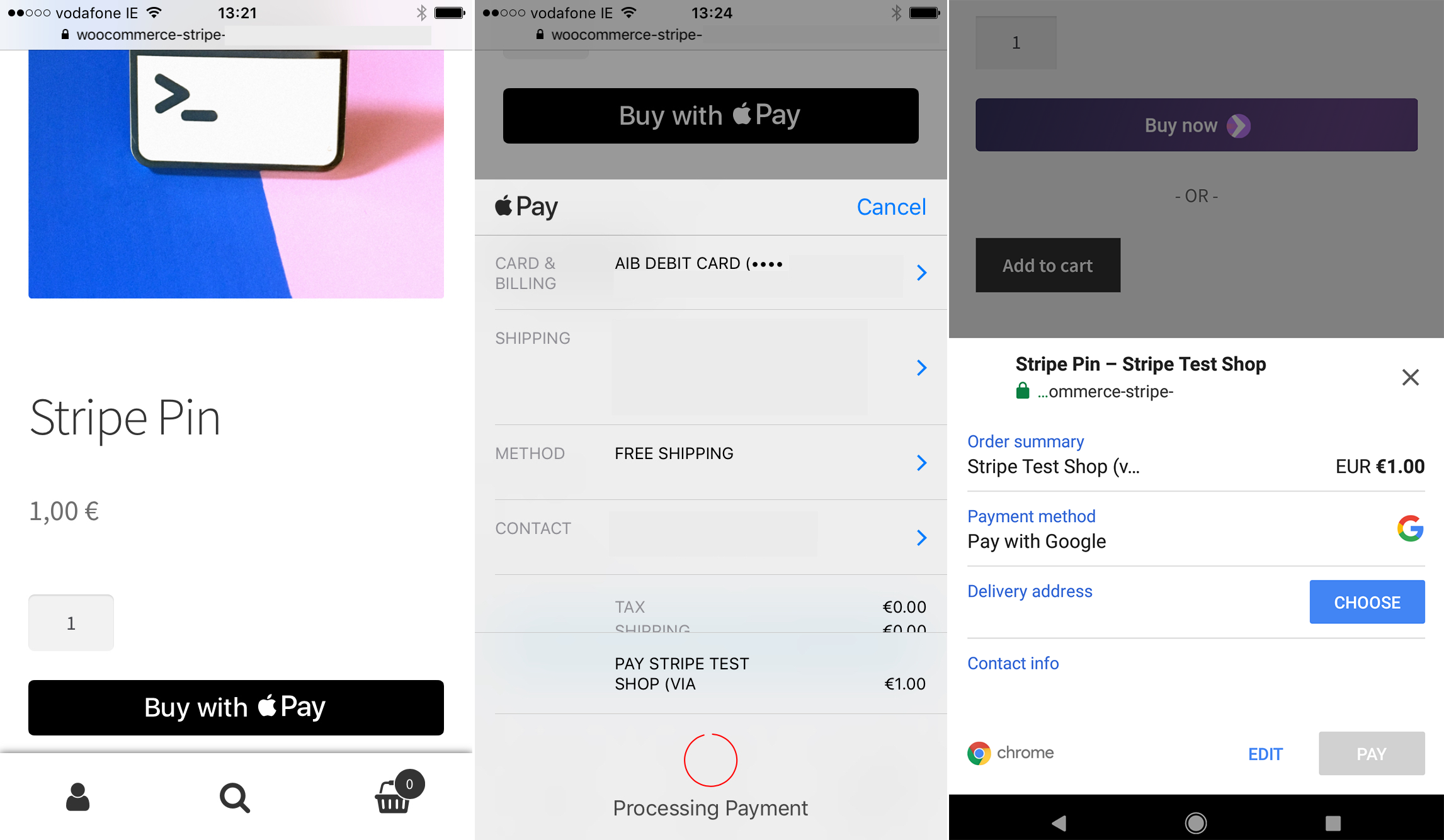 Fast Checkout on mobile devices with Apple Pay and Google Pay.
The Payment Request API is a browser standard that Stripe and a selected group of industry leaders are developing in cooperation with the World Wide Web Consortium (W3C). The Web Payments Working Group is aiming to help make the payment experience on desktop and mobile faster and more convenient for everyone and with that increase the share of purchases that are being completed on mobile devices.
The WooCommerce Stripe plugin utilizes the Stripe Payment Request Button to support fast checkout experiences right from the product detail and cart pages.
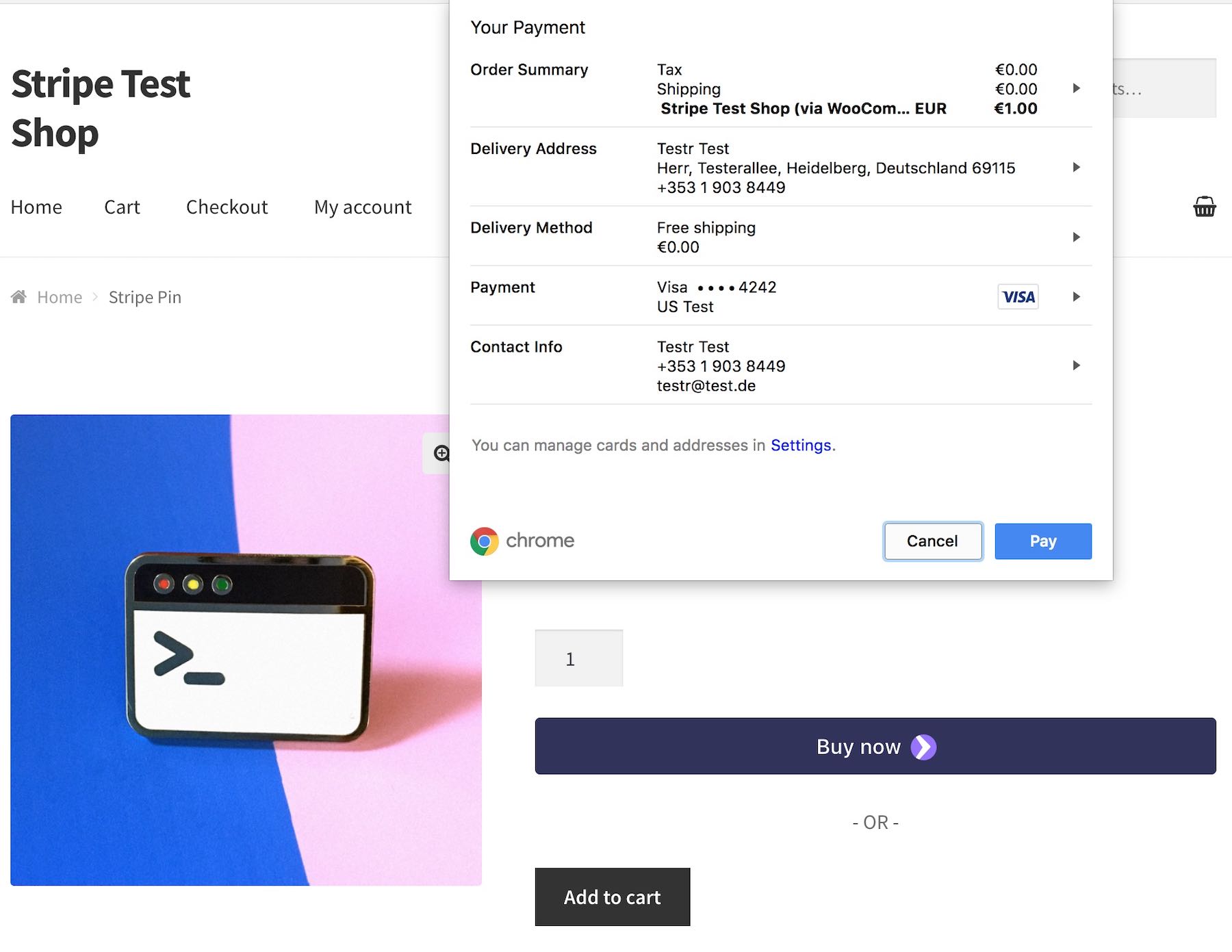 Example: Fast Checkout straight from the product page on desktop Chrome
Better fraud protection and support for 3D Secure
Stripe offers advanced machine learning fraud protection tools that help you detect and prevent fraud with Stripe Radar. You can enable CVV and AVS (address verification) as well as custom fraud detection rules right from your Stripe Dashboard. Learn more about Stripe Radar.
In addition, Stripe Radar allows you to control how 3D Secure (also known as Verified by Visa and Mastercard Secure) is applied to card payments. Learn more here.
-
Stripe processes payments from 195 countries
-
More than 80% of American adults bought something on Stripe in the past year
-
More than half of Irish adults made a purchase on Stripe in the past year
-
More than 65% of U.K. adults made a purchase on Stripe in the past year
-
Nearly 70% of Australian adults made a purchase on Stripe in the past year
-
Nearly 70% of Singaporean adults made a purchase on Stripe in the past year
-
-
Even if a card is new to your business, there’s an 89% chance it’s been seen before on the Stripe network. By learning from millions of global businesses processing hundreds of billions in payments each year, Stripe can assign risk scores to every payment and automatically block many high-risk payments.
-
Stripe algorithms adapt quickly to shifting fraud patterns and to your unique business.
Easy monitoring and reporting
Use your Stripe Dashboard to see, manage, and action all your Stripe data and account balances. Stripe’s interface is fast, exposes everything from bank transfers to HTTP request logs, and provides instant type-ahead search over all your data. It’s also the one central place to track your fees and payouts.
You can also use Stripe’s built-in reporting features and off-the-shelf financial reports:
- Monthly report: Gives you a useful overview of your account’s activity—grouped by month—up to the most recent full day.
- Payout report: Gives you payout details which shows all the charges/refunds/adjustments that are linked to a specific payout.
- Transaction-level balance breakdown: Gives you a line-by-line activity outline that shows your Stripe balance.
Instant Payouts
This feature gives you immediate access to your funds. Smooth cash flow or cover unexpected expenses with 24×7 availability!
New Stripe users won’t have access to Instant Payouts until a payment history is established. To check your eligibility, log in to your Stripe account and go to Balance > Payouts and click “Pay out funds instantly.” If you’re not eligible, you can request access at instantpayouts@stripe.com.
Quick installation and setup
Setup is easy and with automatic installation, you don’t need to deal with a file transfer or leave your web browser. To get started, log in to your WordPress dashboard, navigate to the Plugins menu and click “Add New”.
In the search field, type “WooCommerce Stripe Payment Gateway” and click “Search Plugins”. Once you’ve found the plugin you can view details and install it by clicking “Install Now”.
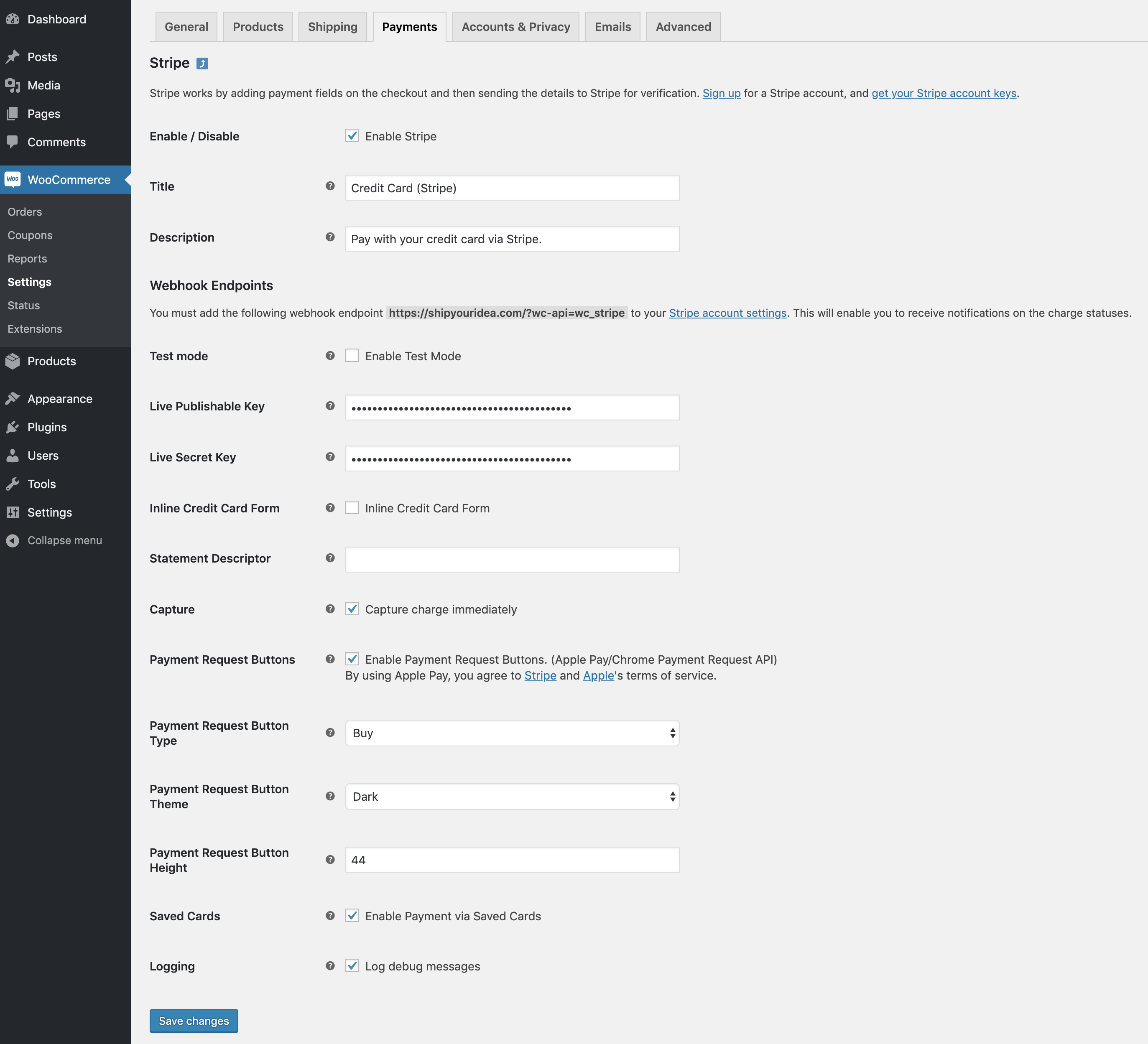
After installing and activating the plugin, navigate to your WooCommerce Settings and select the Payments tab. Here you can activate payment methods and modify settings for capture and payment request buttons. You will also be prompted to setup webhooks to ensure Stripe can communicate with your WooCommerce installation.
Latest Release

Fluent Forms – The Fastest WordPress Form Builder
Original price was: US$299.00.US$4.99Current price is: US$4.99. for 1 year
WizeStore – Multipurpose WooCommerce Shop WordPress
Original price was: US$59.00.US$4.99Current price is: US$4.99. for 1 year
Chelsey – Portfolio Theme for Freelancers and Agencies
Original price was: US$79.00.US$4.99Current price is: US$4.99. for 1 year
Reviews
Clear filtersThere are no reviews yet.