


 Recently Updated Well Documented

Attract Your Customers’ Attention with Custom Product Labels
With the Advanced Product Labels extension, you can quickly and easily create eye-catching labels to promote your products. Highlight freebies, emphasize “Free Shipping,” or showcase exclusive discounts for specific products or product groups.
Using the extension’s easy-to-use conditions, you can target specific products in your shop to display a label.
Grab Attention
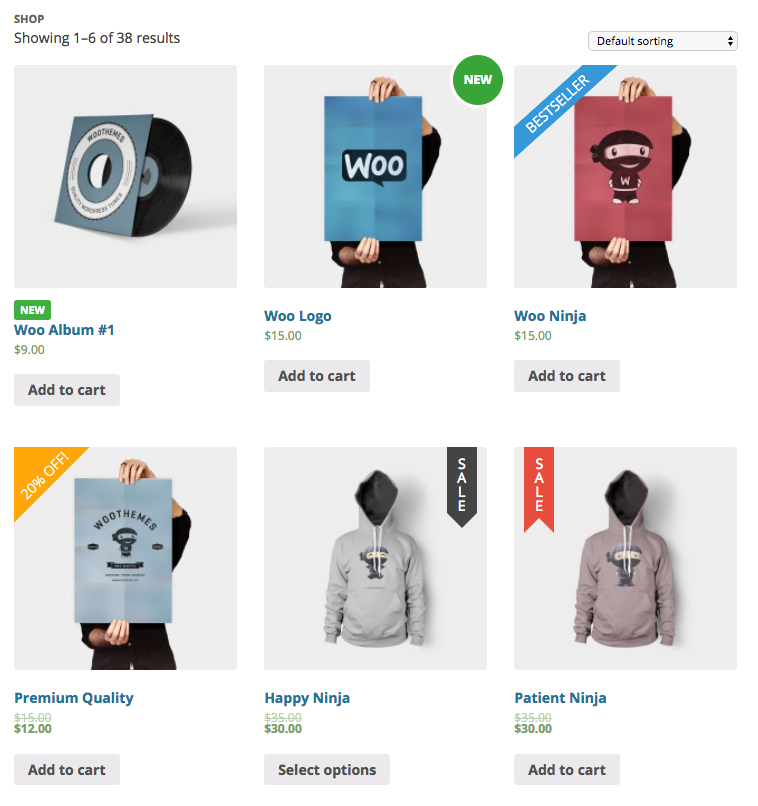
Use product labels to draw the attention of the customer to a product. Having the same ‘Sale’ or ‘Promo’ label everywhere does not attract customers anymore, your customers will overlook those. Create your own targeted and unique labels using the conditional framework to show labels for a targeted group of products only.
Example usages
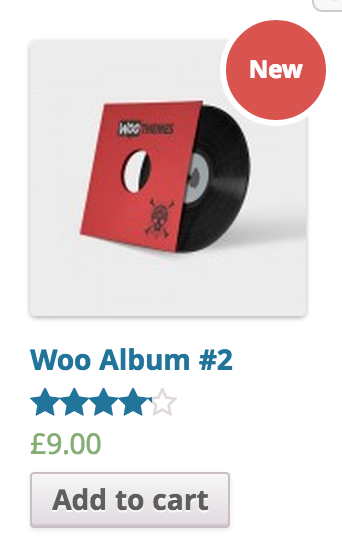
- Add a ‘New’ label to products added less then X days ago
- Show a ‘Sale’ label for products that are on sale
- 30% OFF / $5 OFF (amount will be calculated automatically)
- T-shirts in the new summer collection 8)
- HD films in the films category
- Show customers which products have free shipping
- Show which products are your Bestsellers
What does Advanced Product Labels do?
- Add product labels
- Global labels; Target multiple products at once
- Single labels; Labels created in the product edit screen
- Let the plugin fill in variable parts of a label, such as the sale price or percentage of discount, with smart labels
- Choose from 6 different types of product labels.
- Or upload and use your own Custom Image
- Select from predefined colors or pick your own custom colors
- Align labels individually
Extension back-end
The extension has two main interfaces, the global labels and the single labels.
Global Labels Interface
The global labels can be found under the WooCommerce -> Settings -> Product labels settings tab. Here, you can target a group of products with the following conditions.


Conditions included
The following conditions are included by default. These conditions can be easily modified and/or extended with hooks.
- Product
- Product category
- Product type
- In sale
- Bestsellers
- Product age
- Price
- Sale price
- Stock status
- Stock quantity
- Shipping class
- Tag
- Total sales
- Featured product
Single Label Interface
The single label interface has the same settings as the global label, only these settings only go for the current product. As an extra setting, you can exclude that product from the global labels.
Both label interfaces offer a live preview of the label, so you can see how it will look before saving.
Latest Release

Fluent Forms – The Fastest WordPress Form Builder
Original price was: US$299.00.US$4.99Current price is: US$4.99. for 1 year
WizeStore – Multipurpose WooCommerce Shop WordPress
Original price was: US$59.00.US$4.99Current price is: US$4.99. for 1 year
Chelsey – Portfolio Theme for Freelancers and Agencies
Original price was: US$79.00.US$4.99Current price is: US$4.99. for 1 year
Reviews
Clear filtersThere are no reviews yet.