An extra plugin to integrate Gutenberg-built forms and WooCommerce checkout.
WooCommerce Cart & Checkout Action | JetFormBuilder Pro Addon
Works with any WordPress theme
Add a WooCommerce
Direct checkout to Gutenberg forms
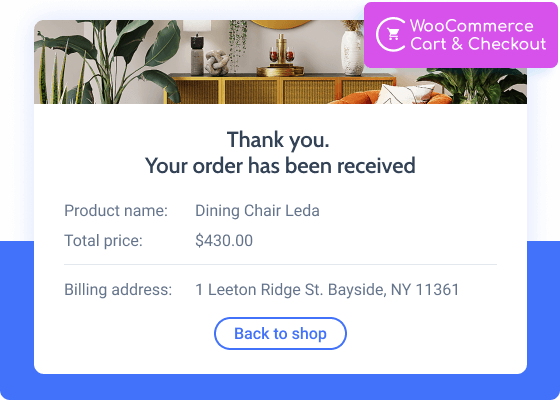
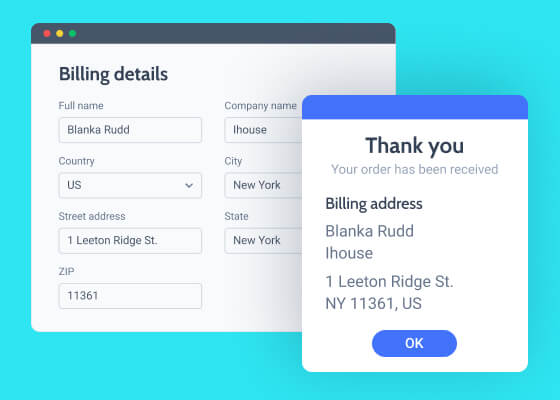
WooCommerce Cart & Checkout Action links JetFormBuilder forms to WooCommerce payments. It can perform the ‘Add to Cart’ action for a single product and redirect to the Checkout page. Add, edit, and shuffle the Forms Fields on the Thank you page, apply custom settings to them, and display only those order details you find noteworthy. There’s a possibility to pre-fill the Checkout fields after the redirect as well.
Addon Functionality:
WooCommerce integration
“Add to cart” feature
AJAX redirect to Checkout
WooCommerce Cart & Checkout Action | JetFormBuilder Pro Addon
Unlock All Addon Options
Get product ID from
Determine where to pull the product ID from – either dynamically from the “Form Field” or using the “Manual Input” option.
Product ID field
Choose here the form field that would dynamically return the product ID.
Input product ID
Type the product ID into this field when choosing the “Manual Input” option.
WooCommerce Price field
This field stands for the total product price. If left empty, the price will be gotten from the post meta value.
WooCommerce Cart & Checkout Action | JetFormBuilder Pro Addon
Heading for Order Details
Provide here the text that will be displayed on top of the order’s metadata.
WooCommerce order details
Click the “Set up” button to create a custom fields list that appears on Thank You page and during order preview in the dashboard.
WooCommerce checkout fields map
It’s preset for WooCommerce checkout fields by configuring which you can get a pre-filled checkout after redirect.
How to Configure WooCommerce Cart & Checkout Action
How to set up
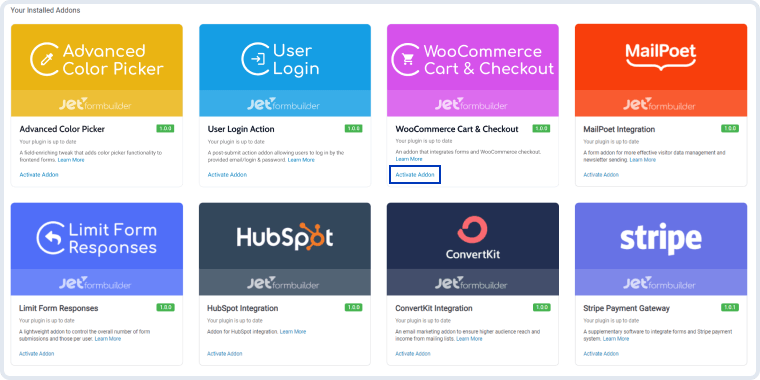
Go to JetFormBuilder & Addons and find the “WooCommerce Cart & Checkout Action” addon in the All Available Addons section. Press the “Install Addon” button and, once installed, it will appear on Your Installed Addons. Next, click “Activate Addon” to get it ready for further work.
WooCommerce Cart & Checkout Action | JetFormBuilder Pro Addon
As you can see, all PRO version add-ons can be easily installed and activated via JetFormBuilder Dashboard.
How to configure the WooCommerce Cart & Checkout Action
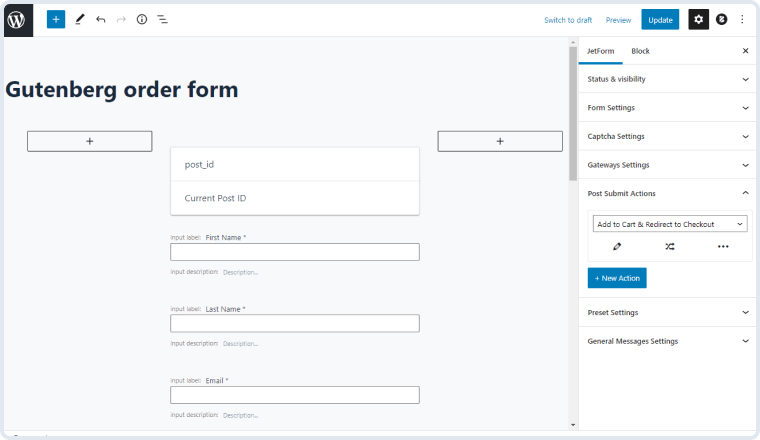
Follow the JetFormBuilder & Forms and open one of the created order submission forms. In the right-side menu, you will see the Post Submit Actions section. Click on the “New Action” button and select the “Add to Cart & Redirect to Checkout” option from the list.
WooCommerce Cart & Checkout Action | JetFormBuilder Pro Addon
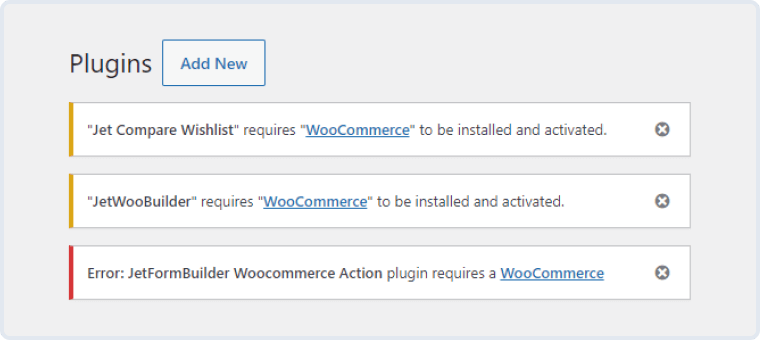
NOTE. For proper functioning of the action, please make sure that the WooCommerce plugin is activated. If it is not, you will be shown the admin notice.
WooCommerce Cart & Checkout Action | JetFormBuilder Pro Addon
WooCommerce Cart & Checkout Action Settings
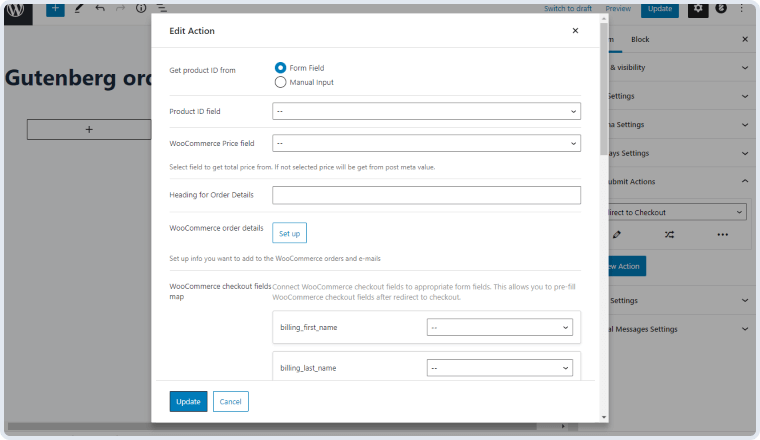
Once the Post Submit Action is picked, you can proceed to edit it. Click on the pencil-shaped icon, and the Edit Action window will appear. Now, let’s go over the settings it contains.
WooCommerce Cart & Checkout Action | JetFormBuilder Pro Addon
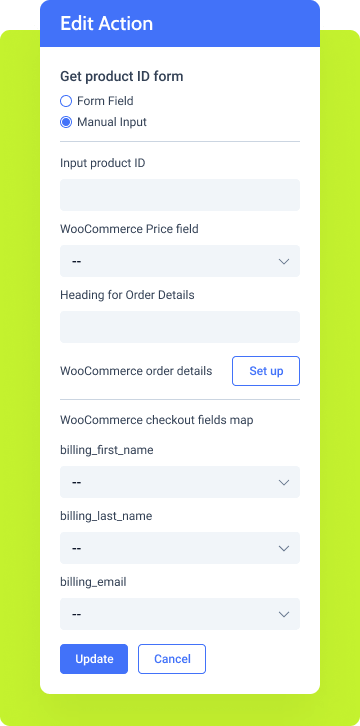
Get product ID from. This Radio type field contains two options – “Form Field” and “Manual Input.” By choosing either one, you determine where the form will get the product ID from. It can be done either dynamically (by pulling the product ID from the corresponding Form Field) or manually (by providing the product ID through Manual Input);
Product ID field / Input product ID. Choose the corresponding Product ID field from the drop-down list or input the Product ID manually if you have chosen the second option at the previous step;
WooCommerce Price field. Here, your need to select the field that stores the total price. If you leave this field empty intentionally, the price will therefore be obtained from the post meta value;
Heading for Order Details. In this field, you need to type the title that you intend to show before the order metadata on the Checkout page;
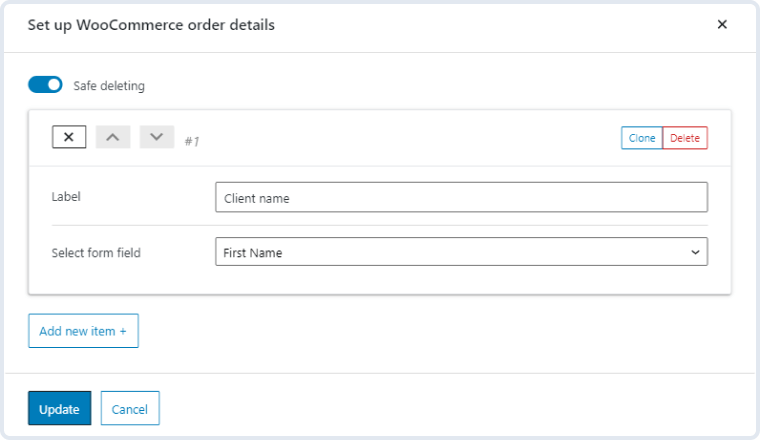
WooCommerce order details. By clicking on the “Set up” button, you get to configure a list of custom fields that will be displayed on the “Thank You” page and during order preview in the dashboard. To put it otherwise, you can edit the form metadata here, which means that these order details will be the same for all Redirect to Checkout actions within one particular form. Let’s check out the settings:
Safe deleting. This toggle is active by default and prevents you from deleting items unintentionally. When it is on, the item will be only removed after you confirm that you mean to remove it;
Label. You can provide the field label here;
Select form field. Pick the corresponding form field that you are willing to show on the Order Details list;
Add new item. Allows you to add another custom field;
Update. Click this button to save the changes and return to the action edit window;
Cancel. Click this button to return to the action edit window without saving the changes.
WooCommerce Cart & Checkout Action | JetFormBuilder Pro Addon
WooCommerce checkout fields map. Here, you can connect the WooCommerce checkout fields to the corresponding form fields. By doing so, you get a partly pre-filled form after being redirected to the Checkout page.
Note. The “Add to Cart & Redirect to Checkout” post-submit action can add just one item/product to the cart. Also, mind the reload method. If you choose “AJAX” in the form settings, the redirect action will be executed after ALL post-submit actions only. If you select “Reload,” the redirect will happen immediately.




 Recently Updated