All-in-one digital toolkit. Premium WordPress themes, Shopify themes, plugins, templates & creative assets.




 Recently Updated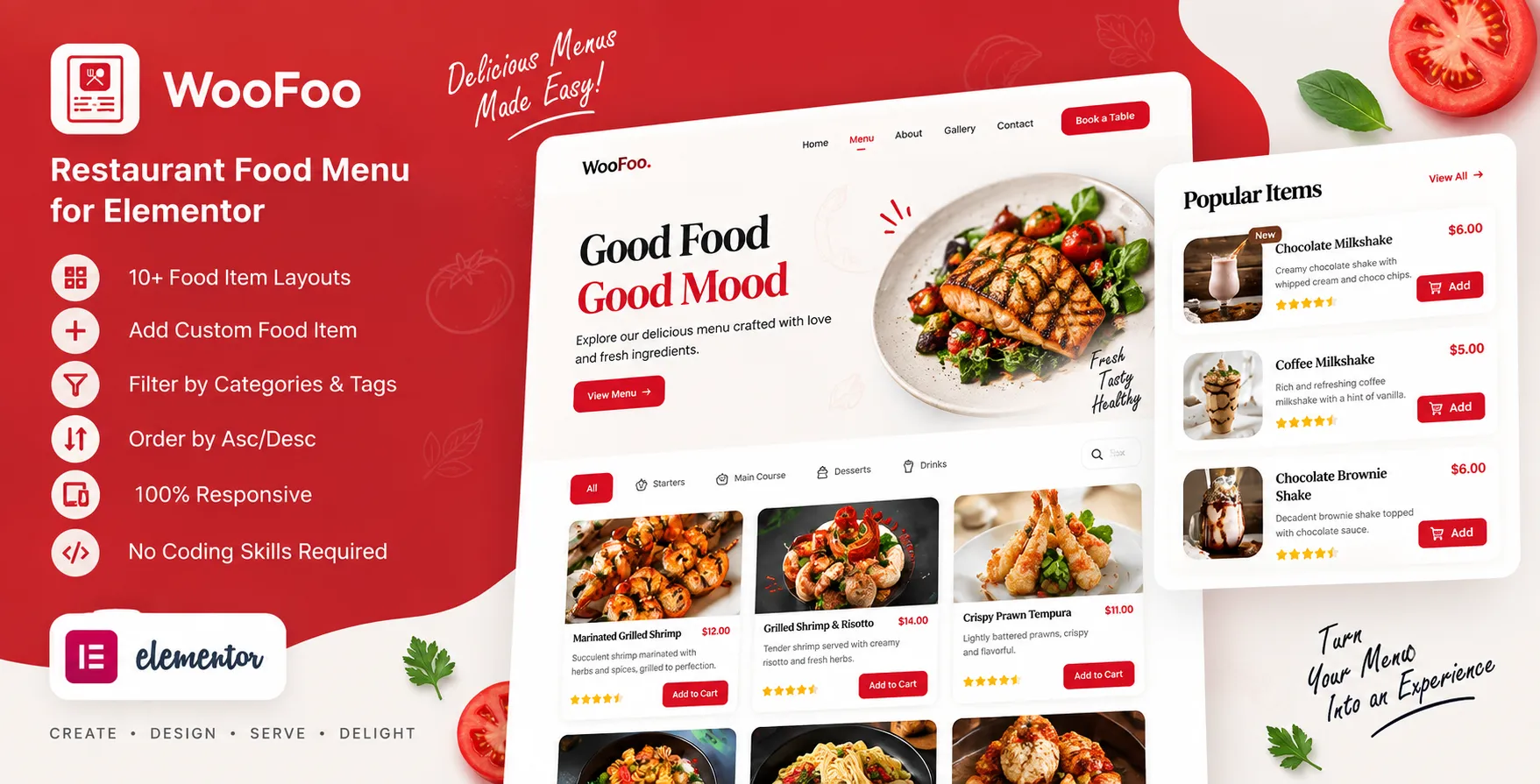

What Is WooFoo – Restaurant Food Menu for Elementor?
WooFoo is a WordPress plugin made to show food items in clean menu layouts. It suits cafes, bars, hotels, and other food sites that need smart menus. You can add food names, text, images, prices, and other key item data. The plugin also lets you show custom and WooCommerce items with set groups.
WooFoo works with Elementor and gives users a simple drag-and-drop menu setup. It has more than ten ready layouts for food and item display. You can pick a style and change it to fit your site with ease. The plugin is also made to work well across phones, tablets, and desktop screens.
Key Features of WooFoo – Restaurant Food Menu for Elementor:
- 10+ Food Menu Layouts: WooFoo gives you more than ten layouts to show food items. These styles can help make each menu page look fresh and neat. You can use a flat style with hover effects for more visual appeal. This gives food sites more ways to show key items on each page.
- Category and Tag Filters: The plugin lets users filter items by product groups and tags. You can also keep some items out of a set group or tag. This makes it easy to build menus for food types or meal sets. Users can then find the right food items with less time and effort.
- WooCommerce Support: WooFoo works with WooCommerce to show store items in menu layouts. You can sort items by new, top sale, top rank, or sale status. The add-to-cart button can also be shown when needed. This makes WooFoo useful for food sites that also sell items online.
- Custom Currency Symbol: WooFoo lets you set a custom symbol for the price field. This helps sites that use local or less common currency units. You can show prices in a way that fits your store or food brand. This small tool can make your menu more suitable for your target users.
- Flexible Column Support: WooFoo lets you set the number of menu columns for each screen. You can set the view for desktop, tablet, and mobile screen sizes. This helps keep food cards neat as the screen size gets smaller. It also gives you more control over how items fill each page.
- Easy Style Options: WooFoo gives users tools to change the look of each menu box. You can add hover effects, box shadows, and many border styles. These tools help make food cards look neater and fresher. You can also style the menu without any coding skills.
Why Choose WooFoo for a Food Menu Website?
WooFoo puts food menu tools, style, and item lists in one plugin. It can help food sites build neat menus without hard-coded work. Its many layouts also let you pick a style that fits your brand. WooFoo is light, easy to set up, and made for smooth menu use.
Who Should Use WooFoo?
WooFoo – Restaurant Food Menu for Elementor can be suitable for:
- Restaurants
- Cafes and coffee shops
- Bars and pubs
- Hotels
- Food shops
- Online food stores
- WooCommerce food sites
- Catering firms
- Food brands
- Sites built with Elementor
WooFoo – Restaurant Food Menu for Elementor Comparison:
| Feature | WooFoo – Restaurant Food Menu for Elementor | Basic Food Menu Plugin |
| Main Use | Food menu display | Basic food menu |
| Elementor | Supported | Depends on plugin |
| Menu Layouts | 10+ styles | Often limited |
| Food Images | Supported | Supported |
| Product Categories | Supported | Depends on plugin |
| Product Tags | Supported | Depends on plugin |
| WooCommerce | Supported | Depends on plugin |
| Add to Cart | Supported | Depends on plugin |
| Currency Symbol | Custom option | Depends on plugin |
| Column Control | Desktop, tablet, mobile | Often limited |
| Hover Effects | Supported | May not support |
| SEO Friendly | Supported | Depends on plugin |
| Mobile Design | Responsive | Depends on plugin |
FAQs:
What is WooFoo – Restaurant Food Menu for Elementor?
WooFoo is a WordPress plugin for making food menus with Elementor. It lets users show food names, images, text, prices, and more.
Does WooFoo support WooCommerce?
Yes, WooFoo works with WooCommerce and can show product lists. It can also show an add-to-cart button for items when needed.
How many menu layouts does WooFoo have?
WooFoo offers more than ten ready-made layouts for food displays. These layouts give users many ways to style their food menu pages.
Is WooFoo mobile-friendly?
Yes, WooFoo has a responsive design for phones, tablets, and desktop screens. You can also set columns for different screen sizes.
Does WooFoo need coding skills?
No, WooFoo is made for easy setup and use. Basic WordPress users can style and set up menus without expert coding skills.


Reviews
Clear filtersThere are no reviews yet.