 🔑 Software keys sent via WhatsApp or E-mail within 24 hours (1 Day) ! ⏳ If not received, Contact us! ! 📬



 Recently Updated

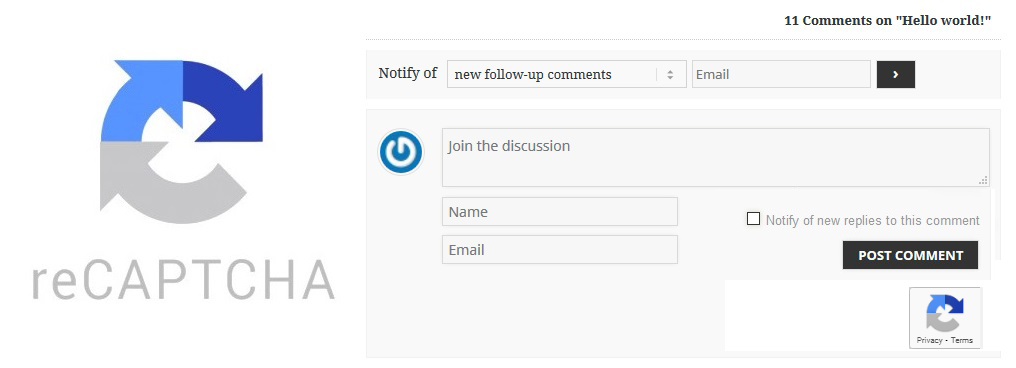 wpDiscuz – Google reCAPTCHA
wpDiscuz – Google reCAPTCHA
 Best protection for your comments with wpDiscuz Google reCAPTCHA addon!
The new (2.0) reCAPTCHA is great. A significant number of your users can now attest they are human without having to solve a CAPTCHA. Instead with just a single click they’ll confirm they are not a robot. People call it the No CAPTCHA reCAPTCHA experience. This addon protects your website comments from spam and abuse while letting real people pass through with ease.

 Official wpDiscuz Addon
Please note: this is an add-on for wpDiscuz plugin. This addon requires at least wpDiscuz 7.0.0 version. Please do not install this addon on lower wpDiscuz versions. wpDiscuz is a free, AJAX controlled, real time, flexible and responsive commenting plugin. It’s available for free download on WordPress.org Extensions directory. The official wpDiscuz addons are only available here at gVectors.com Premium plugins store.We offer Sale Packs for our customers who are going to purchase more than two products at once. Sale Packs are based on minimum and maximum amount of purchased products in cart. Please find all our offers here»
Description
Finally, you can use the new Google No CAPTCHA reCAPTCHA with wpDiscuz. This version of reCAPTCHA came as a result of quite obvious realization that bots got advanced enough to read CAPTCHA images better than most humans. So instead of making it harder for humans, there has to be a way to make this check easy for you, yet somewhat effective for keeping bots away. So and this is the best way, your commenters will be happy to pass the CAPTCHA with only one click on reCAPTCHA checkbox. This addon will increase your website comments, it’ll protect those from spam and abuse while letting real people pass through with ease.


Reviews
Clear filtersThere are no reviews yet.